

Flowspeech
FlowSpeech is an AI-powered, context-aware text-to-speech studio that generates lifelike, emotion-aware voice audio with fine-grained pause and accent controls and multi-speaker casting for professional audio production.
Flowspeech is voice & speech software teams evaluate for voice & speech. Use this page to review pricing, integration signals, and the best alternatives before you commit.
Profile facts come from the vendor source. AiMatch labels unknown pricing or API details instead of estimating them.
Review official source →Quick Overview
Best for: Voice & Speech
What it does
Voice & Speech software for decision-makers comparing workflow fit and alternatives.
Best fit
Voice & Speech
Pricing snapshot
Contact for pricing
Next step
Compare Flowspeech with similar tools before you shortlist it.
Compare this tool before you shortlist it
Review alternatives, pricing posture, and workflow fit side by side.
FlowSpeech is a context-aware text-to-speech studio that produces human-like TTS audio by analyzing sentiment, timing, and nuance in scripts. It offers manual editing of speech effects, bracket-based commands for emotions and accents, precise pause controls, and modes for single-speaker, multi-speaker, and instant generation. The product is aimed at creators, marketers, educators, and production teams who need broadcast-ready, emotion-aware voice audio for audiobooks, video voiceovers, podcasts, dubbing, and other long-form or conversational content.
FlowSpeech is an AI-powered, context-aware text-to-speech studio that generates lifelike, emotion-aware voice audio with fine-grained pause and accent controls and multi-speaker casting for professional audio production.
Own this listing?
Claim this page for a one-time $29 to add pricing, features, screenshots, verified owner details, and a clearly labeled 30-day category position after the profile is live.
Claim this listing for $29Key Features
Context-aware emotion delivery
AI engine analyzes script context and infuses appropriate sentiment—joy, sorrow, excitement—to ensure audio conveys correct emotional impact.
Custom emotion and accent commands
Use bracketed instructions like [whisper], [shout], or [strong British accent] to change tone, actions, or accents inline during generation.
Precise pause controls
Insert pause tags such as [⌛1.0s] to control pacing and timing without exporting to a DAW for post-production editing.
Single Speaker auto-markup
Upload a file in Single Speaker mode and FlowSpeech's AI analyzes tone and automatically inserts emotion tags for a consistent voice character.
Multi Speaker auto voice matching
Automatically detects different speakers in a script, splits segments, and pairs each with a suitable AI voice for multi-voice conversations.
Multiple generation modes
Single Speaker, Multi Speaker, and Instant Speech modes allow switching between monologues, dialogues, and quick TTS generation workflows.
Lifelike neural delivery
Neural TTS preserves prosody, breaths, and pacing to deliver natural, broadcast-ready audio.
Voice & language coverage
Offers 30 distinct voices across four styles and supports 70+ languages for international workflows.
Long-form rendering
Processes up to 200k characters per render to handle long-form content and full chapters without losing context.
Document and image ingestion
Directly ingests PDF, DOC, DOCX, PPT, PPTX, TXT, RTF, EPUB, and image files for text extraction and TTS conversion.
Pricing
Current pricing details are not available from the vendor source.
Use Cases
Audiobooks
Transform novels, textbooks, and articles into immersive audiobooks with steady pacing and emotion-aware delivery for long-form listening.
Video voiceovers
Produce professional voiceovers for marketing videos, tutorials, and social content using a range of voices and precise timing controls.
Podcasts & multi-voice productions
Automatically detect and cast multiple speakers for podcast episodes and scripted conversations to speed up production.
Game and character voiceovers
Create expressive character performances and game voiceovers using expressive character styles and accent/emotion commands.
AI dubbing
Generate dubbed voice tracks for video content leveraging multi-language support and context-aware delivery.
Educational narration
Narrate lessons, explainer content, and textbooks with clear pacing and emotion to improve learner engagement.
Integrations
No verified integration details are available.
Benefits
Limitations
No verified limitations are available.
Frequently Asked Questions
No verified FAQs are available.
Getting Started
- 1 Step 1: Choose a generation mode (Single Speaker, Multi Speaker, or Instant Speech) that fits your project.
- 2 Step 2: Enter text or upload files (PDF, DOC/DOCX, PPT/PPTX, TXT, RTF, EPUB, or image) to extract script content.
- 3 Step 3: Add emotions, accents, or pause tags using the command palette (type '[' to open) and insert tags like [whisper] or [⌛1.0s].
- 4 Step 4: Select a voice from the 30 available options and generate the TTS audio.
Support
contact page
Use the site's Contact Us page to reach customer support (referenced on the website).
The site indicates you can contact support by email via the Contact Us support flow.
API
Compare Flowspeech with similar tools
See how it stacks up against alternatives
Related Tools
View all 98 →
Join the Mic Captions beta
Mic Captions (beta) is a TestFlight beta app that turns spoken audio into real-time, easy-to-read captions on iPhone and iPad, with translation, session saving, transcript replay, and navigation by Topics and Words.

SyncWords
SyncWords is a live AI language platform that delivers real-time captions, translated subtitles and AI voice dubbing (Vocalics) for broadcasters, OTT platforms, live events and recorded media to expand global audiences with low-latency, broadcast-grade language processing.

Bswan
Bswan is a managed conversion infrastructure platform that uses AI voice and messaging funnels to activate new users, recover early churn, and increase lifetime value by running telephony, messaging, routing, tracking and continuous optimization for campaigns at scale.
RemoveVideoNoise
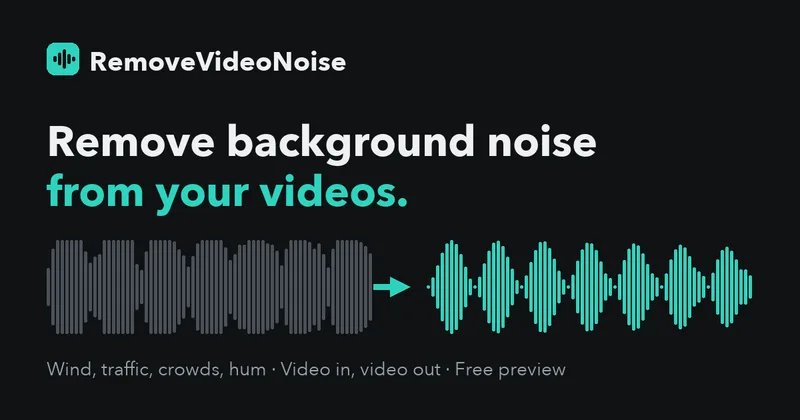
RemoveVideoNoise uses AI speech-enhancement models to reduce background noise in video and audio files while preserving the original video picture. Users can preview the cleaned result, adjust processing strength, and download a free 30-second clip or pay once for the full file.


Premium Alternatives





Bswan
Bswan is a managed conversion infrastructure platform that uses AI voice and messaging funnels to activate new users, recover early churn, and increase lifetime value by running telephony, messaging, routing, tracking and continuous optimization for campaigns at scale.

SigmaMind AI (sigma-ai)
SigmaMind AI (sigma-ai) is a voice AI platform that creates deployable voice agents for call centers to handle outbound and inbound campaigns—lead generation, debt collection, appointment setting, and customer support—integrating with existing dialers and CCaaS stacks.