
Fluently
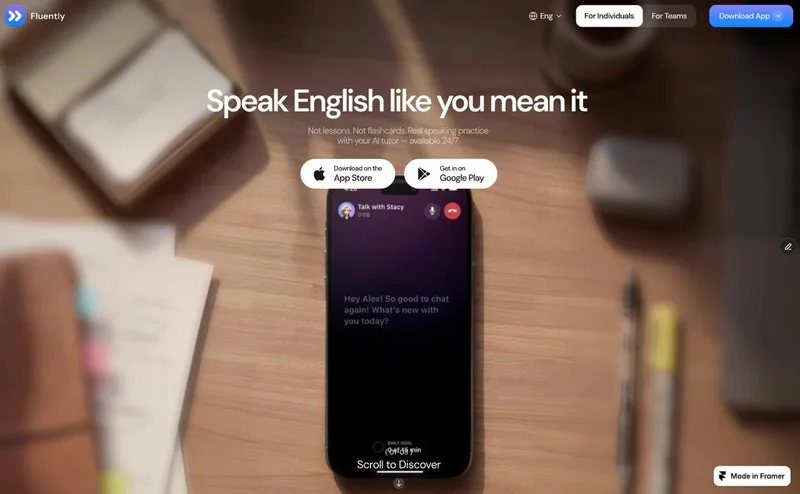
Fluently gives non-native English speakers a mobile AI tutor for spoken conversation practice, with feedback on pronunciation, fluency, vocabulary, and grammar. Professionals and job seekers can rehearse interviews, meetings, and other real-world conversations.
One of 124 tools in Education
Who it's for
- Non-native English-speaking professionals preparing for business meetings, presentations, or everyday workplace conversations.
- Job seekers who want to rehearse interviews and industry-specific situations in spoken English.
- English learners who know the basics and want regular conversation practice with feedback on pronunciation and fluency.
How it fits your workflow
Download the Fluently app and speak with the AI tutor in real-time conversations. The page says practice does not require tapping through prompts, and the tutor is available 24/7.
The tutor assesses pronunciation, fluency, vocabulary, and grammar, suggests more natural phrasing, and offers a prompt when you get stuck.
Use courses, games, or interview practice for different goals, then review skill scores and progress tracking to see what to work on next.
Pricing
The vendor doesn't publish prices. Check with Fluently directly.
Prices checked on Oct 3, 2026 from the vendor's site. They can change; confirm before you buy.
Key features
- Real-time AI conversations
- Practice speaking through interactive conversations with an AI tutor. The page says the tutor is available 24/7 and that Fluently Pro includes unlimited conversations.
- Speaking assessment
- Fluently scores pronunciation, fluency, vocabulary, and grammar to help users identify what to work on.
- Natural phrasing suggestions
- The tutor rephrases what the user says in a more natural way, with the stated aim of helping learners move beyond textbook-sounding English.
- Conversation prompts
- When users get stuck mid-sentence, Fluently suggests what to say next to help the conversation continue.
- Pronunciation feedback
- The app identifies specific sounds a learner misses and shows how to work on them.
- Progress tracking
- Fluently tracks speaking level, skill scores, and streaks so users can follow their progress and see what to focus on next.
Alternatives to consider
-
Talkface.ai
Choose it if you want English speaking practice that also emphasizes IELTS, TOEIC, or TOEFL preparation.
-
ELSA Speak
Choose it if you want an English speaking coach centered on personalized lessons and real-time pronunciation feedback.
-
Yoodli
Choose it if your priority is roleplay-based communication coaching with feedback and analytics for individuals or teams.
Getting started
- Download Fluently from the App Store or Google Play.
- Start speaking with the AI tutor in a real-time conversation.
- Review the tutor's feedback and use the progress information to guide further practice.
Frequently asked questions
What is Fluently AI?
Fluently is a personal AI English tutor that helps users improve fluency, pronunciation, grammar, and vocabulary through real-time speaking practice.
Who is Fluently for?
The page says Fluently is built for non-native English speakers who know the basics and want to improve their speaking. It names professionals, job seekers, and entrepreneurs preparing for interviews, business meetings, or everyday conversations.
How is Fluently different from other English apps?
The page contrasts Fluently's active speaking practice with apps focused on beginners or vocabulary memorization. It lists real-life conversations, a personalized learning plan, level checks, and progress insights as Fluently features.
How much can I practice with the Fluently tutor?
The FAQ says Fluently Pro includes unlimited conversations, with no daily or monthly practice limits, and that the AI tutor is available 24/7.
Does Fluently adapt to my level and interests?
Yes. The FAQ says the AI tutor selects conversation topics based on the user's interests, goals, and English level.