
Ghibliy AI – Generate & Restyle Images
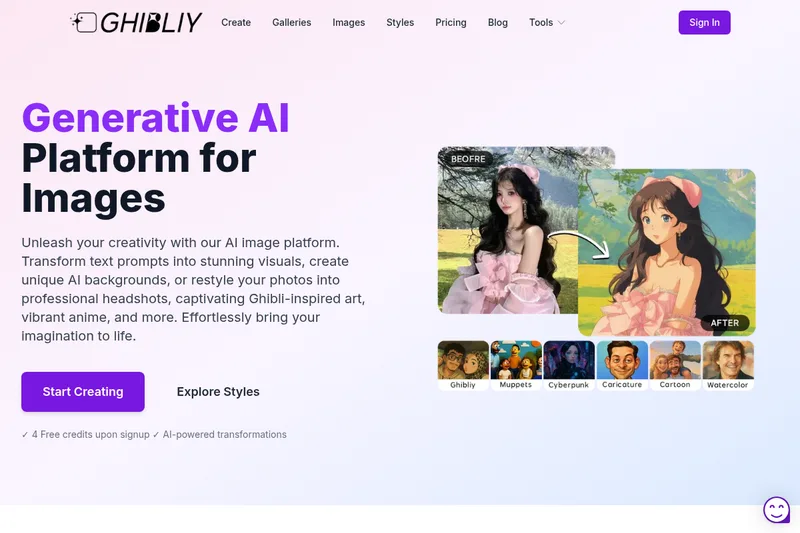
Ghibliy generates images from text prompts and restyles uploaded photos into looks such as Ghibli-inspired art and anime. Creators, ecommerce teams, and professionals can use it to produce styled visuals, product images, and headshots.
One of 379 tools in Image & Design
Who it's for
- Ecommerce teams that want studio, lifestyle, luxury, marketplace, or social-ready images from product photos.
- Professionals or teams who need headshots for LinkedIn, resumes, company websites, or team profiles.
- Creators who want to generate images from prompts or restyle portraits, landscapes, pets, and other photos.
How it fits your workflow
For photo transformations, open the image transformer, upload a photo, and let the AI process it. The page recommends clear, well-lit images for Ghibli-style results.
For text-to-image work, enter a written prompt and choose from the listed styles. The page also lists tools for product photos, headshots, image extension, and sketch conversion.
The service runs online; the page says users do not need to download or install anything. Ghibli-style transformations typically take a few seconds to a minute, depending on image size and server load.
Pricing
Free: 4 free credits upon signup to try the generator; additional credit packages are available for purchase (specific package prices not listed on the page).
The vendor doesn't publish prices. Check with Ghibliy AI – Generate & Restyle Images directly.
Prices checked on Jul 15, 2026 from the vendor's site. They can change; confirm before you buy.
Key features
- Ghibli Style Art
- Converts photos into artwork that mimics the Studio Ghibli aesthetic with soft colors, detailed backgrounds, and a dreamy quality.
- Anime Style Converter
- Transforms images into vibrant anime-style illustrations.
- AI Image Extender
- Expands images beyond their original boundaries using AI to continue backgrounds or scenes.
- Watercolor Style Painting
- Applies a watercolor painting style to images and can expand images with that aesthetic.
- Sketch to Image
- Turns sketches into realistic images using AI-driven transformation.
- Caricature Style
- Transforms photos into caricature-style images.
Limitations to know
- The page marks custom AI background generation and background replacement as coming soon.
Alternatives to consider
-
Ghibli Style
Choose it if you want a tool specifically described as a one-click photo-to-art generator for portraits, landscapes, pets, and more.
-
Ghibli AI
Choose it if you want a Ghibli-focused image generator described as offering both Text-to-Image and Image-to-Image modes.
-
ghibli-image-generator
Choose it if you want a Ghibli-focused tool described as supporting both photo and text-prompt transformations, with commercial licensing options.
Getting started
- Sign up to receive four free credits.
- Open the image transformer or select another listed AI tool.
- Upload a photo for transformation, or enter a written prompt for text-to-image generation.
- Wait for the image process to finish; for Ghibli-style transformations, the page gives a typical time of a few seconds to a minute.
Frequently asked questions
What is Ghibliy AI Generator?
Ghibliy AI Generator is an advanced image transformation tool that uses artificial intelligence to convert ordinary photos into artwork that mimics the distinctive visual style of Studio Ghibli films.
What images can you turn into Studio Ghibli art with AI?
You can transform virtually any image including portraits, landscapes, city scenes, pets, family photos, vacation pictures, and more; the AI works best with clear, well-lit images.
How do you create an AI Studio Ghibli FP (profile picture)?
Upload a clear headshot or portrait, select the appropriate settings in the tool, and generate the transformation; crop and adjust the result for profile picture dimensions.
Is the Ghibliy AI Generator free to use?
Yes — you receive complimentary credits upon signup (4 free credits); additional credits can be purchased.
How long does it take to transform an image?
Typically just a few seconds to a minute depending on image size and server load.