Graficai
Graficai is an AI-powered e-commerce image workstation that automates product image tasks—background removal, resizing, retouching, upscaling, and bulk processing—so sellers can prepare consistent, platform-ready images at scale.
Graficai is image & design software teams evaluate for image & design. Use this page to review pricing, integration signals, and the best alternatives before you commit.
Profile facts come from the vendor source. AiMatch labels unknown pricing or API details instead of estimating them.
Review official source →Used in These Packs
Quick Overview
Best for: Image & Design
What it does
Image & Design software for decision-makers comparing workflow fit and alternatives.
Best fit
Image & Design
Pricing snapshot
Freemium from $7.99 per month
Next step
Compare Graficai with similar tools before you shortlist it.
Compare this tool before you shortlist it
Review alternatives, pricing posture, and workflow fit side by side.
Graficai is an AI-driven product image workstation focused on e-commerce. It automates common product-photo tasks such as background removal, white background generation, resizing, centering, retouching, upscaling, and bulk catalog processing so sellers can produce consistent, platform-ready images quickly. The platform includes both bulk processing for catalogs and a precision canvas editor that lets users draw, select, and group areas to visually instruct the AI for fine-grained edits. Graficai also offers store integration features — import via CSV, publish to e-commerce platforms, and host images on a CDN with public URLs — making it suitable for merchants who need to scale image preparation and ensure images are optimized for performance and SEO.
Graficai is an AI-powered e-commerce image workstation that automates product image tasks—background removal, resizing, retouching, upscaling, and bulk processing—so sellers can prepare consistent, platform-ready images at scale.
Own this listing?
Claim this page for a one-time $29 to add pricing, features, screenshots, verified owner details, and a clearly labeled 30-day category position after the profile is live.
Claim this listing for $29Key Features
AI Background Removal
Automatic, AI-powered removal of image backgrounds to produce clean product cutouts and consistent white backgrounds.
Bulk Image Editing
Process large catalogs in a few clicks: remove backgrounds, resize, re-center, and apply consistent branding or backgrounds across many images.
Canvas Editor (Visual Instructions)
Edit with precision by drawing, selecting, and grouping areas on a canvas to visually instruct the AI for object-level edits and fine adjustments.
Store Integration & CSV Import
Import assets via CSV and automatically map images to products; publish images directly to e-commerce platforms.
Image Hosting & CDN
Every image is hosted on a fast CDN with a public URL for performance and distribution.
Image Optimization & Auto Alt Text
Built-in compression, format conversion, and auto-generated alt text to optimize images for performance and SEO.
AI Tools Suite
Includes tools such as Upscale, Retouch, Variation, Scene, Face Swap, Virtual Try-On, and Change Pose for richer product visuals.
Priority Support (Plan Feature)
Priority support and early access options are available on higher-tier plans.
Pricing
Free trial credits (page advertises "Get 30 FREE credits" / "Try for free")
Basic
$7.99 per month- 150 credits
- 50 GB storage
- Estimated processing: 25–150 images
- All features included
Pro
$25.99 per month- 1,000 credits
- 200 GB storage
- Estimated processing: 167–1,000 images
- All features included
Max
$49.99 per month- 3,000 credits
- 500 GB storage
- Estimated processing: 500–3,000 images
- Priority support & early access
Credits Pack — Small (one-time)
$3.99 one-time- 50 credits (never expire)
- Per-credit: $0.080
Credits Pack — Medium (one-time)
$9.99 one-time- 250 credits (never expire)
- Per-credit: $0.040
Credits Pack — Large (one-time)
$24.99 one-time- 1,000 credits (never expire)
- Per-credit: $0.025
Use Cases
Marketplace Sellers (Amazon, eBay, AliExpress)
Bulk background removal and white-background generation to meet platform image requirements and improve listing quality.
Shopify & Direct-to-Consumer Stores
Prepare and standardize product images (resizing, centering, consistent backgrounds) for storefronts to increase conversion.
High-Volume Catalog Management
Automate processing of hundreds or thousands of product images to ensure consistency across large catalogs using batch editing and CSV import.
Creative Product Variations & Virtual Try-On
Generate variations, change poses, or apply virtual try-on and face-swap features to expand listings and marketing assets.
Integrations
CSV import / mapping
Import assets via CSV and automatically map images to the correct products for bulk publishing.
E-commerce Platforms (publish)
Publish product images directly to e-commerce platforms; page and testimonials mention Shopify, Amazon, Wayfair, Etsy, AliExpress.
CDN Image Hosting
Images are hosted on a fast CDN with public URLs for delivery and integration into storefronts.
Benefits
Limitations
No verified limitations are available.
Frequently Asked Questions
No verified FAQs are available.
Getting Started
- 1 Sign up or click "Try for free" to receive starter credits (the site advertises 30 free credits).
- 2 Upload images individually or in bulk, or import assets via CSV to map images to products.
- 3 Choose AI tools (background removal, canvas edits, upscaling, etc.), run bulk processing or edit on the canvas, then publish images to your store and use hosted CDN URLs as needed.
Support
Priority support
Priority support and early access are offered on the Max plan (mentioned on the pricing section).
API
Compare Graficai with similar tools
See how it stacks up against alternatives
Related Tools
View all 375 →

Image to 3D AI
Image to 3D AI is a browser-based platform that converts images or text prompts into editable 3D models (exportable as GLB), offering textured or geometry-only outputs and tools like auto-retopology and online preview for game, 3D printing, design, and educational workflows.

imaginebuddy
Imagine Buddy is a web-based library of professionally crafted AI product photoshoot prompts that helps creators and brands generate campaign-ready product imagery using AI image generators like Gemini, ChatGPT/DALL·E, Midjourney, and Stable Diffusion.
AI Picasso
AI Picasso is a mobile-first image-generation app and service for creating AI illustrations, personalized AI avatars, LINE stamps, pet transformations, profile images, and beauty-makeup filters; the site also offers business solutions using image-generation AI. Note: the service is scheduled to end on 2025-08-04.

AI Designs
AI Designs is a commercial AI design studio by Bytelancers Limited that orchestrates AI generation, context-aware edits, and production-ready visual assets from briefs—targeted at brands, creative leads, and agencies.

Ghibli Style
Ghibli Style is a web-based AI photo-to-art generator that transforms photos into Studio Ghibli–inspired illustrations, offering one-click conversions for portraits, landscapes, pets, and more.
Premium Alternatives
phopet
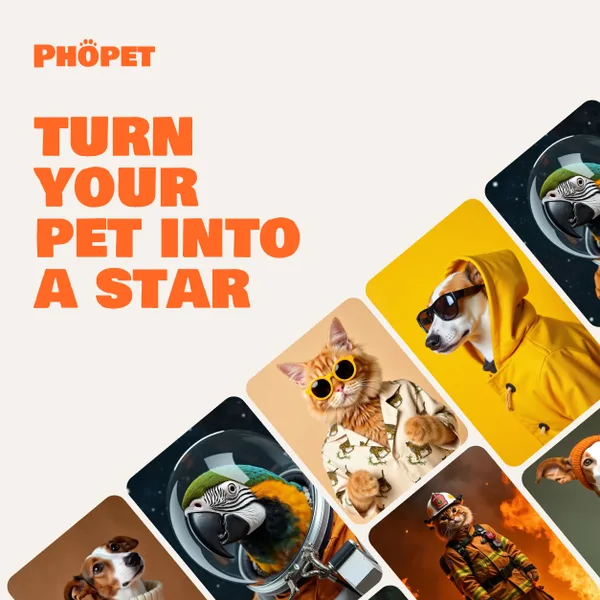
Phopet is a pet-focused image-generation service that trains a custom AI model from user-uploaded pet photos to produce themed, studio-quality images, upscaled prints, and merchandise-ready assets. It targets pet owners who want personalized photo packs and creative stories featuring their pets.

Prompt Hunt
Prompt Hunt is a web platform for creating, browsing, and sharing AI-generated art using curated prompt templates and its in-house Chroma model, aimed at creatives, teams, and prompt engineers.

Prophotos
ProPhotos is a commercial AI-powered headshot generator that creates photorealistic, industry-specific professional headshots from user-uploaded photos, aimed at individuals and enterprises wanting quick, production-ready portraits for LinkedIn, resumes, and corporate use.

Image-AI.pro
Image-AI.pro is a professional AI image generation platform powered by the proprietary img-v2 Pro engine, offering studio-quality, multi-style image generation with instant, no-registration access and an optional VIP membership for faster, higher-resolution outputs.

Aux Machina
Aux Machina is an AI-powered image creation platform that generates custom, royalty-free visuals and offers upcoming AI-assisted image-editing tools, aimed at creators, marketers, and teams who need quick, high-quality images.

PreCheck
PreCheck is an AI-powered facial recognition and face-search platform that lets users upload a single photo to find where that face appears across the web, and also provides reverse phone and email lookups for identity, reputation management, and fraud prevention.