

Hitpaw
HitPaw Animate Old Photo is an online AI-powered tool that brings old, scanned, or faded photos to life by adding subtle, realistic motion (blinks, smiles, environmental movement) and exporting results as short videos or GIFs.
Hitpaw is image editing software teams evaluate for image editing. Use this page to review pricing, integration signals, and the best alternatives before you commit.
Used in These Packs
Quick Overview
Best for: Image Editing
What it does
Image Editing software for decision-makers comparing workflow fit and alternatives.
Best fit
Image Editing
Pricing snapshot
Free
Next step
Compare Hitpaw with similar tools before you shortlist it.
Compare this tool before you shortlist it
Review alternatives, pricing posture, and workflow fit side by side.
Hitpaw
HitPaw Animate Old Photo is a web-based AI tool for transforming static photographs into short animated moments. It targets users who want to revive family photos, historical images, or vintage portraits by adding subtle motion such as blinks, smiles, and scene elements that make memories feel more alive. The tool is designed to be simple and fast: upload a photo, select the area to animate, and download the result as an MP4 or GIF.
The service supports a wide range of old picture types (black & white, faded, or scanned prints) and emphasizes quick processing and secure online handling of images. HitPaw positions this feature as part of a broader suite of AI photo and video tools for creators, hobbyists, historians, and social-media users.
HitPaw Animate Old Photo is an online AI-powered tool that brings old, scanned, or faded photos to life by adding subtle, realistic motion (blinks, smiles, environmental movement) and exporting results as short videos or GIFs.
Own this listing?
Claim this page to add pricing, features, screenshots, and verified owner details.
Claim this listingKey Features
AI-driven photo animation
Automatically detects facial features and motion areas to add subtle, realistic movements like smiles, blinks, and small gestures.
Simple 3-step workflow
Upload a photo, select the area to animate, and download the final animation as MP4 or GIF.
Fast processing
Animations generally complete in a few seconds; processing time varies with image resolution and complexity.
Broad input format support
Supports common image formats including JPG, PNG, and JPEG.
Secure online processing
Photos are processed on HitPaw’s online platform and the site states images are not shared with third parties without permission.
Export as MP4 or GIF
Download animated results in common video/GIF formats suitable for sharing on social media or messaging apps.
Pricing
Offers a free online try-it option (Try It Free / Start Free Now) to animate photos; further paid plans or limits are not detailed on the provided page.
Use Cases
Bring family photos back to life
Add gentle, natural motion to old family portraits to make memories feel more vivid and engaging.
Animate historical photos for education and exhibits
Introduce subtle motion to historical images to create more engaging educational content or museum displays.
Create shareable social media content
Turn static vintage photos into short, eye-catching videos or GIFs ideal for social sharing.
Enhance storytelling and presentations
Use animated photos to add emotional impact and movement to slideshows, documentaries, or personal projects.
Integrations
Pixverse
Listed as a supported AI model used by HitPaw tools.
Google Veo 3
Listed as a supported AI model used by HitPaw tools.
Kling
Listed as a supported AI model used by HitPaw tools.
Seedance
Listed as a supported AI model used by HitPaw tools.
Hailuo
Listed as a supported AI model used by HitPaw tools.
Sora 2
Listed as a supported AI model used by HitPaw tools.
Qwen
Listed as a supported AI model used by HitPaw tools.
Wan
Listed as a supported AI model used by HitPaw tools.
Benefits
Limitations
Frequently Asked Questions
Can I animate any old photo with HitPaw?
How long does it take to animate an old photo?
Which photo formats are supported?
Is my photo safe on HitPaw’s online platform?
Getting Started
- 1 Step 1: Upload your photo by dragging & dropping or selecting a file (supports JPG, PNG, JPEG).
- 2 Step 2: Select the area you want to animate (the AI detects faces and motion zones).
- 3 Step 3: Preview and download the animation as an MP4 or GIF.
Support
Support Center
Access the HitPaw Support Center for help articles and troubleshooting information.
Contact Us
Use the Contact Us page on HitPaw’s website to reach support or submit requests.
Help / Help Center
On-site help and documentation available through the Help/Support sections listed on the site.
Blog & Policies
Additional resources include the HitPaw blog, Refund Policy, Privacy Policy, and Terms & Conditions pages.
API
Compare Hitpaw with similar tools
See how it stacks up against alternatives
Related Tools
View all 24 →

Project Indigo
Project Indigo is a free computational photography camera app for iPhone developed by Adobe Labs, offering full manual controls, a natural SLR-like look, and high image quality through advanced multi-frame capture and processing techniques in both JPEG and raw formats.
Socialbook
MagicCanvas is described as an AI-powered online image editing platform designed to provide web-based tools for editing and enhancing images using artificial intelligence.

facestyler-ai
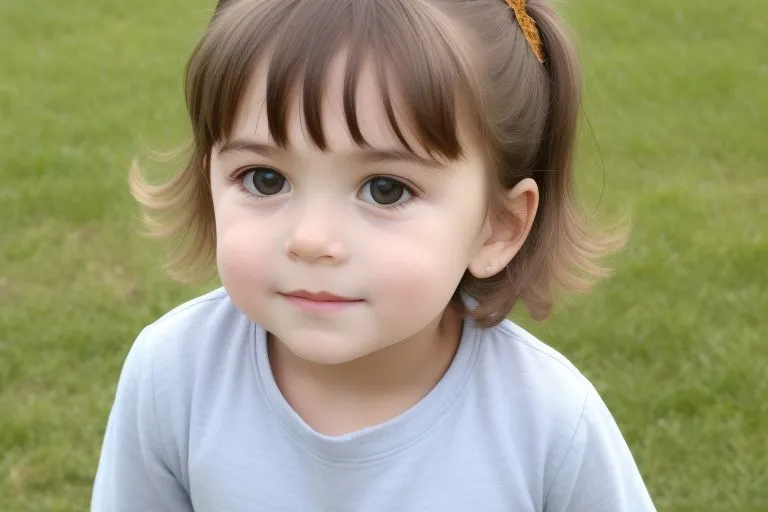
AI Face Ager is a free online tool that uses AI to transform your portrait photos to show age progression or regression with high-definition, realistic, and natural effects.

Flux-kontext
FLUX Kontext is an instruction-based AI image editor that performs targeted, surgical edits specified by natural-language instructions while preserving the rest of the image. It’s designed for creators, designers, and marketers who need precise, iterative image modifications with character consistency and commercial usage rights.

Premium Alternatives


Photostudio
Blockode AI Photo Studio generates custom AI photoshoots by training a studio-specific model from your uploaded selfies, letting you create consistent, high-resolution images via prompts and image-to-image generation.



style-ai
Conversion (formerly StyleAI) is an enterprise AI marketing platform designed to automate and optimize SEO, Google Ads, and marketing automation workflows. It empowers businesses with AI-driven tools for backlink building, competitor analysis, review management, and listing management to accelerate organic traffic and improve marketing efficiency.