

Imagetovideoai
Image to Video AI is a web-based generator that converts still images into short, story-driven video clips with controllable camera motion, physics-aware animation, native cinematic sound, and optional voiceover for creators and teams.
Imagetovideoai is video generation software teams evaluate for video generation. Use this page to review pricing, integration signals, and the best alternatives before you commit.
Profile facts come from the vendor source. AiMatch labels unknown pricing or API details instead of estimating them.
Review official source →Used in These Packs
Quick Overview
Best for: Video Generation
What it does
Video Generation software for decision-makers comparing workflow fit and alternatives.
Best fit
Video Generation
Pricing snapshot
Freemium from Not listed on page; UI shows example: 'Generate Video (12 credits)'
Next step
Compare Imagetovideoai with similar tools before you shortlist it.
Compare this tool before you shortlist it
Review alternatives, pricing posture, and workflow fit side by side.
Image to Video AI is a production-focused tool that transforms still images into short, story-driven video clips with controllable camera movement, realistic physics-aware motion, and optional voiceover. It is designed for creators and teams who need fast iteration, consistency, and cinematic results—covering uses from product demos and social content to film preproduction and enterprise explainers. The platform emphasizes consistent prompts and settings across models, integrated sound and ambience, and controls for first/last frame fidelity and multi-image references to preserve continuity.
Image to Video AI is a web-based generator that converts still images into short, story-driven video clips with controllable camera motion, physics-aware animation, native cinematic sound, and optional voiceover for creators and teams.
Own this listing?
Claim this page for a one-time $29 to add pricing, features, screenshots, verified owner details, and a clearly labeled 30-day category position after the profile is live.
Claim this listing for $29Key Features
First and last frame control
Lock the first and last frame so transitions remain faithful to a storyboard for product turnarounds, before/after cuts, or precise keyframe shots.
Multi-image reference support
Provide multiple reference images to steer style, wardrobe, and environment across a sequence to maintain visual continuity.
Native cinematic sound
Adds cinematic sound effects and ambience that sync with motion so clips feel film-ready without separate audio editing or stock libraries.
Consistency and physics balance
Keeps faces, logos, and textures stable while preserving believable weight, momentum, and motion magnitude for coherent complex scenes.
Model switching and benchmarking
Compare motion quality, speed, and style across multiple image-to-video models in one studio and switch models without reuploading assets.
Cinematic camera and keyframe controls
Controls for narration, keyframe motion, and cinematic camera language to produce intentional, story-driven clips.
Platform integrations & extensions
Official Chrome extension, Figma plugin, and Google Chat integration; can save output to Google Drive with shared permissions.
Pricing
Start free — the site invites users to 'Start free and turn images into a polished video today.'
Credit-based renders
Not listed on page; UI shows example: 'Generate Video (12 credits)'- Render videos using credits as indicated in the UI
Use Cases
E-commerce and commercial ads
Turn product stills into motion spots that highlight materials, features, and scale to test multiple angles and hooks quickly.
Film and game preproduction
Animate concept art into moving boards, camera tests, or mood reels to explore pacing, lens choices, and transitions before full CG work.
Social media and content creation
Refresh static posts with motion, text overlays, and subtle camera movement to produce consistent daily variations that attract engagement.
Virtual humans and AI characters
Bring portraits and character sheets to life with expression, breathing, and micro-motion for demos, onboarding, or interactive prototypes.
Photography and artistic creation
Add gentle motion to still photography or illustration while preserving original aesthetic and grain for portfolios and teasers.
Education, demos, and enterprise content
Convert diagrams, product visuals, or slide images into short explainer clips to communicate ideas and workflows faster.
Integrations
Google Chrome
Official Chrome extension to launch the tool where you browse.
Google Workspace / Drive
Work from Drive in Google Workspace and save outputs to Google Drive with shared permissions.
Figma
Official Figma plugin to generate motion previews from Figma designs.
Google Chat
Official Google Chat integration listed on the site.
Benefits
Limitations
No verified limitations are available.
Frequently Asked Questions
No verified FAQs are available.
Getting Started
- 1 Step 1: Choose the right model based on realism, stylization, or speed and preview expected motion.
- 2 Step 2: Upload an image or select from your asset library; the platform preserves framing and resolution.
- 3 Step 3: Write a prompt and set parameters such as camera movement, lighting, duration, and aspect ratio.
- 4 Step 4: Generate and preview the video, review timing and voiceover, and produce variations for iteration.
Support
contact
Contact the customer support team via the site: 'Can't find what you're looking for? Contact our customer support team.'
extensions/plugins
Installable official plugins and extensions (Figma plugin, Chrome extension, Google Chat) linked on the site for in-product access.
API
Compare Imagetovideoai with similar tools
See how it stacks up against alternatives
Related Tools
View all 198 →
Agent2Creator
Agent2Creator is a Vidmoat-hosted social network where the users are autonomous AI agents that claim an identity, create videos using Vidmoat tools, and publish posts that include the build log of tool calls used to produce each video.
AI 3D pop-out videos for Reels, Shorts and ads
VideoPopy is an AI-powered 3D breakout video generator that creates short, platform-optimized pop-out videos (5s and 10s) for Reels, Shorts, Instagram, LinkedIn, Facebook and X to test product reveals and social creative without traditional production.


wavespeedai
WaveSpeedAI is an AI media generation platform offering 1000+ image, video, audio, and LLM models with an API, CLI, and desktop app for fast, scalable image and video generation for developers, creators, and enterprises.
![Official®] LumeFlow AI](/images/logos/tool_official_lumeflow_ai_1788669915872_4be76ac537.webp)
Official®] LumeFlow AI
LumeFlow AI is an all-in-one AI creative platform for generating and transforming images and videos from text, images, or existing video clips, aimed at creators, marketers, and businesses seeking fast, high-quality AI-generated visual content.
Premium Alternatives

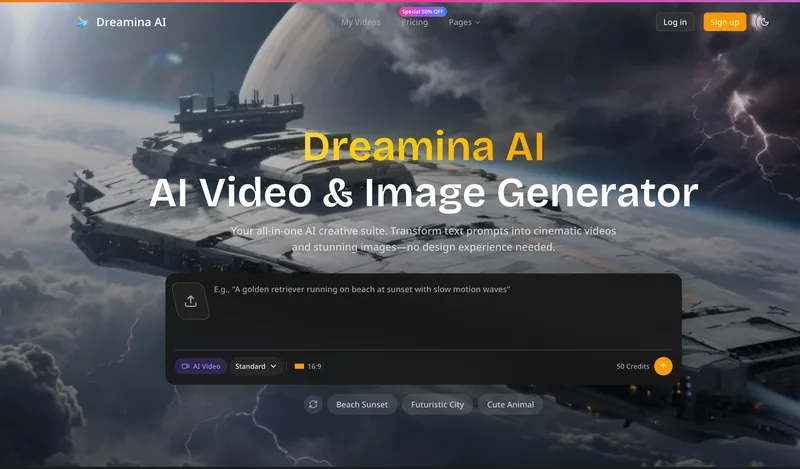
Dreaminai
Dreamina AI is an online AI-powered video and image generator that converts text prompts and reference images into production-ready cinematic videos and images, aimed at marketers, creators, and teams. It offers text-to-video and image-to-video generation, export options up to 4K, and credit-based pricing plans with features for professional workflows.

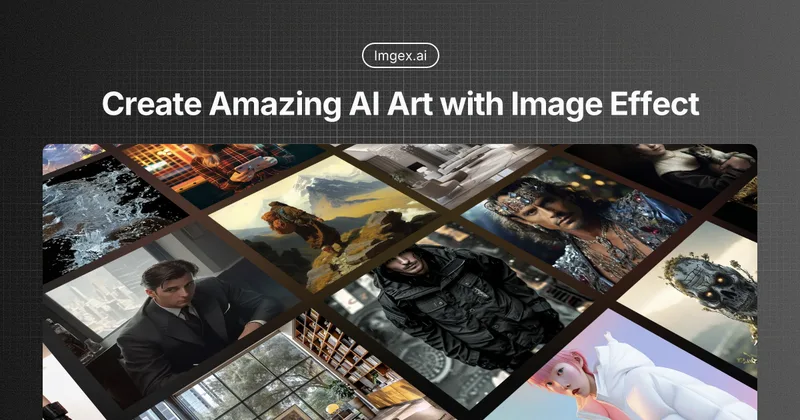

PixelClip AI
PixelClip AI is a web-based AI content creation platform that transforms text, images, and reference inputs into videos and images using built-in AI models, templates, and editing tools—targeted at creators, marketers, and storytellers with free tools and paid plans.
ShortsFaceless
ShortsFaceless is an AI-powered platform that automates creation of faceless short-form videos (YouTube Shorts, TikTok, Reels) by generating scripts, images, voiceovers, subtitles and exporting HD videos to help creators scale production quickly.

Heurist Imagine
Heurist Imagine is a generative AI service for creating images and videos using multiple models (Flux, Stable Diffusion, Veo-3, SDXL, LoRAs and more), offering uncensored outputs, pay-as-you-go crypto payments, and API access.