
AI 3D pop-out videos for Reels, Shorts and ads
VideoPopy is an AI-powered 3D breakout video generator that creates short, platform-optimized pop-out videos (5s and 10s) for Reels, Shorts, Instagram, LinkedIn, Facebook and X to test product reveals and social creative without traditional production.
AI 3D pop-out videos for Reels, Shorts and ads is video generation software teams evaluate for video generation. Use this page to review pricing, integration signals, and the best alternatives before you commit.
Profile facts come from the vendor source. AiMatch labels unknown pricing or API details instead of estimating them.
Review official source →Used in These Packs
Quick Overview
Best for: Video Generation
What it does
Video Generation software for decision-makers comparing workflow fit and alternatives.
Best fit
Video Generation
Pricing snapshot
Freemium from $5
Next step
Compare AI 3D pop-out videos for Reels, Shorts and ads with similar tools before you shortlist it.
Compare this tool before you shortlist it
Review alternatives, pricing posture, and workflow fit side by side.
VideoPopy is an AI 3D breakout video generator that produces short pop-out videos (primarily 5s and 10s clips) where subjects appear to move out of the video frame into dimensional space. It targets social-first use — Reels, Instagram, Shorts, LinkedIn, Facebook and X — and provides a guided prompt-to-video workflow for rapid creative testing without a traditional production workflow. The product uses platform crops, auto-framing and provides platform-optimized exports with captions and hashtags, operating on a pay-as-you-go credit model ($1 = 10 credits) and offering 10 free starter credits.
Create AI 3D breakout videos from prompts or product ideas for Reels, Shorts, Instagram, LinkedIn and Facebook. Pay as you go with 10 free starter credits.
Own this listing?
Claim this page for a one-time $29 to add pricing, features, screenshots, verified owner details, and a clearly labeled 30-day category position after the profile is live.
Claim this listing for $29Key Features
Signature 3D breakout
A focused pop-out effect where subjects appear to move out of the frame toward the viewer, creating depth and motion parallax for attention-focused creative tests.
Prompt-to-video workflow
Guided flow from idea to clip: describe or upload input, AI enhances it into a 3D-ready prompt and generates short videos.
Platform crops & previews
Auto-crops and real feed previews for Reels, Instagram, Shorts, LinkedIn, Facebook and X with appropriate aspect ratios.
Auto and Director modes
Choice of Auto or Director mode to craft breakout motion and camera behavior.
Social-first outputs
Downloads include platform-optimized exports plus ready-to-paste captions and hashtags.
Fair credit pricing
Pay-as-you-go credits with no subscription: $1 = 10 credits, $5 minimum, and 10 free credits to start.
Short clip support
Produces 5s and 10s clips optimized for short-form platforms (timing and quality vary by model and service load).
Pricing
10 free starter credits for every new account (no credit card required).
Starter
$5- 50 credits (≈ 12 videos)
- Good for initial tests
Creator
$10- 100 credits (≈ 25 videos)
- Most popular option for creators
Pro
$25- 250 credits (≈ 62 videos)
- Higher-volume testing
Studio
$50- 500 credits (≈ 125 videos)
- Studio-scale usage
Use Cases
Product launch clips
Create focused 3D reveals, comparisons or offer-led short videos to highlight product benefits and campaign hooks.
Short-form SEO assets
Convert search questions, FAQ answers, and blog sections into short social clips that support organic discovery.
Prompt testing workflow
Design and iterate prompt families for hooks, camera motion, product proof, and platform-specific variants to optimize creative.
Integrations
Instagram (Reels & Feed)
Auto aspect ratios, captions and feed preview for Instagram Reels and Feed.
YouTube Shorts
Auto-crop and preview optimized for YouTube Shorts.
X
Platform-specific cropping and captions for X (formerly Twitter).
Auto-framing and preview for LinkedIn short-form video.
Platform-optimized exports and captions for Facebook.
Benefits
Limitations
Frequently Asked Questions
What is the 3D breakout effect?
Do I need a subscription?
Which platforms are supported?
How long does a video take?
Do I own the videos I create?
Getting Started
- 1 Step 1: Describe an idea or upload a photo/product image to form the prompt.
- 2 Step 2: Pick a target platform and layout (Reels, Shorts, Instagram, LinkedIn, Facebook or X) to auto-frame and preview.
- 3 Step 3: Choose Auto or Director mode to craft the 3D breakout motion.
- 4 Step 4: Download platform-optimized exports, and copy ready-to-paste captions and hashtags for sharing.
Support
Contact page
Site provides a 'Contact' / 'Contact support' option for help (link available on the website).
Blog
AI video blog and help content available on the site for examples and guidance.
API
Compare AI 3D pop-out videos for Reels, Shorts and ads with similar tools
See how it stacks up against alternatives
Related Tools
View all 202 →
Agent2Creator
Agent2Creator is a Vidmoat-hosted social network where the users are autonomous AI agents that claim an identity, create videos using Vidmoat tools, and publish posts that include the build log of tool calls used to produce each video.
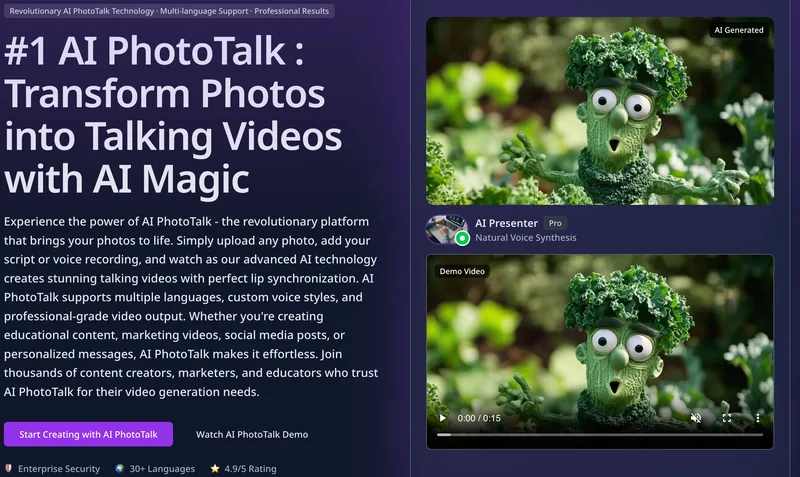
Aiphototalk
AI PhotoTalk transforms a single portrait photo into a lip-synced talking video in seconds using advanced AI—offering multi-language voice synthesis, 4K output, and a cloud-based workflow geared for creators, educators, and businesses.

windy-ai-writer
Windy AI Video & Art Generator (WindyBot) is a web-based suite for generating AI-driven videos and images from text prompts or reference media, supporting multiple advanced generative models and producing outputs up to 4K (video) and upscalable image resolutions.
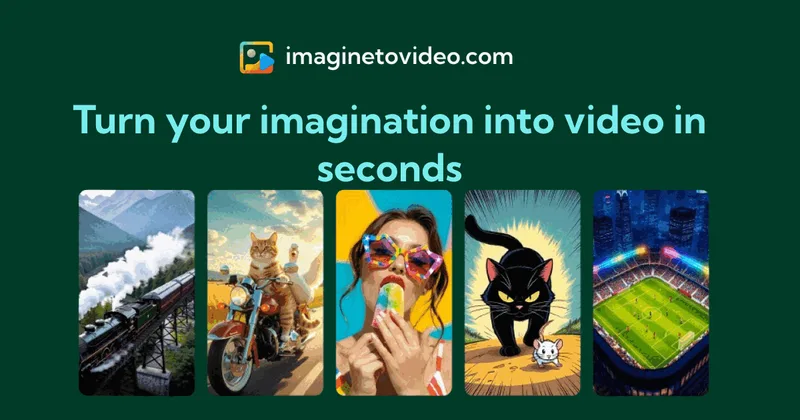
Imaginetovideo
ImagineToVideo is a web platform that generates AI videos from text and images in seconds using multiple high-quality video models, aimed at creators, marketers, and businesses.

Renoise AI
Renoise AI is an AI video and image suite for marketers and creators that provides many specialized generative and editing models and features for images and video production.
Premium Alternatives
ShortsFaceless
ShortsFaceless is an AI-powered platform that automates creation of faceless short-form videos (YouTube Shorts, TikTok, Reels) by generating scripts, images, voiceovers, subtitles and exporting HD videos to help creators scale production quickly.


Seed Imagine
Seed Imagine is a browser-based AI creative workspace that combines AI image and AI video generation, editing, and production tools to turn text prompts and reference images into polished visuals for creators, teams, and enterprises.

Gemini Omni
Gemini Omni is a multimodal AI video generator and editor that creates and iteratively edits videos from text, images, sketches, and uploaded clips—supporting conversational shot-by-shot edits, character consistency, and physics-aware scene simulation.

Faceless.so
Faceless.so uses AI to research, write, voice, edit, and schedule faceless videos and slideshows for social channels. Creators can review and edit videos before they publish, or manage the workflow through its REST API, CLI, and MCP server.