
OraStage
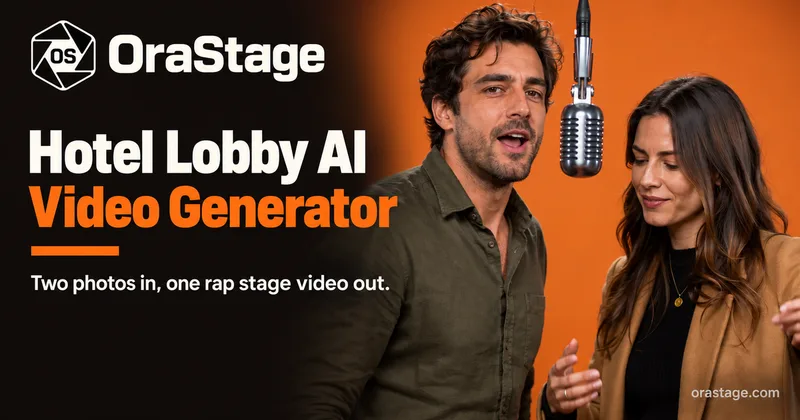
OraStage turns two performer photos or one duo photo into a short Hotel Lobby-style stage MP4. Short-form video creators can choose the length, resolution, and aspect ratio before generating a clip for social posting.
One of 210 tools in Video Generation
Who it's for
- Short-form video creators who want to turn performer portraits into Hotel Lobby-style clips for TikTok, Reels, or Shorts.
- Creators making duo content who have two individual portraits or one photo showing both performers.
- Mobile-browser users who want to generate portrait-format clips without prompt writing or timeline editing.
Not the right fit if…
- Teams needing a general-purpose video generator: OraStage is purpose-built for the Hotel Lobby duo-stage scene.
- Creators who require output above 720p: the listed maximum resolution is 720p.
How it fits your workflow
Upload two clear performer photos or one duo photo. The page recommends sharp, well-lit faces and similar framing for two-photo mode.
Choose portrait 9:16 or landscape 16:9, a 5-, 10-, or 15-second duration, and 480p or 720p quality. The credit price is shown before submission.
Sign in and submit the job. Preview the resulting MP4 on the page or find the saved task in My Creations, then download it for posting.
Pricing
Free: New accounts receive 10 free credits. A 5-second 480p video costs 10 credits.
Starter
$9.90 per month
- · 100 credits each month
- · All lengths, quality options, and aspect ratios
- · Failed generation credits returned
- · Renews monthly; cancel anytime
Plus
$19.90 per month
- · 250 credits each month
- · All lengths, quality options, and aspect ratios
- · Failed generation credits returned
- · Renews monthly; cancel anytime
Pro
$39.90 per month
- · 600 credits each month
- · All lengths, quality options, and aspect ratios
- · Failed generation credits returned
- · Renews monthly; cancel anytime
Prices checked on Oct 15, 2026 from the vendor's site. They can change; confirm before you buy.
Key features
- Photo-to-stage video generation
- Upload two separate performer photos or one duo photo to generate a Hotel Lobby-style stage clip.
- Configurable video output
- Choose portrait 9:16 or landscape 16:9, a duration of 5, 10, or 15 seconds, and 480p or 720p quality.
- Generated audio
- The video uses an original AI-generated beat; the page states that no licensed track is used.
- No prompt or timeline required
- The user selects photos and output settings; the scene and performance are handled by the generator.
- Preview and saved tasks
- Preview the finished MP4 on the page or find the saved task under My Creations.
- Automatic credit returns for failed jobs
- Credits are returned automatically when a generation fails.
Limitations to know
- The generator is purpose-built for the Hotel Lobby duo-stage scene, not described as a general video-generation tool.
- Outputs are limited to 5, 10, or 15 seconds and 480p or 720p.
- Uploaded photos must be JPG, PNG, or WebP and no larger than 10 MB each.
Alternatives to consider
-
ImageToVideoAIFree
Choose it if you want prompt-guided motion from a single photo and daily free previews without signing up.
-
Seedance 2.0
Choose it if you need cinematic multi-shot clips from text, images, or audio, with native audio generation and exports up to 2K.
-
Seedance 2.0 Mini
Choose it if you want short cinematic MP4 clips from text prompts and a single reference image at a low-cost tier.
Getting started
Photos must be JPG, PNG, or WebP and no larger than 10 MB each; use clear, visible faces. The generator works in a mobile browser.
- Sign up or log in; new accounts receive 10 free credits.
- Upload two performer photos or one photo showing both performers.
- Select the format, duration, and quality, and check the displayed credit cost.
- Generate the clip and preview or download the MP4.
Frequently asked questions
What can I upload?
Use one clear face per photo in two-photo mode, or a single image showing both performers in duo mode. Supported formats are JPG, PNG, and WebP, up to 10 MB each.
Which formats, lengths, and resolutions are available?
Videos are MP4 in portrait 9:16 or landscape 16:9. Choose 5, 10, or 15 seconds and 480p or 720p.
Do I need editing or prompt-writing skills?
No. There is no prompt box or timeline to learn; users choose photos and output settings.
Can I generate from a phone?
Yes. The generator works in a mobile browser, and portrait 9:16 output is sized for TikTok, Reels, and Shorts.
What happens if a generation fails?
Failed generations return credits automatically.