

Imobie
Vozard is an AI-powered voice changer for Windows and Mac that provides low-latency real-time voice transformation, recorded-file modulation, and 200+ lifelike sound effects for gaming, streaming, chatting and content creation.
Imobie is voice & speech software teams evaluate for voice & speech. Use this page to review pricing, integration signals, and the best alternatives before you commit.
Used in These Packs
Quick Overview
Best for: Voice & Speech
What it does
Voice & Speech software for decision-makers comparing workflow fit and alternatives.
Best fit
Voice & Speech
Pricing snapshot
Freemium from Exact pricing not listed on this page; users are directed to the pricing page on the website.
Next step
Compare Imobie with similar tools before you shortlist it.
Compare this tool before you shortlist it
Review alternatives, pricing posture, and workflow fit side by side.
Imobie
Vozard is an AI-powered voice changer application designed for real-time voice transformation and recorded-file modulation on Windows and Mac. It offers low-latency voice changing for live use across multiple platforms, plus support for importing/exporting audio and video files for post-production. The product targets gamers, streamers, online chat users, and content creators who want to disguise, enhance, or stylize voices using a large library of AI voices and background sound effects.
The software advertises over 200 lifelike sound effects (including character/celebrity-style voices and memes), background sounds, and multiple input methods. Vozard emphasizes ease of use with two main modes (real-time and recorded), compatibility with popular platforms and streaming tools, and features intended to support creative productions such as AI vocal enhancement for covers.
Vozard is an AI-powered voice changer for Windows and Mac that provides low-latency real-time voice transformation, recorded-file modulation, and 200+ lifelike sound effects for gaming, streaming, chatting and content creation.
Own this listing?
Claim this page to add pricing, features, screenshots, and verified owner details.
Claim this listingKey Features
Low-latency real-time voice changing
Real-time mode provides low-latency voice transformation suitable for live chats, gaming, and streaming so users can speak with altered voices without noticeable delay.
Recorded mode and file support
Import or record audio and video files, apply AI voice effects, and export the modified files for content creation and post-production workflows.
200+ lifelike sound effects and AI voices
A large library of AI-generated voices and sound effects, including cartoon, celebrity-style, and character voices plus popular sound memes and background sounds.
Multiple audio input methods
Supports various audio inputs (microphone, recordings, file uploads) so users can transform live voice or pre-recorded audio with one-click modulation.
Platform compatibility
Works seamlessly with 14+ platforms and tools commonly used for chatting, gaming and streaming (examples include Discord, Zoom, Twitch, OBS and Fortnite).
Voice customization and sound settings
Allows users to select voice effects and adjust sound settings to fine-tune the output for desired character, clarity, or entertainment value.
Background sound effects & memes
Includes background audio layers and popular sound memes to enhance voice transformations and add comedic or atmospheric elements.
AI vocal enhancement for covers
Advanced vocal enhancement features aimed at improving AI cover production and creating higher-quality singing or character performances.
Cross-platform desktop support
Available for both Windows and Mac computers, with a free download option and claims of being clean and secure.
Free daily effects and guarantees
Provides 3 free voice effects per day, free background effects without limitations, and a 60-day money-back guarantee for paid purchases.
Pricing
Free download is available. Vozard provides 3 completely free voice effects per day and free background sound effects with no stated limitations.
See Pricing
Exact pricing not listed on this page; users are directed to the pricing page on the website.- Paid plans (details on website)
- 60-day money-back guarantee
- Access to full voice/effect library (subject to plan)
Use Cases
Online chats and meetings
Use Vozard to inject creativity and fun into calls on platforms like Zoom or Discord, disguise your voice for privacy, or add character during social conversations.
Gaming and voice disguise
Transform your voice into characters (e.g., young/old, male/female, fictional personas) for more immersive or playful experiences in games like Fortnite, Valorant, PUBG, or Roblox.
Live streaming and entertainment
Streamers can adopt personas, create comedic bits, or increase audience engagement by switching voices in real time while streaming on Twitch or other platforms using OBS integration.
Content creation and social video
YouTubers and TikTok creators can modulate audio in videos for sketches, fan videos, or voice-over content, and export augmented audio/video files for editing and publishing.
Pranks and roleplay
Casual users can prank friends, roleplay characters, or produce humorous interactions using a wide variety of sound effects and meme sounds.
AI cover production and vocal enhancement
Creators working on AI-assisted vocal covers can use dedicated vocal enhancement tools to refine and stylize singing or character performances.
Integrations
Discord
Use Vozard to change your voice during Discord voice chats by selecting Vozard as the audio input device.
Zoom
Apply real-time voice effects during meetings by routing Vozard audio into Zoom.
OBS (Open Broadcaster Software)
Integrate Vozard with OBS for live-streaming to apply voice effects directly during broadcasts.
Twitch
Stream with modified voices on Twitch when Vozard is set up with streaming tools like OBS.
Fortnite / Valorant / PUBG / Roblox
Compatible with popular games for in-game voice transformation (use subject to each game's terms of service).
Other streaming and meeting platforms
Vozard claims compatibility with 14+ platforms and various streaming tools and social apps; specifics should be verified on the product site.
Benefits
Limitations
Frequently Asked Questions
Can I transform my voice into a celebrity's voice?
Are voice changers legal?
Do live voice changers exist?
Can you use a voice changer on Roblox?
Are there free sound effects available in Vozard?
Can I use Vozard in other games or apps?
Does Vozard support both Windows and Mac?
Getting Started
- 1 Download and install Vozard for Windows or Mac from the official website (Free Download).
- 2 For real-time use: check and select your microphone input, enable real-time voice-changing mode, then pick a voice effect and adjust sound settings.
- 3 For recorded use: record your voice or import audio/video files, select AI voice effects, apply changes and export the modified file.
- 4 Optionally connect Vozard to target platforms or streaming tools (e.g., set Vozard as an audio device in Discord or OBS) to use transformed audio live.
Support
Customer service
Page claims 24/7 professional customer service; access details (email or contact link) are not provided on the content excerpt.
FAQs / Help topics
A Hot Topics/FAQ section is available on the site covering common questions about legality, platform compatibility, free effects, and usage.
Documentation / Guides
Getting-started guidance is provided on the site (real-time and recorded modes); detailed technical docs or developer resources are not included in the provided content.
API
Compare Imobie with similar tools
See how it stacks up against alternatives
Related Tools
View all 77 →

Gaslightingcheck
Gaslighting Check is an AI-powered tool that analyzes text and audio conversations to identify potential manipulation and gaslighting patterns, helping users document evidence, validate experiences, and gain clarity.



Affiliatepartner-freshcaller
Freshcaller (Freshdesk Contact Center) is a cloud-based voice-first contact center platform that enables businesses to set up and scale telephony quickly, with advanced routing, AI voice capabilities, and tight integration with the Freshworks suite.
Premium Alternatives

Spencer for Mac
Spencer for Mac is a tool that allows users to save and restore their perfect window layouts, enabling quick switching between customized workspace profiles on macOS 13 Ventura or later.

Bliro
Bliro is a GDPR-compliant conversation intelligence assistant for customer-facing teams that transcribes, analyzes, and automates meeting notes and follow-ups across mobile and desktop — designed to increase transparency, save time, and improve sales performance.
Aiactionfiguregenerator
AI Action Figure Generator uses AI (including GPT-4o) to create personalized, high-resolution action figure images from text prompts or uploaded photos, with customizable appearance, outfits, poses, and multiple artistic styles.


Chattyhiring
ChattyHiring provides AI-driven virtual recruiting assistants that automate candidate screening and interviews via messaging channels like WhatsApp and Email, delivering scored evaluations, transcripts, and interview summaries to help talent teams hire faster.
Tweetdetective
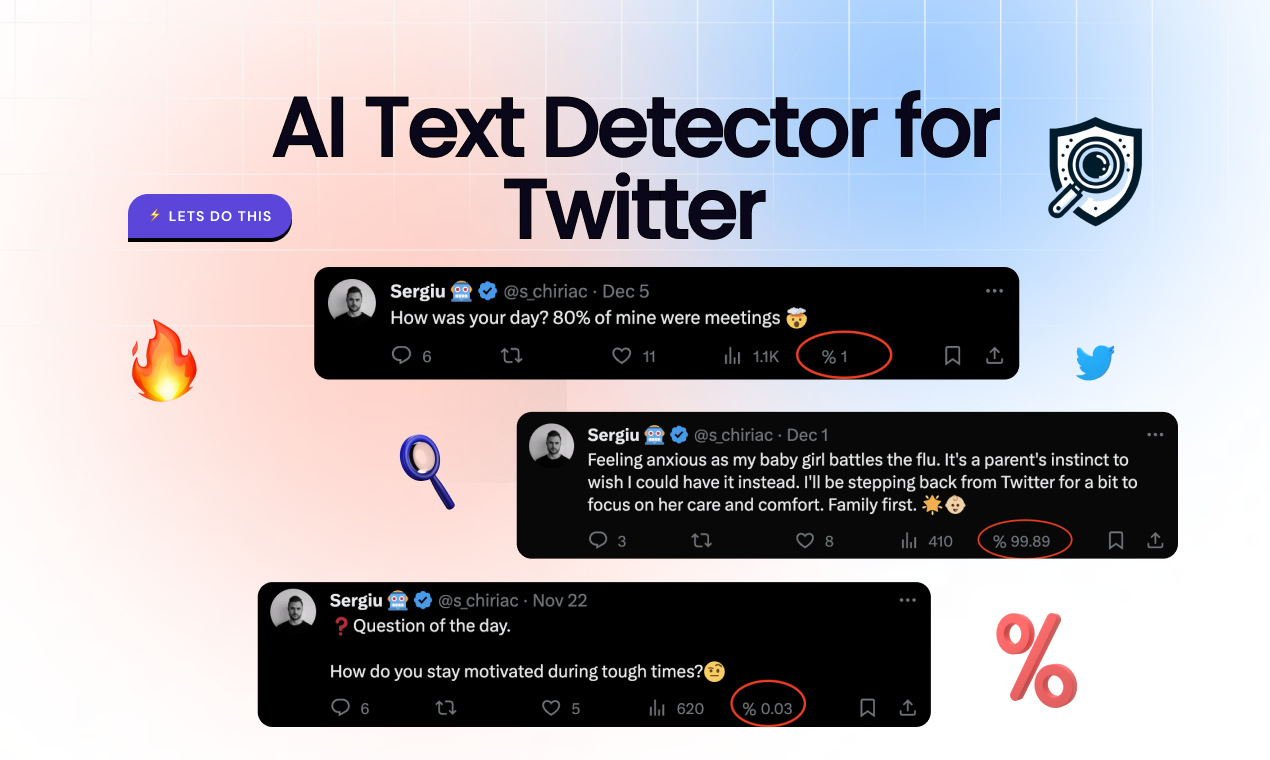
TweetDetective is a Chrome extension that analyzes tweets and surfaces the probability a tweet was generated by AI, using models trained to detect content from systems like ChatGPT and Bard.