
Iris
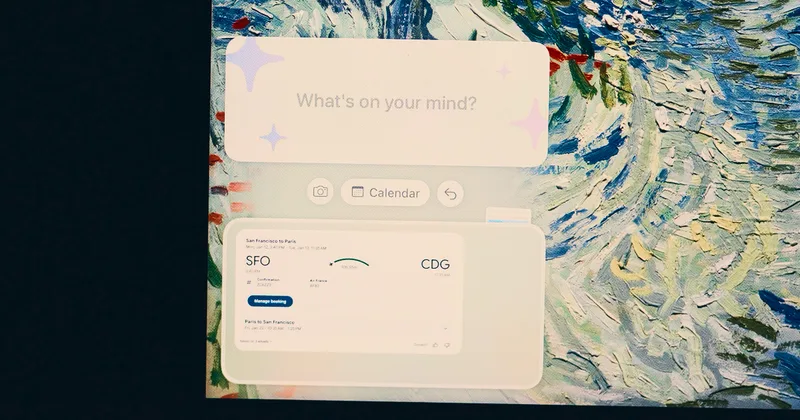
Iris is a beta Mac assistant that provides a floating panel for working across apps and supports natural-language calendar scheduling. It helps Mac users create or change events while keeping the assistant accessible alongside their other windows.
Who it's for
- Mac users who want a floating AI assistant available while they work in other apps.
- People managing appointments who want to create or change calendar events using natural-language requests.
- Early testers willing to try a beta app whose page announces a November 15th sunset.
Not the right fit if…
- Teams seeking a product with an ongoing service: the page says Iris is sunsetting on November 15th.
How it fits your workflow
Download the beta Mac app, open it, and double-tap Option to display Iris as a floating column at the edge of the screen. Point it at an app so it can understand the current work context.
For calendar tasks, ask Iris to create or change an event in natural language, or use the full calendar interface to enter details directly. The page says Iris learns patterns such as typical meeting lengths and preferred buffers.
Pricing
The vendor doesn't publish prices. Check with Iris directly.
Prices checked on Nov 14, 2026 from the vendor's site. They can change; confirm before you buy.
Key features
- Floating screen-edge panel
- Double-tap Option to open Iris as a narrow column that floats above other windows while the user works.
- Context from other apps
- Users can point Iris at an app, and Iris is described as understanding what they are working on.
- Natural-language calendar actions
- Users can request events or changes conversationally, such as scheduling lunch next week or moving an appointment to Thursday.
- Direct calendar controls
- When a natural-language request is not suitable, users can use the calendar interface's fields and options.
- Preference learning
- The page says Iris learns patterns such as typical meeting length and preferred buffer time between calls.
- Beta updates
- The beta announcement highlights new calendar functionality, an improved screenshot tool, and redesigned onboarding.
Limitations to know
- Iris is presented as a beta, and the page says the beta is subject to change.
- The page announces that Iris is sunsetting on November 15th.
- The app is described as a Mac app; no other operating systems are mentioned.
- Email, tasks, and notes are described as planned or under development rather than current functionality.
Alternatives to consider
-
Macaify
Choose it if you want to select text in any macOS app and invoke AI help with a shortcut, rather than use Iris's described context-aware floating panel and calendar.
-
Beam
Choose it if you want a floating macOS ChatGPT panel with prompt templates and tools for selected text, screen areas, and PDFs.
Getting started
A Mac; the page describes Iris as a Swift-powered Mac app.
- Download the beta app from the Iris page; the listed file size is approximately 157 MB.
- Open the app and double-tap Option to display the floating panel.
- Point Iris at an app to provide context, then make a calendar request or use the calendar interface.