

Mathai
Math AI is a browser extension that uses GPT-4 to provide instant, step-by-step solutions to math problems (and other STEM homework) by capturing screenshots or entering problems directly in the browser.
Mathai is education software teams evaluate for education. Use this page to review pricing, integration signals, and the best alternatives before you commit.
Used in These Packs
Quick Overview
Best for: Education
What it does
Education software for decision-makers comparing workflow fit and alternatives.
Best fit
Education
Pricing snapshot
Freemium from Free (installation) — no credit card required
Next step
Compare Mathai with similar tools before you shortlist it.
Compare this tool before you shortlist it
Review alternatives, pricing posture, and workflow fit side by side.
Mathai
Math AI is a browser-based math solver and homework assistant powered by GPT-4. It lets users capture a photo or screenshot of a problem in their browser and returns step-by-step solutions, with selectable modes that range from quick answers to detailed explanations or an interactive AI tutor. Targeted primarily at students and learners, Math AI also supports subjects beyond mathematics such as physics, chemistry, and biology, and aims to speed up homework, study and problem comprehension.
The product is distributed as a browser extension (Chrome is listed as a product) and advertises features like LaTeX rendering, automatic light/dark mode, multi-language support, and keyboard shortcuts to streamline capturing problems and receiving solutions.
Math AI is a browser extension that uses GPT-4 to provide instant, step-by-step solutions to math problems (and other STEM homework) by capturing screenshots or entering problems directly in the browser.
Own this listing?
Claim this page to add pricing, features, screenshots, and verified owner details.
Claim this listingKey Features
GPT-4 powered solutions
Uses GPT-4 to generate step-by-step explanations and worked solutions for captured problems.
Screenshot/photo capture
Capture a photo or screenshot of a problem directly in the browser to get a solution without manual typing.
Education modes
Multiple modes including detailed steps for complex problems, short/quick answers for simple problems, and an interactive AI tutor for guided help.
Multi-subject support
Works across mathematics and other STEM subjects such as physics, chemistry and biology.
LaTeX support
Renders mathematical formulas in LaTeX for clear, professional formatting.
Light & dark mode
Automatically adjusts between light and dark themes according to user preference or system settings.
Multilingual
Supports 21 languages to serve a global audience.
Shortcuts
Keyboard shortcuts and quick flows to capture problems and request solutions faster.
Browser extension
Available as a browser extension (Chrome listed); user reviews indicate it also works in Edge.
Pricing
Free to install and use; site emphasizes "No credit card required" (no additional paid tier or pricing details listed on the provided content).
Free
Free (installation) — no credit card required- Screenshot/photo problem capture
- Step-by-step solutions
- Multiple education modes
Use Cases
Homework help
Students can photograph or screenshot homework problems and receive step-by-step solutions to learn how to solve them.
Study and revision
Use the detailed explanation mode to review methods and understand problem-solving steps when studying for tests.
Multi-subject problem solving
Solve problems in physics, chemistry, biology and other STEM areas using the same capture-and-solve workflow.
Quick answers
Get rapid short answers for simpler problems when a brief result is sufficient.
Online assessment assistance
Some users report using the extension to check problems during online tests (behavior and academic integrity depend on each institution).
Integrations
Chrome extension
Primary distribution as a Chrome browser extension to capture and solve problems within the browser.
Edge (compatibility)
User reviews indicate the extension also works in Microsoft Edge.
Discord community
A Discord link is listed for community support and discussion.
Email support
Site lists a "Write an Email" support option for contacting the team (no direct email address provided in the content).
Benefits
Limitations
Frequently Asked Questions
How do I solve a problem with Math AI?
Which subjects does Math AI support?
Is Math AI free to use?
What languages are supported?
How accurate are the answers?
Where can I get help or report issues?
Getting Started
- 1 Step 1: Install the Math AI browser extension (Chrome listed on site).
- 2 Step 2: Grant any required permissions for capturing screenshots or images in your browser.
- 3 Step 3: Capture a photo or screenshot of the problem, select an education mode (detailed, short, or tutor), and view the step-by-step solution.
Support
A "Write an Email" contact option is listed on the site (no direct email address provided in the content).
chat/community
Join Discord for community support and discussion (Discord link referenced on the site).
docs
Privacy policy and site pages provide additional information; dedicated API/docs pages are not referenced in the provided content.
API
Compare Mathai with similar tools
See how it stacks up against alternatives
Related Tools
View all 160 →
AIuse.blog
AIuse.blog is a website dedicated to showcasing practical examples of how artificial intelligence can simplify everyday life, education, business, and travel. It offers insights, tutorials, and AI tool recommendations to help users integrate AI into their daily routines.

Questgen
Questgen is an AI-powered quiz generator that creates various types of assessments such as MCQs, True/False, Fill-in-the-blanks, and more from text, PDFs, videos, and other formats instantly. It is designed for educators, students, HR teams, and edtech companies to save time and enhance learning and assessment processes.
Speakhelper
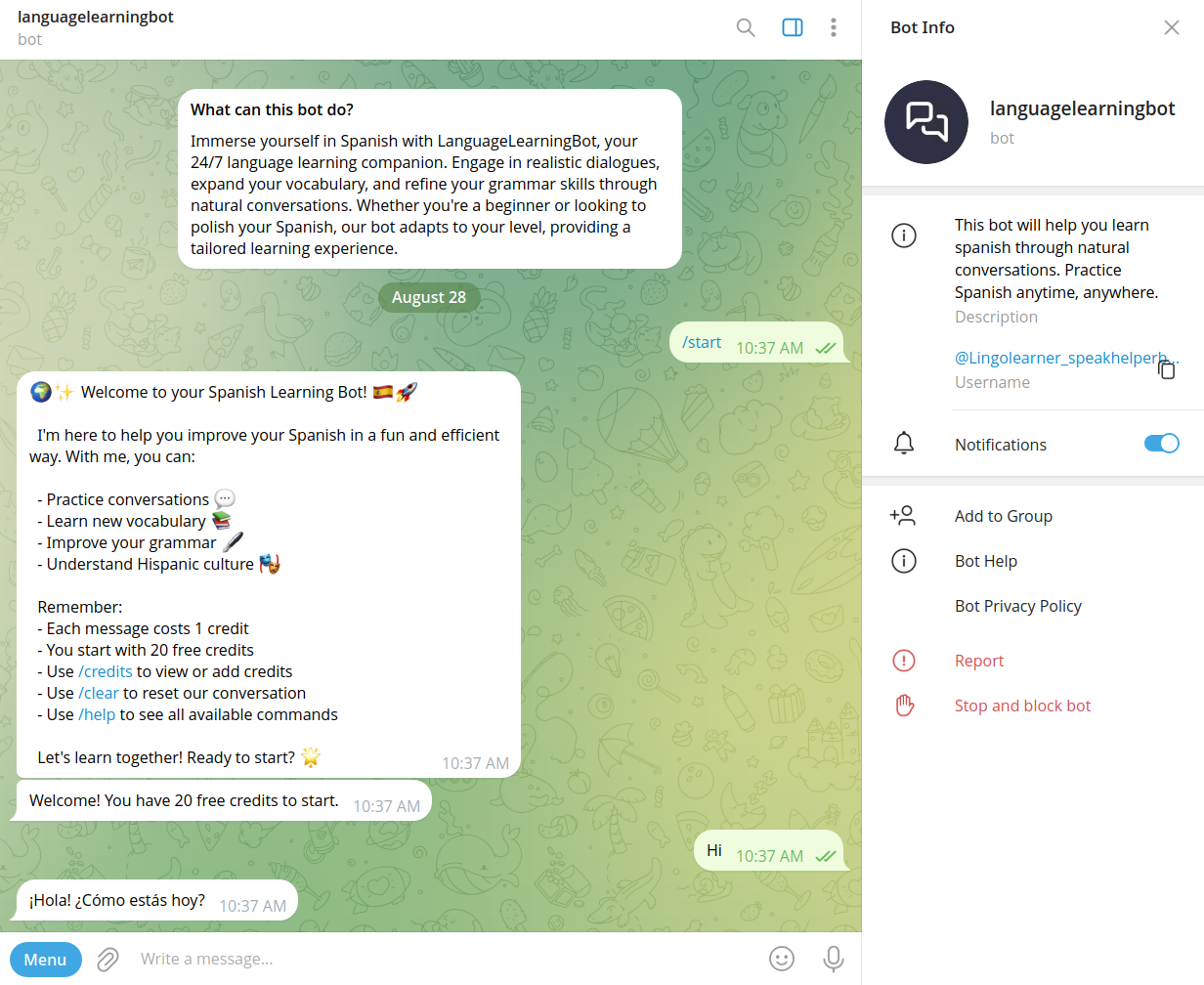
Speakhelper is a personal Spanish tutor chatbot that helps users improve their Spanish through natural conversations, vocabulary expansion, and grammar corrections, all integrated into daily life without the need for textbooks or memorization.




The Unicorn Labs
The Unicorn Labs is an AI-powered research platform designed to empower students from Grade 8 to undergraduate level to turn curiosity into structured, real-world research projects with guided AI mentorship and collaborative tools.

Premium Alternatives


Getsendster
Sendster (GetSendster) is a self-hosted email marketing and automation platform that combines an AI email writer with deliverability tools, built-in email verification, templates, and support for Amazon SES and other SMTP providers to reduce costs and improve inboxing.


question-base
Question Base is an AI-powered answer agent integrated with Slack that automatically responds to repetitive internal questions by searching verified documentation and knowledge bases, helping teams save time and improve knowledge management.

writegenic-ai
Writegenic AI is an advanced AI-powered writing assistant designed to generate full-length technical, business, and project management documents quickly and efficiently, optimized for SEO and tailored to your brand voice.


Headshotsbyai
HeadshotsByAI is a photorealistic AI headshot generator that creates professional headshots in under 10 minutes from 1–5 casual photos, aimed at individuals and teams who need consistent, studio-quality images without an in-person photoshoot.

Whatshouldido
What should I do? is an AI-driven service from GAJIX that helps users explore life and career directions through a short questionnaire and personalized suggestions for a one-time fee of $5.