
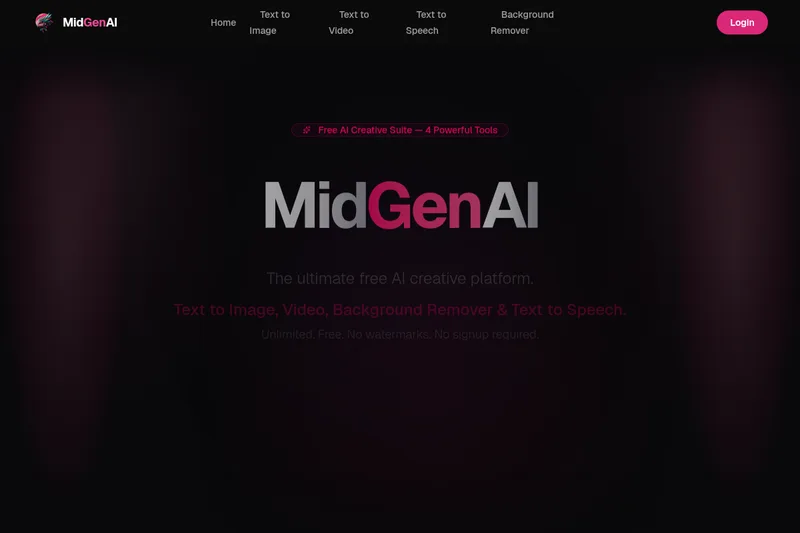
Midgenai
MidGenAI is a free, all-in-one AI creative platform offering unlimited text-to-image, text-to-video, background removal, and text-to-speech tools with no watermarks or signup required.
Midgenai is text-to-voice software teams evaluate for content & marketing. Use this page to review pricing, integration signals, and the best alternatives before you commit.
Profile facts come from the vendor source. AiMatch labels unknown pricing or API details instead of estimating them.
Review official source →Quick Overview
Best for: Content & Marketing
What it does
Text-to-Voice software for decision-makers comparing workflow fit and alternatives.
Best fit
Content & Marketing
Pricing snapshot
Freemium from Free forever
Next step
Compare Midgenai with similar tools before you shortlist it.
Compare this tool before you shortlist it
Review alternatives, pricing posture, and workflow fit side by side.
MidGenAI is a free AI creative suite that combines four tools—Text to Image, Text to Video, Background Remover, and Text to Speech—into one platform. The service emphasizes unlimited, free usage with no watermarks, no credit card required, and no signup necessary for basic use. It targets creators, marketers, e-commerce sellers, filmmakers, and other professionals who need fast, high-quality visual and audio assets.
The platform supports multiple art styles (photorealistic, anime, 3D, oil painting, cyberpunk, etc.), 4K image output, cinematic AI video clips, pixel-precise background removal (including hair & fur), and text-to-speech with 50+ voices across 30+ languages. MidGenAI positions itself as a professional-grade yet fully free alternative to paid AI creative tools.
MidGenAI is a free, all-in-one AI creative platform offering unlimited text-to-image, text-to-video, background removal, and text-to-speech tools with no watermarks or signup required.
Own this listing?
Claim this page for a one-time $29 to add pricing, features, screenshots, verified owner details, and a clearly labeled 30-day category position after the profile is live.
Claim this listing for $29Key Features
Text to Image
Transform text prompts into high-resolution AI images using diffusion models. Features unlimited free generations, multiple styles (photorealistic, anime, 3D, artistic), and 4K resolution output with no watermarks.
Text to Video
Generate cinematic AI video clips from text descriptions. Supports multiple video styles, smooth motion, coherent scenes, fast generation (approx. 10–30 seconds depending on complexity), and unlimited free use.
Background Remover
One-click AI background removal that detects subjects with pixel-perfect precision, including hair and fur, supports bulk processing, and outputs HD transparent PNGs.
Text to Speech
Convert text into natural, human-like speech with over 50 realistic voices in 30+ languages and accents. Adjustable speed, pitch, and tone with MP3 & WAV downloads.
No Watermarks & Unlimited Use
All tools are advertised as 100% free with no watermarks, no usage limits, and no credit card required.
Pricing
All tools are 100% free with unlimited usage, no watermarks, and no credit card required.
Free
Free forever- Unlimited generations
- No watermarks
- No credit card required
- Access to Text to Image, Text to Video, Background Remover, and Text to Speech
Use Cases
Social media and marketing content
Create images, short videos, and voiceovers for ads, posts, and promotional material quickly with photorealistic or stylized outputs.
E-commerce product imagery
Use the background remover to produce clean product PNGs for listings and marketing with precise edge detection and bulk processing support.
Concept art and creative projects
Generate concept images across multiple art styles (anime, cyberpunk, oil painting, 3D) for storyboarding, art direction, and inspiration.
Video storytelling & short cinematic clips
Turn descriptions into cinematic video clips for trailers, social content, or storytelling without expensive production equipment.
Podcasts, e-learning, and accessibility
Produce natural-sounding voiceovers and narration in multiple languages and voices for videos, courses, and accessibility features.
Integrations
No verified integration details are available.
Benefits
Limitations
Frequently Asked Questions
Is MidGenAI really free to use?
What is the best free AI image generator?
How does the AI background remover work?
Can I use AI-generated content commercially?
What languages does the text to speech tool support?
How fast is the AI video generation?
Do I need to create an account to use MidGenAI?
What makes MidGenAI different from other AI tools?
Getting Started
- 1 Step 1: Choose your tool — select Text to Image, Text to Video, Background Remover, or Text to Speech.
- 2 Step 2: Enter your input — type a prompt, upload an image, or paste text; the AI will interpret context and details.
- 3 Step 3: Generate & Download — get your result in seconds and download in high quality with no watermarks or limits.
Support
Contact page
Access the Contact Us link on the website for inquiries (https://www.midgenai.com/).
Documentation / Legal pages
Privacy Policy, Disclaimer, and Terms of Service are available from the site footer for policies and legal information.
Community Gallery
Browse the AI Creation Gallery for examples and inspiration from other users.
API
Compare Midgenai with similar tools
See how it stacks up against alternatives
Related Tools
View all 5 →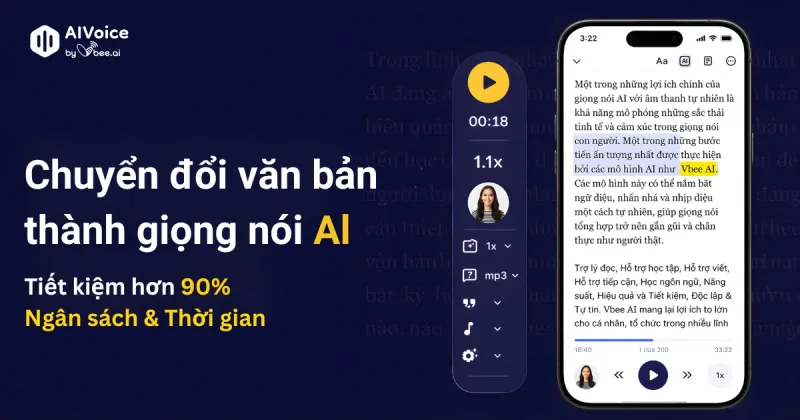
Vbee AIVoice
Vbee AIVoice is a Vietnamese text-to-speech platform that converts text into natural, emotional AI voices (TTS), offers voice cloning, AI dubbing and an AIVoice API for integration into products and services.

Cleanpaste
Clean Paste is a web-based text cleaner that removes invisible Unicode characters, AI watermarks, and hidden metadata from copied or generated text so it renders predictably and reduces detection signals used by AI-detection tools.