

Audio-bot
AudioBot is an AI-powered text-to-speech platform focused on Spanish and Latin American native accents, enabling instant generation of professional MP3 audio for videos, podcasts, e-learning and advertising with commercial use rights.
Audio-bot is text-to-voice software teams evaluate for creative & design. Use this page to review pricing, integration signals, and the best alternatives before you commit.
Profile facts come from the vendor source. AiMatch labels unknown pricing or API details instead of estimating them.
Review official source →Quick Overview
Best for: Creative & Design
What it does
Text-to-Voice software for decision-makers comparing workflow fit and alternatives.
Best fit
Creative & Design
Pricing snapshot
Free
Next step
Compare Audio-bot with similar tools before you shortlist it.
Compare this tool before you shortlist it
Review alternatives, pricing posture, and workflow fit side by side.
AudioBot is a web service that converts written text into natural-sounding speech using artificial intelligence, with a strong focus on Spanish and Latin American accents. It targets creators, educators and brands producing videos, podcasts, e-learning, advertising and corporate audio, offering instant MP3 downloads without watermark and commercial usage rights. The site highlights a large voice library (500+ voices), support for many languages and accents, and metrics such as 117K+ users and 2.3M+ audios generated.
AudioBot is an AI-powered text-to-speech platform focused on Spanish and Latin American native accents, enabling instant generation of professional MP3 audio for videos, podcasts, e-learning and advertising with commercial use rights.
Own this listing?
Claim this page for a one-time $29 to add pricing, features, screenshots, verified owner details, and a clearly labeled 30-day category position after the profile is live.
Claim this listing for $29Key Features
AI-powered text-to-speech
Uses artificial intelligence to generate natural human-like voices from text.
Extensive voice library & accents
500+ voices and 14+ Spanish accents including Mexico, Colombia, Argentina, Perú, Venezuela and Spain; many additional languages and voices listed.
MP3 export without watermark
Generated audio can be downloaded as high-quality MP3 files without watermark.
Free trial allowance
New accounts receive 500 characters free to try the service without a credit card.
Commercial license included
Audios generated can be used commercially (videos, advertising, podcasts, courses) without additional royalties.
Multiple language support
Supports many languages and regional variants (extensive list of languages and named voices is provided on the site).
Pricing
500 characters free trial upon registration (no credit card required).
Use Cases
YouTube & TikTok videos
Narrate videos without voice recording — suitable for stories, tutorials, top 10 lists and faceless content.
E-learning and online courses
Create professional audio lessons for educational platforms and course creators.
Advertising and radio spots
Generate voiceovers for ads intended for radio, podcasts and social media.
Podcasts and audiobooks
Convert articles, blogs or books into podcast episodes or full audiobooks.
Corporate videos
Produce consistent professional voiceovers for presentations, internal videos, demos and training materials.
Accessibility
Convert written content to audio to improve accessibility for people with visual impairments or dyslexia.
Integrations
Video editors (compatibility)
MP3 exports are compatible with editors such as Premiere, DaVinci and CapCut.
Social & audio platforms (compatibility)
Generated audio is compatible with platforms like YouTube, TikTok, Instagram and Spotify.
Benefits
Limitations
Frequently Asked Questions
¿Qué es un convertidor de texto a voz?
¿Qué acentos del español están disponibles?
¿Puedo usar los audios comercialmente?
¿Cuántos caracteres gratis tengo al registrarme?
¿En qué formato se descarga el audio?
¿Hay límite de caracteres por texto?
¿Qué diferencia a AudioBot de otros servicios TTS?
Getting Started
- 1 Register an account on the AudioBot website (registration provides 500 characters free).
- 2 Enter or paste the text you want to convert into the text input field.
- 3 Select a language, accent and voice, preview the result and download the MP3 file.
Support
contact form
Use the 'Contáctanos' link on the AudioBot website to reach support or inquiries.
docs / blog
Site includes a blog and informational pages about text-to-speech and examples (linked from the site navigation).
API
Compare Audio-bot with similar tools
See how it stacks up against alternatives
Related Tools
View all 5 →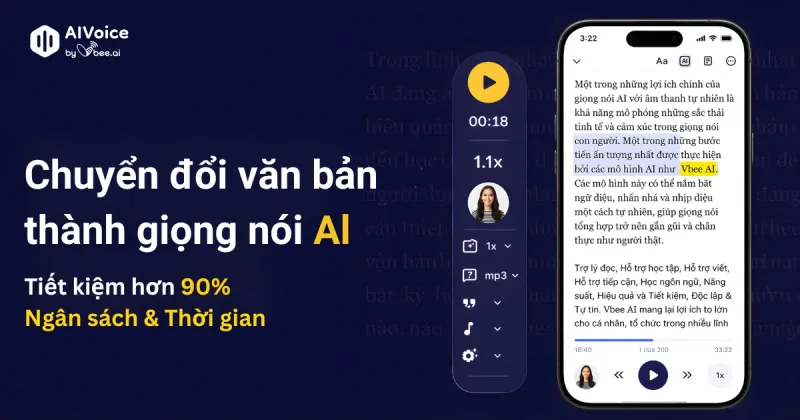
Vbee AIVoice
Vbee AIVoice is a Vietnamese text-to-speech platform that converts text into natural, emotional AI voices (TTS), offers voice cloning, AI dubbing and an AIVoice API for integration into products and services.
Cleanpaste
Clean Paste is a web-based text cleaner that removes invisible Unicode characters, AI watermarks, and hidden metadata from copied or generated text so it renders predictably and reduces detection signals used by AI-detection tools.