Cleanpaste
Clean Paste is a web-based text cleaner that removes invisible Unicode characters, AI watermarks, and hidden metadata from copied or generated text so it renders predictably and reduces detection signals used by AI-detection tools.
Cleanpaste is text-to-voice software teams evaluate for text-to-voice. Use this page to review pricing, integration signals, and the best alternatives before you commit.
Profile facts come from the vendor source. AiMatch labels unknown pricing or API details instead of estimating them.
Review official source →Quick Overview
Best for: Text-to-Voice
What it does
Text-to-Voice software for decision-makers comparing workflow fit and alternatives.
Best fit
Text-to-Voice
Pricing snapshot
Contact for pricing
Next step
Compare Cleanpaste with similar tools before you shortlist it.
Compare this tool before you shortlist it
Review alternatives, pricing posture, and workflow fit side by side.
Clean Paste is a tool for removing invisible characters, watermark-style markers, and hidden metadata from text so it renders reliably across editors, CMSes, email clients, and other publishing targets. It targets zero-width characters, non-breaking spaces, soft hyphens, directional markers, stray control bytes, and watermark-like sequences that can break formatting, affect SEO snippets, or trigger AI-detection systems. The product is positioned for writers, marketers, developers, reviewers, compliance teams, and researchers who need predictable, audit-friendly text when moving content between tools.
Clean Paste is a web-based text cleaner that removes invisible Unicode characters, AI watermarks, and hidden metadata from copied or generated text so it renders predictably and reduces detection signals used by AI-detection tools.
Own this listing?
Claim this page for a one-time $29 to add pricing, features, screenshots, verified owner details, and a clearly labeled 30-day category position after the profile is live.
Claim this listing for $29Key Features
Remove AI Watermarks
Detects and removes watermark-style markers and hidden signatures embedded by AI models so text is less likely to be flagged by detection tools.
Clean Invisible Characters
Scans for and strips zero-width joiners, zero-width spaces, non-breaking spaces, soft hyphens, directional markers, and stray control bytes while preserving punctuation and meaning.
Bypass AI Detection
Aims to remove telltale artifacts that AI detection platforms use, with explicit mention of reducing signals for tools like GPTZero, Originality.ai, and Turnitin.
Preserve Text Quality
Normalizes spacing and removes hidden code points without changing wording, grammar, or the human-readable content of the text.
Pipeline Integrity Checks
Runs a multi-step pipeline (collect input, detect hidden markers, strip and normalize, re-check integrity) and performs a second pass to confirm invisible characters are removed.
Instant Processing & Output
Processes pasted text in memory and returns cleaned output ready to copy or download for use in CMS, docs, email, or code snippets.
Pricing
Current pricing details are not available from the vendor source.
Use Cases
Editorial and Content Teams
Strip soft hyphens and invisible spaces from copy pasted from Docs, Word, or AI tools so CMS previews and production match and SEO snippets remain intact.
Developers and Documentation
Normalize code snippets and commands before pasting into READMEs, terminals, or docs to prevent invisible bytes from breaking linting, shells, or parsers.
Marketing and Outreach
Polish email templates and sales scripts so they render consistently across Gmail, Outlook, and mobile clients, removing weird spacing from PDF exports.
Compliance and Review
Provide auditors and reviewers text without tracking characters or stray markers to reduce false flags in automated scanners and simplify QA.
Product and Support Teams
Answer tickets and prepare release notes with clean snippets that won’t break when pasted into chat widgets or in-app copy.
Academic and Research Workflows
Move citations, quotes, and tables between tools without carrying zero-width characters so exports to PDF or collaborative docs don’t drift in layout.
Integrations
ChatGPT / OpenAI
Removes OpenAI/ChatGPT watermarks and hidden signatures from generated text.
Anthropic Claude
Targets Claude AI watermark and invisible character markers.
Google Gemini
Eliminates Google Gemini watermarking and detection markers from Gemini-generated text.
GPT-4
Removes advanced GPT-4 watermark-style signatures and embedded markers.
Llama (Meta)
Cleans Meta’s Llama model watermarks and hidden identification markers.
Mistral AI
Removes Mistral AI watermarks and invisible character embeddings.
Benefits
Limitations
No verified limitations are available.
Frequently Asked Questions
What are AI watermarks and invisible characters?
How does Clean Paste work?
Will cleaning affect my text quality?
Which AI models does Clean Paste support?
Is Clean Paste safe and secure?
Getting Started
- 1 Step 1: Paste or type the text into the Clean Paste input (processing occurs in memory).
- 2 Step 2: Let the tool detect zero-width characters, odd whitespace, and watermark-like sequences.
- 3 Step 3: Strip and normalize the text, then review the second-pass integrity check and copy or download the cleaned output.
Support
No verified support channels are available.
API
Compare Cleanpaste with similar tools
See how it stacks up against alternatives
Related Tools
View all 5 →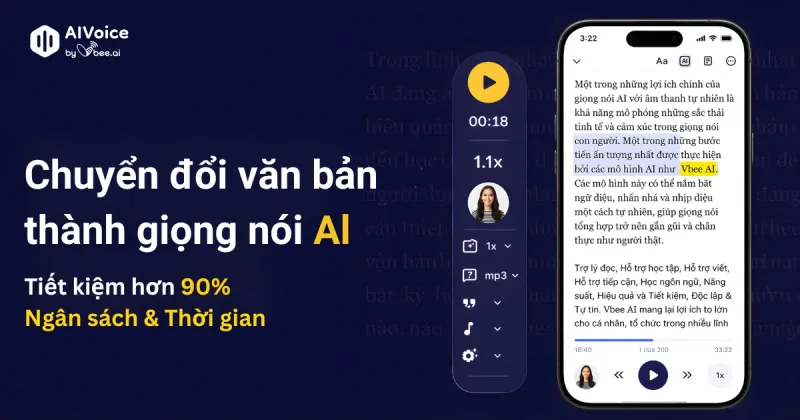
Vbee AIVoice
Vbee AIVoice is a Vietnamese text-to-speech platform that converts text into natural, emotional AI voices (TTS), offers voice cloning, AI dubbing and an AIVoice API for integration into products and services.