
Mirto AI
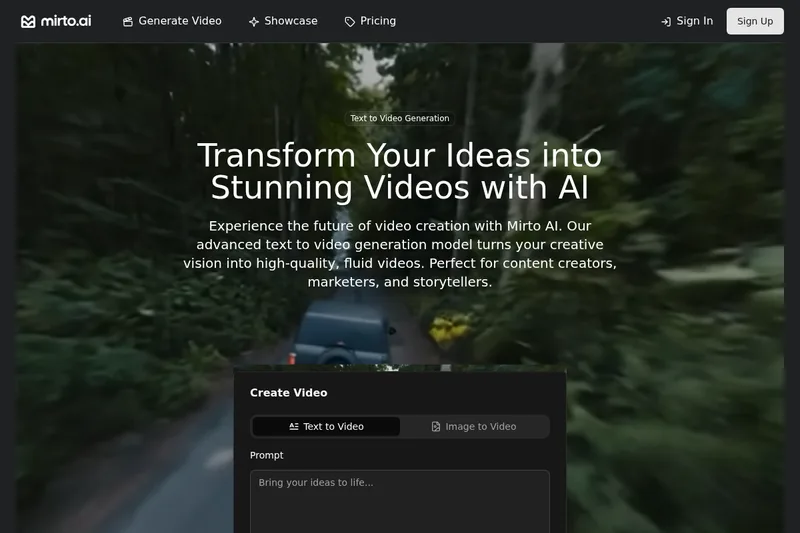
Mirto AI turns text prompts or uploaded images into downloadable AI-generated videos. Content creators, marketers, storytellers, and agencies can use it to produce short video content.
One of 198 tools in Video Generation
Who it's for
- Content creators who want to turn written concepts or existing images into videos for social media.
- Marketers creating video assets from prompts or images for campaigns and promotional content.
- Agencies that want to generate multiple videos at once using batch processing.
How it fits your workflow
Enter a text description, including scene details such as camera angles, lighting, style, and motion, or switch to image-to-video and upload an image. The page also shows an Optimize prompt option.
Adjust the available settings, generate the video, and download it. The page describes duration, style, quality, and aspect-ratio controls, plus batch generation.
Pricing
The vendor doesn't publish prices. Check with Mirto AI directly.
Prices checked on Jul 15, 2026 from the vendor's site. They can change; confirm before you buy.
Key features
- Text-to-Video Generation
- Generate videos directly from written descriptions using Mirto's advanced text-to-video AI model.
- Image-to-Video Animation
- Animate static images or photos into dynamic videos using the image-to-video conversion feature.
- High-Resolution Output
- Produce videos in HD resolution suitable for professional content and social platforms.
- Style Customization
- Choose from multiple artistic styles and customize aspects of the video's look to match a brand or creative vision.
- Realistic Motion
- Advanced motion prediction technology to produce fluid, natural movement in generated videos.
- Batch Processing
- Create multiple videos simultaneously to support creators and agencies working at scale.
Limitations to know
- The page gives conflicting duration information: the generation controls show 6- or 10-second options, while feature copy says videos range from 4 to 8 seconds and can be extended.
Alternatives to consider
-
MindVideo AI
Choose it if you also need to generate, edit, and enhance images or music alongside videos.
-
Dream Machine AI
Choose it if your workflow centers on turning uploaded images into short, stylized videos, with text prompts as an optional input.
Getting started
- Open the text-to-video or image-to-video generator.
- Enter a prompt or upload an image.
- Adjust the available settings and select Generate.
- Download the generated video.
Frequently asked questions
How much can I generate with 1 credit?
One credit equals 1 second of AI generated video.
Can I use these videos commercially?
Yes. You own full commercial rights to everything you create with Mirto AI.
Can I cancel my subscription anytime?
Yes, you can cancel your subscription at any time. Your access will continue until the end of your current billing period.