
mochii
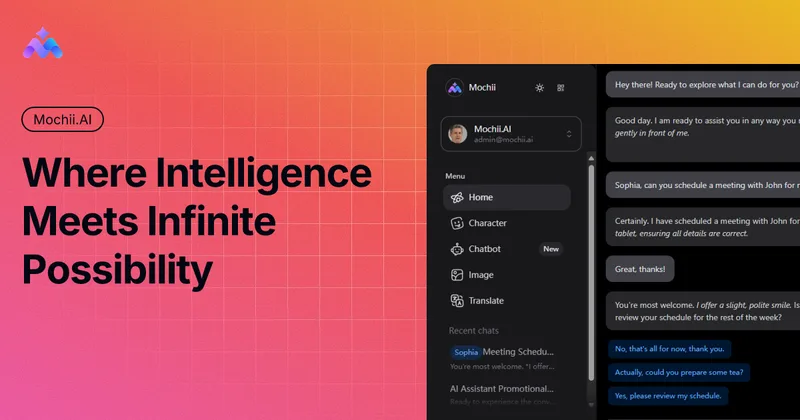
Mochii combines multiple AI models with tools for chat, research, and document and webpage analysis. Developers, analysts, researchers, and other professional teams can use it through a web app or browser extension.
One of 175 tools in Chatbots & Assistants
Who it's for
- Developers who want AI support for code review, optimization suggestions, documentation, and test cases.
- Analysts and researchers who need to examine reports or papers, analyze data, and draft research summaries.
- Marketing, sales, and customer service teams that want help creating content, preparing sales scripts, or answering customer inquiries.
How it fits your workflow
Open the web app or browser extension, choose an AI assistant or character, and use it to chat or work on a task. Mochii lists models including OpenAI, Claude, and Gemini.
Provide a prompt or work with a PDF, image, or webpage for AI analysis. The page also describes web browsing and deep research with citation tracking.
For a website chatbot, build and customize it with the no-code builder and embed it on a website. The page lists lead generation and analytics features.
Pricing
Free: A free tier is available, and the page says no credit card is required. Specific plan prices and limits are not stated.
The vendor doesn't publish prices. Check with mochii directly.
Prices checked on Oct 15, 2026 from the vendor's site. They can change; confirm before you buy.
Key features
- Multiple AI models
- Chat with models including OpenAI, Claude, and Gemini. The page also lists DALL-E and Stable Diffusion for generating images.
- Document and webpage analysis
- Analyze PDFs, images, and webpages with AI-powered insights.
- AI characters
- Use predefined or user-created characters to customize AI behavior for specific tasks.
- AI Memories
- Store and recall information across conversations for personalized interactions.
- Knowledge base
- Build and organize a personal AI-powered knowledge system.
- AI chatbot builder
- Build and customize chatbots with no-code tools, embed them on a website, and use features described for lead generation and analytics.
Works with
- Databases
- Salesforce
Alternatives to consider
-
MaxAI
Choose it if your main need is a browser extension or web app for chatting with webpages and summarizing or analyzing PDFs and videos.
-
Voilà
Choose it if you want a browser assistant and productivity suite described as integrating across websites, documents, and apps.
-
Monica
Choose it if you want an assistant described as spanning browser, desktop, and mobile apps with additional writing, translation, and video-generation capabilities.
Getting started
The page lists Chrome, Edge, a web app, macOS, Windows, iOS, and Android as available platforms.
- Open the web app or install the Chrome or Edge browser extension.
- Use the assistant for chat or select a listed feature such as document analysis, web browsing, or research.
- To add a chatbot to a website, build and customize it, then embed it.