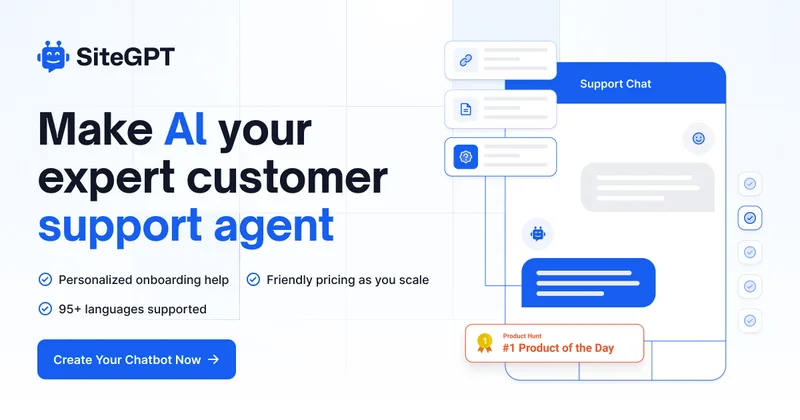
Sitegpt
SiteGPT provides a personalized AI chatbot trained on your website and documents to deliver 24/7 customer support, automate support tickets, capture leads, and escalate to humans when needed. It targets companies seeking to augment support teams with a customizable chatbot that integrates with existing tools.
Sitegpt is chatbots & assistants software teams evaluate for business operations. Use this page to review pricing, integration signals, and the best alternatives before you commit.
Profile facts come from the vendor source. AiMatch labels unknown pricing or API details instead of estimating them.
Review official source →Quick Overview
Best for: Business Operations
What it does
Chatbots & Assistants software for decision-makers comparing workflow fit and alternatives.
Best fit
Business Operations
Pricing snapshot
Freemium from 7-day free trial; cancel anytime
Next step
Compare Sitegpt with similar tools before you shortlist it.
Compare this tool before you shortlist it
Review alternatives, pricing posture, and workflow fit side by side.
SiteGPT is a product that builds personalized AI chatbots trained on a company's website content, uploaded files, or raw text to answer visitor questions and automate customer support. It is positioned to reduce support workload by providing instant, 24/7 responses, automating the majority of support tickets, and improving support team productivity. The platform supports automated syncing of content, multiple input sources (URLs, sitemaps, uploads, YouTube), and integrates with existing tools to escalate conversations to humans when necessary.
SiteGPT provides a personalized AI chatbot trained on your website and documents to deliver 24/7 customer support, automate support tickets, capture leads, and escalate to humans when needed. It targets companies seeking to augment support teams with a customizable chatbot that integrates with existing tools.
Own this listing?
Claim this page for a one-time $29 to add pricing, features, screenshots, verified owner details, and a clearly labeled 30-day category position after the profile is live.
Claim this listing for $29Key Features
Personalized Chatbot
Train a custom chatbot on your own website content, files, or raw text so it answers in your brand's voice and based on your knowledge.
Quick Prompts
Provide quick starter prompts or suggested questions to help users begin conversations and surface frequently asked queries.
Email Summaries
Receive daily email summaries of chatbot interactions to monitor performance, track behavior, and decide where to upload more training data.
Escalate to Human
Allow conversations to be seamlessly escalated to a live agent at the push of a button to handle cases that require human intervention.
Collect Leads
Capture visitor details during chatbot interactions to build a list of potential leads for follow-up.
Functions (In-app Actions)
Turn natural language commands into in-app actions so the chatbot can understand and interact with other systems based on chat interactions.
Direct Integrations
Native integrations with tools such as Crisp, Slack, and Zendesk to connect the chatbot to existing support and communication workflows.
Automatic Syncing
Support for automatic syncing of website content with configurable frequencies (monthly/weekly/daily) depending on plan to keep the chatbot up to date.
Multi-source Training
Train using URLs, sitemaps, YouTube videos/playlists/channels, file uploads (CSV/TXT/PDF/DOCX/PPTX/MD), and connected sources like Notion, Google Drive, Dropbox, OneDrive, Box, and GitHub.
Multilingual Support
Platform supports 95+ languages (marketing claim on site).
Pricing
7-day free trial (cancel anytime)
7-day Free Trial
7-day free trial; cancel anytime- Full access to trial features for 7 days
- Try training and embedding the chatbot on your own data
Paid Plans
Friendly pricing as you scale (no specific prices listed on page)- Automatic syncing frequency options (monthly/weekly/daily) depending on plan
- Page limits and upload allowances vary based on plan
Agency / Enterprise
Contact sales (reach out via email) for agency or enterprise offerings- Custom onboarding and deployment options
- Enterprise-grade security and compliance
Use Cases
Customer support automation
Provide instant, 24/7 responses to customer inquiries to reduce ticket volume and free support staff for higher-level work.
Lead generation
Capture interested visitors' details through the chatbot to create follow-up opportunities and grow lead lists.
Onboarding assistance
Offer personalized onboarding help and quick prompts to guide new users through product or service features.
Knowledge base augmentation
Use the chatbot to surface answers from site content, documents, and connected sources to act as a searchable, conversational knowledge base.
Integrations
Crisp
Native integration to connect chatbot interactions with Crisp.
Slack
Native integration to route messages or alerts into Slack channels.
Zendesk
Native integration to escalate conversations and create tickets in Zendesk.
Notion
Connect Notion as a training data source for the chatbot.
Google Drive
Connect Google Drive to supply documents as training data.
Dropbox
Connect Dropbox to supply documents as training data.
OneDrive
Connect OneDrive to supply documents as training data.
Box
Connect Box to supply documents as training data.
GitHub
Connect GitHub repositories as a source of training content.
Benefits
Limitations
Frequently Asked Questions
Can I add text content to train the chatbot if I don't have web pages to scrape or files to upload?
Do you have a plan for agencies to offer chatbots to their clients?
Is there a demo that I can try?
What type of content can we use to train the chatbot?
Do you retrain the chatbot automatically when the website content changes?
Can I upload files to train the chatbot?
Some of my files are larger than 10 MB. What do I do?
How do I add the chatbot to my website?
How do I train the chatbot?
How long does the training take?
How can we contact you?
Getting Started
- 1 Step 1: Sync training data — enter your URL for SiteGPT to scan, upload files, or paste raw text content
- 2 Step 2: Install on your site — embed the chatbot using the provided embed code or link directly to the chatbot's unique URL
- 3 Step 3: Learn and refine — use real chat history and provided feedback mechanisms to improve the chatbot over time
Support
Contact support or sales via [email protected] for questions, agency plans, or upload assistance.
demo
Try the live demo at sitegpt.ai/demo to see the chatbot in action.
docs
Site lists API Docs and other product resources (documentation link not provided on supplied page).
API
Compare Sitegpt with similar tools
See how it stacks up against alternatives
Related Tools
View all 175 →




Help.center
Help.center is an AI-first help center platform that provides an AI-powered knowledge base, chatbot widget, and a shared team inbox to help businesses resolve customer issues faster and reduce support tickets.
Premium Alternatives

innerai-com
Inner AI é uma plataforma brasileira que reúne mais de 50 modelos de IA pagos (como GPT-5, Claude 4.6, Gemini 3.1 e Grok) oferecendo acesso centralizado, bibliotecas de prompts, templates de documentos, assistentes personalizados, cursos com certificado e aplicativos web/móvel — tudo com foco em equipes e uso profissional.


ChatPersona AI
ChatPersona AI is an AI-powered OnlyFans chat tool delivered through a Chrome extension. It generates responses using selectable personas and is marketed to creators seeking to manage subscriber conversations, tips, and PPV sales.