Overscene
OverScene is a lightweight Windows desktop app that overlays a floating AI frame over any application to apply generative and vision-based AI transforms (image-to-image, text-to-image, image-to-text, code generation, 3D rendering, etc.). It is designed for artists, designers, and developers to prototype, generate moodboards, transform sketches, and augment 3D models without plugins or subscriptions.
Overscene is design generators software teams evaluate for design generators. Use this page to review pricing, integration signals, and the best alternatives before you commit.
Profile facts come from the vendor source. AiMatch labels unknown pricing or API details instead of estimating them.
Review official source →Used in These Packs
Quick Overview
Best for: Design Generators
What it does
Design Generators software for decision-makers comparing workflow fit and alternatives.
Best fit
Design Generators
Pricing snapshot
Paid from $19.99 one-time
Next step
Compare Overscene with similar tools before you shortlist it.
Compare this tool before you shortlist it
Review alternatives, pricing posture, and workflow fit side by side.
OverScene is a lightweight desktop application (Windows-focused) that places a floating AI frame over any running software so you can transform content with a click. It aims to integrate generative and vision AI into existing creative workflows without plugins, subscriptions, or vendor lock-in — enabling tasks like turning sketches into polished artwork, generating moodboards, realistic 3D renders, or converting screenshots into code.
The product connects to state-of-the-art AI platforms (mentions OpenAI and Replicate.com) and ships with multiple AI presets while allowing users to add their own API tokens and custom models. It is positioned for artists, designers, and developers who want fast, in-context AI augmentation across Paint, Photoshop, Illustrator, Blender, ZBrush, SketchUp, Revit, Tinkercad and other apps.
OverScene is a lightweight Windows desktop app that overlays a floating AI frame over any application to apply generative and vision-based AI transforms (image-to-image, text-to-image, image-to-text, code generation, 3D rendering, etc.). It is designed for artists, designers, and developers to prototype, generate moodboards, transform sketches, and augment 3D models without plugins or subscriptions.
Own this listing?
Claim this page for a one-time $29 to add pricing, features, screenshots, verified owner details, and a clearly labeled 30-day category position after the profile is live.
Claim this listing for $29Key Features
Floating AI frame
A draggable floating frame that you can place over any content and transform it with a click ("Drag OverScene's floating frame over any content and transform it with a click").
One-click installation
Advertised "One-click installation" for quick onboarding without complex setup or plugins.
Works with any software
Designed to augment "every.single.app" including Paint, Photoshop, Illustrator and multiple 3D tools (Blender, ZBrush, Sketchup, Revit, Tinkercad) without plugins.
Multiple AI model types
Supports image-to-image, image-to-text, text-to-image, depth-to-image, pose-to-image, text summarization, code generation, 3D rendering and more as listed on the page.
Third-party AI integrations
Hooks onto AI platforms like OpenAI and Replicate.com and lets users add their own API tokens or custom APIs.
Local save and backups
Home and Pro editions allow saving images to disk; Pro adds local backup and export to HTML or PDF moodboard.
One-time purchase
Sold as a buy-once product (Home and Pro are one-time payments; marketing: "Buy Once Own Forever").
Lightweight performance
Optimized to be light on resources to keep workflows smooth and swift ("OverScene is optimized to be light on resources").
User-editable AIs & presets
Includes built-in AI presets and user-editable AI slots (Home: 6 presets, 3 user-editable AIs; Pro: 43+ presets, unlimited user-editable AIs).
Coming-soon features
Several advanced capabilities are labeled "SOON" on the page (real-time image generation, image-to-code, style transfer, multi-modal chat mode, offline AI).
Pricing
Home Edition
$19.99 one-time- Buy once, own forever
- Works with any software
- For home use
- 6 AI presets
Pro Edition
$49.99 one-time- Buy once, own forever
- Works with any software
- For home or commercial use
- 43+ AI presets
Use Cases
Rapid ideation & moodboards
Generate moodboards and test ideas in seconds to iterate visual direction quickly (page shows moodboard examples).
Turn sketches into finished art
Transform scanned or hand-drawn sketches into polished images usable in Paint, Photoshop, Illustrator and other editors.
Enhance 3D models
Render 3D models with more detail and realism across tools like Blender, ZBrush, SketchUp and Revit.
Convert screenshots/wireframes to code
Capture screenshots or wireframes and convert them into code or prototypes without writing lines of code (page mentions "Convert screenshots to code" and "wireframe to code").
Text summarization & content generation
Summarize complex text or generate bespoke visual content on command using integrated AI models.
Integrations
OpenAI
Page states OverScene can hook onto OpenAI and lets users add any AI from OpenAI or use their own API token.
Replicate.com
Page states OverScene hooks onto Replicate.com and can add any AI from Replicate.
Desktop creative and 3D apps
Works over apps such as Paint, Photoshop, Illustrator, Blender, ZBrush, SketchUp, Revit, Tinkercad (enables applying AI transforms directly over these tools).
Custom APIs
Users can add custom API endpoints/tokens ("add any custom API", "use your own API token").
Benefits
Limitations
Frequently Asked Questions
No verified FAQs are available.
Getting Started
- 1 Download the chosen edition (Home or Pro) and complete one‑click installation.
- 2 Place and drag the OverScene floating frame over the app/content you want to transform.
- 3 Choose an included AI preset or add your own API token/custom model, then click to generate or transform content.
Support
FAQ
FAQ page available on the website (FAQ listed in site navigation).
Support (website)
Support link/menu is present on the site; access support resources from the OverScene website.
Docs / Guides
The site mentions guides and learning resources (FAQ and "See included AI models" pages referenced on the product site).
API
Compare Overscene with similar tools
See how it stacks up against alternatives
Related Tools
View all 158 →
Koboyo Icons
Koboyo Icons is a large library of 71,262 free hand-drawn SVG icons, organized into many thematic groups and categories and accessible via website browsing and an MCP/API integration for AI and editor workflows.
GeneratePPT
GeneratePPT is an AI-first presentation tool that converts topics, notes, URLs, PDFs, DOCX, and other inputs into clean, professional PowerPoint decks in under 60 seconds, with one-click styling, auto-sourced images, and an AI slide editor called AI Director.

InfographAI
InfographAI is a web-based AI-powered infographic generator that converts text, blog URLs, PDFs, Word documents, and data into customizable, professional infographics using templates and automated layout suggestions.


Aicomicfactory
AI Comic Factory is an AI-powered web platform that converts text, character references, and prompts into multi-panel comics and graphic-novel pages with consistent characters, multiple art styles, and flexible layouts. It targets hobbyists, creators, and professional teams with tiered credit-based plans and commercial licensing.

Ailogocreator
AI Logo Creator is an AI-powered logo design platform that generates customizable, professional logos, brand kits, and animations in minutes for businesses and creators, with downloadable vector and raster formats.

PandasMake
PandasMake is a web service that generates multiple logo concepts in seconds using AI, letting users customize and publish logos with full usage rights for websites, packaging, business cards, and more.
Budget-Friendly Alternatives
GeneratePPT
GeneratePPT is an AI-first presentation tool that converts topics, notes, URLs, PDFs, DOCX, and other inputs into clean, professional PowerPoint decks in under 60 seconds, with one-click styling, auto-sourced images, and an AI slide editor called AI Director.
Koboyo Icons
Koboyo Icons is a large library of 71,262 free hand-drawn SVG icons, organized into many thematic groups and categories and accessible via website browsing and an MCP/API integration for AI and editor workflows.


Switchboard
Switchboard Canvas is a web-based template designer and image generation API that automates production of responsive, branded images (including multi-size and translated variants) via an API or no-code tools like Zapier and Pabbly Connect.

Archybase
ArchyBase is a web-based AI design platform for interior, exterior and landscape visualization that converts photos, sketches, and floor plans into photorealistic renders and 3D models quickly. It targets architects, designers, homeowners and real-estate professionals with an all-in-one suite covering AI interior design, exterior facades, landscape generation, floor-plan creation and 2D-to-3D conversion.
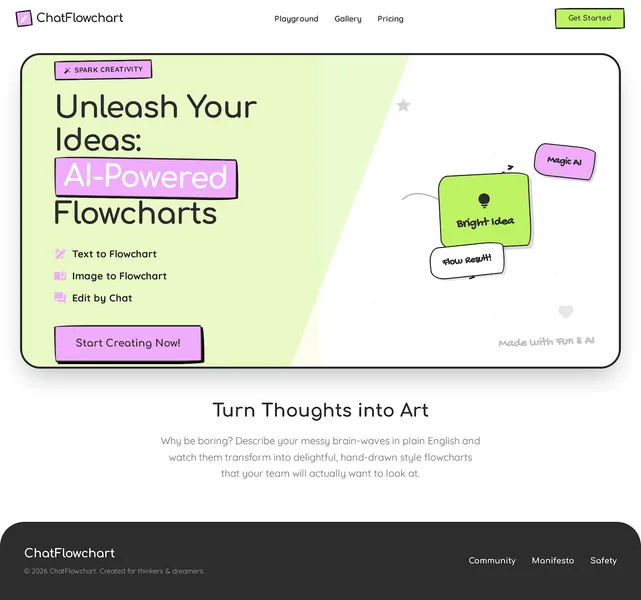
Chatflowchart
ChatFlowchart is a web-based AI diagram generator and editable diagram converter that turns plain text, images, and PDFs into editable flowcharts, UML, ERDs, sequence diagrams and more, with conversational editing and multiple export options.