

Pactto
Pactto is an AI-native platform for creative teams that provides persistent project rooms where teams can present, review, annotate, approve assets in studio quality, and let AI assistants capture context, turn feedback into edits, summaries and tasks, and act on work live.
Pactto is ai tools software teams evaluate for video. Use this page to review pricing, integration signals, and the best alternatives before you commit.
Profile facts come from the vendor source. AiMatch labels unknown pricing or API details instead of estimating them.
Review official source →Used in These Packs
Quick Overview
Best for: Video
What it does
AI Tools software for decision-makers comparing workflow fit and alternatives.
Best fit
Video
Pricing snapshot
Freemium from $0
Next step
Compare Pactto with similar tools before you shortlist it.
Compare this tool before you shortlist it
Review alternatives, pricing posture, and workflow fit side by side.
Pactto is an AI-native collaboration platform that provides persistent creative rooms where teams can bring videos, images, PDFs, audio and multi-screen shares into a shared canvas. Each room retains context across sessions (Room Memory), transcribes and translates conversations in real time, and includes an AI assistant that captures feedback and can make live edits, generate summaries, and create tasks. The product is aimed at creative teams, agencies, production workflows and other professional groups that need studio-quality presentation, structured feedback, and faster approval cycles.
The room where creative teams align and AI takes action Discussion | Link
Own this listing?
Claim this page for a one-time $29 to add pricing, features, screenshots, verified owner details, and a clearly labeled 30-day category position after the profile is live.
Claim this listing for $29Key Features
Persistent Rooms (Room Memory)
Rooms remember every conversation, decision and piece of feedback so context compounds across sessions rather than disappearing when a call ends.
AI Assistant & Live Editing
An AI assistant listens, transcribes, builds context, suggests actions and can apply edits live (e.g., grading images, generating alternatives, updating assets and documents) during sessions.
Studio-quality Playback & Multi-screen Sharing
Play video at studio quality (color-accurate, frame-accurate, no compression artifacts), and allow multiple participants to share screens simultaneously.
Real-time Transcription & Translation
Live transcription separated by speaker and timestamp with live translation into many languages (English, Português, Español, French, 中文, 日本語, 한국어, Deutsch, Bahasa Indonesia, Italiano and العربية).
Annotation & Frame-accurate Markup
Draw on frames, pin comments to frames or ranges, and create voice comments; the assistant sees annotations and builds on them.
Integrations & Asset Imports
Direct partnership with Adobe Frame.io and support for Google Drive, Dropbox, local files and Google Sign In; assets can be dragged in or pulled from connected services.
CLI & Agent Access
Pro includes CLI access for coding agents, enabling tools like Claude Code or Codex to read/write room contents from the terminal.
Approval Tracking & Persistent Versions
Approvals, meeting summaries, statuses and version history persist in the room so decisions are recorded and actionable immediately.
Security Features
End-to-end encryption and encryption on AWS S3 buckets; SOC 2 in progress (as stated).
Pricing
Two active rooms with all editing and commenting tools, 5GB storage, up to 5 members per room, 60-minute meetings, 60 minutes live translation, and a one-time 10 AI credits allocation.
Free
$0- 2 active rooms
- All editing and commenting tools
- 5GB storage
- 5 members with access
Pro
$19 per month billed annually ($228/year) or $25 billed monthly- Unlimited rooms and guests
- 500GB storage
- Persistent room memory
- Integrations (Frame.io, Google Drive, Air)
Use Cases
Creative Agencies
Run complex AI creative projects in a single room, manage assets from v1 to launch, track decisions and ship campaigns faster with persistent context.
Podcast Teams
One room per episode to brief, review cuts at real quality, generate cover art, and map social shorts; guests join free.
Roundtables
Host recurring group sessions in a persistent room where AI keeps summaries and action items and new members catch up on the full history.
Language Tutors
One persistent room per student to share materials, mark up pronunciation and grammar, and let the AI keep corrections and vocab lists.
Sports Coaching
Review technique video frame-by-frame, annotate form live, and keep a training log that builds week over week with frame-accurate video and AI-kept logs.
Mental Coaching
Persist session context across sessions for ongoing mental performance coaching and capture commitments and practice notes per athlete.
Architects
Present renders and plans at full resolution, mark up drawings together and log change requests and approvals in one project room.
Pitching
Present decks and demos at full quality and keep investor questions and follow-ups in the same room for continuity.
Event Organizers
Track roles, sponsor commitments and run of show in live tables, keep media and logos accessible to designers and log status changes.
Integrations
Frame.io (Adobe partnership)
Direct partnership with Adobe to pull assets from Frame.io into a Room with one click (Pro feature).
Google Drive
Connect Google Drive to pull assets into Rooms (Pro feature).
Dropbox
Listed as a supported import source for assets.
Local Files
Drag and drop files from your computer into a Room.
Air (coming soon)
Planned integration listed as coming soon.
CLI / Coding Agents
CLI access for coding agents (Pro) to read/write Room contents and connect tools like Claude Code or Codex.
Benefits
Limitations
Frequently Asked Questions
What is a Room in Pactto?
What can I do inside a Room?
What's the difference between a collaborator and a Guest Reviewer?
What do I get on the free plan?
Do clients and reviewers have to pay to use Pactto?
What is the difference between Free and Pro room memory?
How do I get my assets into Pactto?
We use Frame.io for asset management. Does Pactto work with it?
Can I use the CLI on the free plan?
Is my content secure?
Can Pactto be white-labeled?
Getting Started
- 1 Create an account and Start for free to open your first Pactto rooms.
- 2 Create a persistent Room for your project and drag in assets or connect services (Frame.io, Google Drive or local files).
- 3 Invite collaborators or guest reviewers to the Room and begin a live session where the AI assistant captures context, transcribes, translates and can apply edits.
Support
Contact / Sales
Contact via the Pactto website (https://pactto.com/) or use the 'Book a demo with the CEO' call-to-action.
Community
Join the Pactto Discord community (Join our Discord link on the site).
Account Login
Log in link on the site for existing users.
API
Compare Pactto with similar tools
See how it stacks up against alternatives
Related Tools
View all 103 →


Videoideas
VideoIdeas.ai is an AI-powered content platform for YouTube creators that generates video scripts, ideas, channel analysis, short-form scripts, ad scripts, and style cloning to speed up content production and grow channels.
Youtubesummarizer
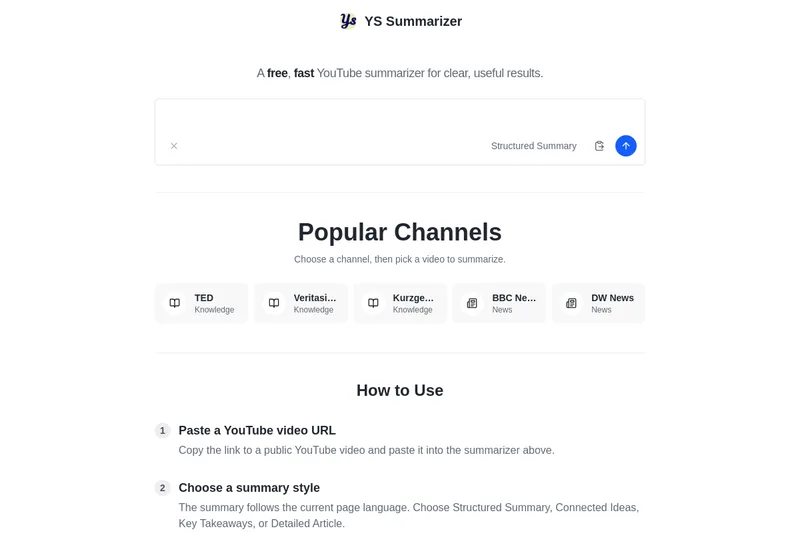
YouTube Summarizer (ys summarizer) is a free, AI-powered web tool that generates concise summaries of YouTube videos (up to 3 hours) by using available transcripts. It supports multiple languages, offers customizable summary styles, and requires no account for basic use.

Instantchapters
InstantChapters is a web app that creates YouTube timestamps (chapters) automatically: paste a YouTube URL and the service generates keyword-optimized timestamps you can copy into your video description to improve viewer experience and watch time.

Premium Alternatives

Prismiq
Prismiq Pulse is a post-publish video audit for YouTube that evaluates your title, thumbnail, and first 30 seconds, returns a Pulse score, timestamped friction points, and delivers 3 test-ready title variations plus 3 thumbnail concepts. Reports are ready in about five minutes and can be run by pasting any public YouTube URL.

Topaz Video
Topaz Video is Topaz Labs’ AI-powered desktop and cloud video enhancement application for filmmakers and videographers, offering model-based upscaling, denoising, stabilization, SDR→HDR conversion and other production-grade restoration and finishing tools.



Sendpotion
Potion (Sendpotion) is an AI video personalization platform that generates hyper-realistic videos in your own face, voice, and gestures for sales, marketing, support, and education, enabling scalable personalized outreach and video content creation.

Text Remover
Text Remover is an online AI video cleanup tool that detects and removes text, captions, subtitles, and other overlays, reconstructing the background while aiming to preserve video quality. It is designed for creators, editors, and teams preparing videos for reuse or localization.

reccloud-cn
录咖(reccloud)是一款面向创作者与企业的在线AI音视频处理平台,提供语音转文字、字幕生成、文字转语音、视频翻译、视频生成、去水印、人声分离、音视频总结等一键化AI工具与开发者API。
