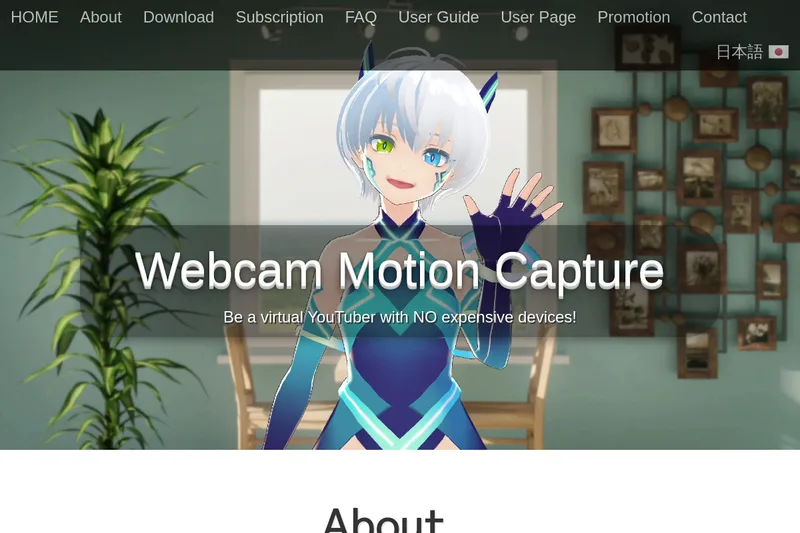
Webcam Motion Capture
Webcam Motion Capture is an AI-powered desktop application that uses a standard webcam (or smartphone camera) to perform high-quality hand/finger, head, facial expression, eye gaze/blink, lip sync and upper-body tracking for VTubers and motion-capture workflows. It can stream tracking data to external apps via the VMC protocol and export FBX motion files for use in CG software.
Webcam Motion Capture is video software teams evaluate for video. Use this page to review pricing, integration signals, and the best alternatives before you commit.
Profile facts come from the vendor source. AiMatch labels unknown pricing or API details instead of estimating them.
Review official source →Used in These Packs
Quick Overview
Best for: Video
What it does
Video software for decision-makers comparing workflow fit and alternatives.
Best fit
Video
Pricing snapshot
Freemium from Not listed on the page (subscription required to hide UIs and enable sending tracking data externally)
Next step
Compare Webcam Motion Capture with similar tools before you shortlist it.
Compare this tool before you shortlist it
Review alternatives, pricing posture, and workflow fit side by side.
Webcam Motion Capture is a downloadable application that uses AI-driven webcam tracking to control 3D avatars without requiring specialized hardware. It provides hand and finger tracking plus head, facial expression, eye gaze/blink, lip sync and upper-body tracking using a computer or smartphone camera. The product targets virtual YouTubers (VTubers), streamers, content creators, and CG/motion-capture workflows who want to record or stream avatar motion without dedicated mocap hardware.
The site notes the project launched in November 2021 and reports more than 38,300 users from 120 countries. The app can stream tracking data to external applications via the VMC protocol and can save motion capture as FBX files for use in Blender, Maya, 3ds Max and other CG tools.
AI-powered webcam software for 3D avatar motion capture without expensive devices.
Own this listing?
Claim this page for a one-time $29 to add pricing, features, screenshots, verified owner details, and a clearly labeled 30-day category position after the profile is live.
Claim this listing for $29Key Features
Webcam-only Hand and Finger Tracking
High-quality, natural and robust hand and finger tracking using only a standard webcam; no special device required.
Face, Head, Eye and Upper-body Tracking
Head tracking, facial expression tracking, eye gaze tracking, eye blink detection, lip sync, and upper body tracking included.
VMC Protocol Output
Send tracking data in real time to external apps that support the VMC protocol to add hand tracking or body tracking to other software.
FBX Export
Save motion capture data to FBX files for use in major computer graphics software such as Blender, Maya, and 3ds Max.
Compatibility with Face Tracking Mobile Apps
Compatible with face-tracking apps supporting Perfect Sync (Face ID on iPhone/iPad) and specific mobile apps listed on the site.
Cross-platform Desktop Builds
Provides installers for Windows and Mac (Intel and Apple silicon) and separate Webcam Motion Receiver application; supports mixed OS setups over Wi‑Fi.
Pricing
You can try all the tracking features for free; subscription is only required for hiding UI and exporting/sending tracking data to external apps.
Subscription
Not listed on the page (subscription required to hide UIs and enable sending tracking data externally)- Includes all future software updates
- Allows hiding UI and using tracking data on external apps via VMC or FBX export
Prepaid Plan
Not listed on the page (one-time prepaid option referenced)- Prepaid access without recurring billing
Lifetime License
Not listed on the page (available for purchase; discounted by prior subscription payments)- One-time purchase option; discount applied based on previous subscription payments
Use Cases
Live streaming with avatars
Use Webcam Motion Capture with OBS Studio to stream avatar-driven live content on YouTube and similar platforms.
Creating pre-recorded videos with 3D avatars
Record avatar performances (including hand and facial motion) and compose videos using OBS Studio and transparent backgrounds.
Motion capture for CG production
Capture motion and export FBX files for animation workflows in Blender, Maya, 3ds Max and other CG software.
Adding hand tracking to other VTuber apps
Send tracking via VMC protocol to apps that lack hand tracking (e.g., VSeeFace) or to game engines using provided plugins.
Low-spec PC setups
Offload tracking to an iPhone/iPad using the official iWebcamMotionCapture mobile app to reduce CPU/GPU load on computers with limited performance.
Integrations
VMC Protocol
Send real-time tracking data to any app supporting the VMC protocol.
Unity / Unreal Engine
Send tracking data to major game engines using a free plugin.
Face tracking mobile apps
Works with iWebcamMotionCapture (iOS), waidayo, Facemotion3d, iFacialMocap, and VTube Studio (via FaceMocap2VMC) for richer facial expressions.
OBS Studio
Recommended for live streaming and composing avatar video content; supports transparent background workflows.
VRoid Studio
Use VRoid Studio to create VRM avatars for import into Webcam Motion Receiver.
Smartphone webcam apps
Supports iWebcamMotionCapture (iOS) and third-party solutions like DroidCam for using a smartphone as a webcam.
SplitCam (virtual camera)
Suggested workaround to allow two apps to access the same webcam simultaneously by creating a virtual camera (specific version recommended in FAQ).
Benefits
Limitations
Frequently Asked Questions
Can I use Webcam Motion Capture for live stream on YouTube?
Can I use Webcam Motion Capture to create my own video using 3D avatars?
Do I need to subscribe?
Can I use Webcam Motion Capture commercially?
What OS is supported?
How can I lower the CPU/GPU usage?
Getting Started
- 1 Step 1: Download the appropriate installer or ZIP for your OS from the Download page (Windows or Mac builds).
- 2 Step 2 (Windows): Run the downloaded .exe to install; install to the default folder (C:\Program Files\Webcam Motion Capture) and launch both Webcam Motion Capture and Webcam Motion Receiver.
- 3 Step 3 (Mac): Unzip the downloaded file, right-click (Control-click) the Webcam Motion Capture and Webcam Motion Receiver icons and choose 'Open'; then follow the User Guide to complete setup.
Support
Contact via [email protected] for support, licensing and technical issues.
docs
User Guide and FAQ pages available on the website with setup instructions, troubleshooting and setup for OBS Studio and mobile apps.
social
Follow and message @webcammocap on X (Twitter) for announcements and support contact.
API
Compare Webcam Motion Capture with similar tools
See how it stacks up against alternatives
Related Tools
View all 103 →


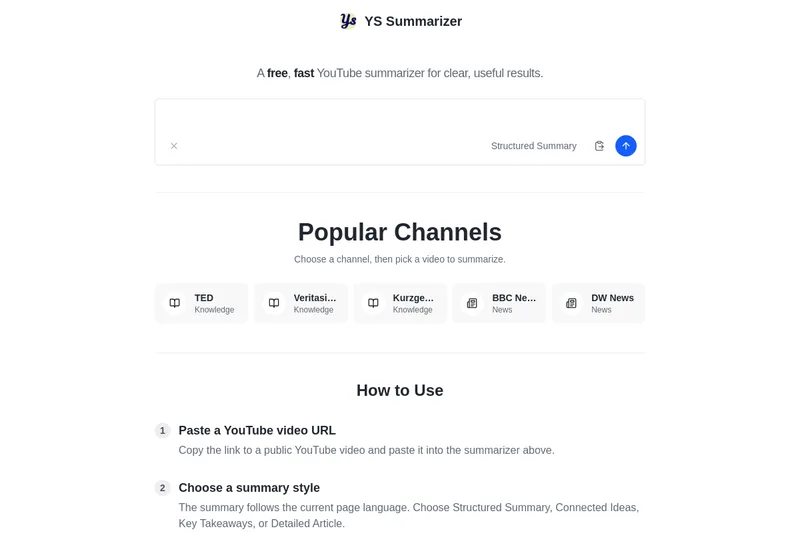
Youtubesummarizer
YouTube Summarizer (ys summarizer) is a free, AI-powered web tool that generates concise summaries of YouTube videos (up to 3 hours) by using available transcripts. It supports multiple languages, offers customizable summary styles, and requires no account for basic use.


Premium Alternatives


Prismiq
Prismiq Pulse is a post-publish video audit for YouTube that evaluates your title, thumbnail, and first 30 seconds, returns a Pulse score, timestamped friction points, and delivers 3 test-ready title variations plus 3 thumbnail concepts. Reports are ready in about five minutes and can be run by pasting any public YouTube URL.

Topaz Video
Topaz Video is Topaz Labs’ AI-powered desktop and cloud video enhancement application for filmmakers and videographers, offering model-based upscaling, denoising, stabilization, SDR→HDR conversion and other production-grade restoration and finishing tools.

reccloud-cn
录咖(reccloud)是一款面向创作者与企业的在线AI音视频处理平台,提供语音转文字、字幕生成、文字转语音、视频翻译、视频生成、去水印、人声分离、音视频总结等一键化AI工具与开发者API。

Text Remover
Text Remover is an online AI video cleanup tool that detects and removes text, captions, subtitles, and other overlays, reconstructing the background while aiming to preserve video quality. It is designed for creators, editors, and teams preparing videos for reuse or localization.

Sendpotion
Potion (Sendpotion) is an AI video personalization platform that generates hyper-realistic videos in your own face, voice, and gestures for sales, marketing, support, and education, enabling scalable personalized outreach and video content creation.