Picma
PicMa Studio is an all-in-one AI-powered image and video editing platform offering AI image generation, enhancement, repair, and video generation tools, plus mobile apps and an API for creators and businesses.
Picma is image & design software teams evaluate for image & design. Use this page to review pricing, integration signals, and the best alternatives before you commit.
Profile facts come from the vendor source. AiMatch labels unknown pricing or API details instead of estimating them.
Review official source →Used in These Packs
Quick Overview
Best for: Image & Design
What it does
Image & Design software for decision-makers comparing workflow fit and alternatives.
Best fit
Image & Design
Pricing snapshot
Free
Next step
Compare Picma with similar tools before you shortlist it.
Compare this tool before you shortlist it
Review alternatives, pricing posture, and workflow fit side by side.
PicMa Studio is presented as a next-generation AI photo enhancer and all-in-one AI photo editor that combines image generation, enhancement, and video features. The site lists capabilities for both image and video workflows, including AI image generation (GPT-Image 2, Seedance 2.0), AI-powered image and video enhancers, and specialized tools for e-commerce and product images. PicMa is available as mobile apps on the App Store and Google Play and exposes an API, positioning it for creators and businesses across industries. Version information on the page shows 'Version: 3.5.6.'
PicMa Studio is an all-in-one AI-powered image and video editing platform offering AI image generation, enhancement, repair, and video generation tools, plus mobile apps and an API for creators and businesses.
Own this listing?
Claim this page for a one-time $29 to add pricing, features, screenshots, verified owner details, and a clearly labeled 30-day category position after the profile is live.
Claim this listing for $29Key Features
AI Image Generation (GPT-Image 2)
High-quality image generation via 'GPT-Image 2' as listed on the site.
Seedance 2.0 (Text to Video)
Text-to-video generator (Seedance 2.0) for creating AI-driven videos from text prompts.
AI Video Generator
AI-driven video generation described as 'AI intelligently generates dynamic videos.'
AI Image Enhancement / Photo Enhancer
Tools such as 'Photo Enhancer', 'Smart Image Enhancement', 'Smart Restore', and 'AI Sharpen Image' for repairing and improving photos.
Video Enhancer
AI-powered video repair, enhancement and optimization ('Video Enhancer').
E-commerce & Product Tools
'Product Image Enhancer', 'AI E-Commerce', 'Accessory Try-On', and 'Virtual Model' to create high-conversion e-commerce visuals.
Background & Object Removal
Tools including 'Background Remover' and 'Object Remover' for compositing and cleanup.
Other editing utilities
Additional tools listed include 'PNG Enhancer', 'Text Enhancer', 'Color Master', 'AI Poster Generator', 'Magic Brush', 'Anime Enhancer', and 'AI Filter Generator'.
Mobile apps & API
Apps available on App Store and Google Play and an API entry is listed on the site for programmatic access.
Pricing
Offers a free access option ('Start Now For Free') — no detailed pricing tiers listed on the provided page.
Use Cases
E-commerce product visuals
Create high-conversion product images using Product Image Enhancer, background removal, virtual try-on, and e-commerce-specific tools.
Photo repair and enhancement
Restore, sharpen, colorize, and enhance photos with Smart Restore, AI Sharpen, Photo Enhancer, and Descratch tools.
AI-driven video creation and enhancement
Generate dynamic videos from text (Seedance 2.0) and repair/optimize video footage with Video Enhancer and AI Video Generator.
Creative image generation
Produce new images and creative assets using GPT-Image 2 and various filter/generator tools.
Integrations
API
Site lists 'API' indicating programmatic access for integrations and automation (documentation link not provided on the page excerpt).
Mobile platforms
Available on App Store and Google Play for mobile integration and use.
Benefits
Limitations
No verified limitations are available.
Frequently Asked Questions
No verified FAQs are available.
Getting Started
- 1 Sign Up on the PicMa website (there is a 'Sign Up' call-to-action).
- 2 Use the web tools or download the mobile apps from the App Store or Google Play to access more features.
- 3 Explore available features (image generation, enhancers, video tools) or integrate via the API if programmatic access is required.
Support
Contact PicMa support at [email protected] as listed on the site.
docs
Site contains a 'Support' and 'Q&A' section referenced on the page for additional help.
API
Compare Picma with similar tools
See how it stacks up against alternatives
Related Tools
View all 386 →

ChatGPT Image Generator
ChatGPT Image Generator is a web-based text-to-image tool that produces AI-generated visuals (up to 4K) from user prompts, offering multiple styles, multi-image generation, and a developer-friendly API for integration.

GPT Image 2.5
GPT Image 2.5 is a prompt-based image generation and editing workspace offering two model modes—Flare for fast creative exploration and Sunburst for detail-focused edits—designed for product visuals, portraits, campaigns, and other content creation workflows.
ImageToCartoon
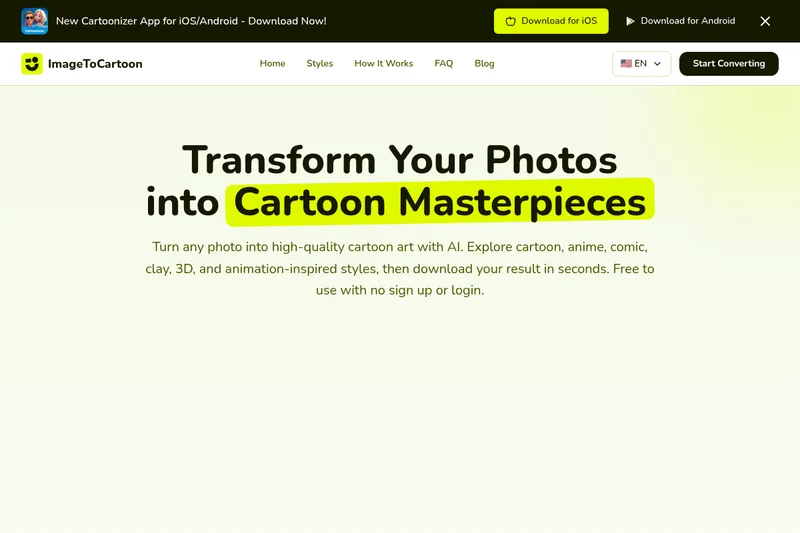
ImageToCartoon is a free, web-based AI photo-to-cartoon converter that transforms photos into a wide range of cartoon and animation-inspired styles (anime, comic, 3D, clay, etc.) with no signup required.
Removetext
Remove Text From Image (Removetext) is a browser-based AI tool that removes text, watermarks, or logos from images by detecting text and reconstructing the underlying background. The service offers a free workflow plus an optional Pro upgrade for faster, priority processing and higher-quality results.

Headshotpro
HeadshotPro is an AI-powered service that generates professional business headshots from a small set of selfies, producing hundreds of realistic, production-ready images for individuals and teams.
Krea 3 Photo Editor & Text-to-Image Generator
Krea 3 on krea-3.net is an independently operated image creation and editing service. Users can upload photos and describe changes or generate new images from text, with reference images available to guide the result.
Premium Alternatives


imaginebuddy
Imagine Buddy is a web-based library of professionally crafted AI product photoshoot prompts that helps creators and brands generate campaign-ready product imagery using AI image generators like Gemini, ChatGPT/DALL·E, Midjourney, and Stable Diffusion.

Picture to Text
Picture to Text is an online OCR image-to-text converter that extracts editable text from images, screenshots, PDFs and handwritten notes using advanced OCR technology. It offers free and paid tiers with batch processing, multi-format support, and multi-language extraction.
Illusion Diffusion
Illusion Diffusion is a web-based AI photo-to-art generator that transforms designs, text, or photos into illusion-style artwork using ControlNet, OpenPose, and Stable Diffusion models. It offers credit-based image generation, downloadable results, and presets for text-to-image and brand/logo reimagining.

Image-AI.pro
Image-AI.pro is a professional AI image generation platform powered by the proprietary img-v2 Pro engine, offering studio-quality, multi-style image generation with instant, no-registration access and an optional VIP membership for faster, higher-resolution outputs.