
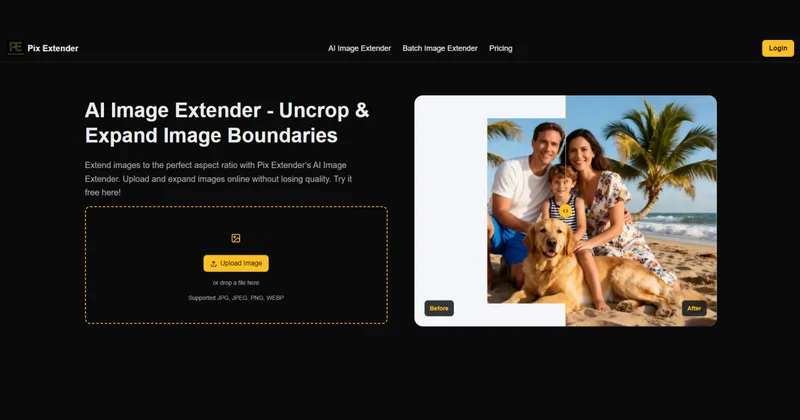
Pixextender
PixExtender is a web-based AI image extender and generative image enlarger that outpaints and uncrops photos up to 4096×4096 px, with batch processing, platform presets, and export to common image formats.
Pixextender is image & design software teams evaluate for content & marketing. Use this page to review pricing, integration signals, and the best alternatives before you commit.
Profile facts come from the vendor source. AiMatch labels unknown pricing or API details instead of estimating them.
Review official source →Used in These Packs
Quick Overview
Best for: Content & Marketing
What it does
Image & Design software for decision-makers comparing workflow fit and alternatives.
Best fit
Content & Marketing
Pricing snapshot
Freemium from $8.3/month (promo) · $9.9/month · $99/year billed yearly
Next step
Compare Pixextender with similar tools before you shortlist it.
Compare this tool before you shortlist it
Review alternatives, pricing posture, and workflow fit side by side.
PixExtender is an online AI image extender that outpaints and enlarges images by generating new pixels to extend borders and change aspect ratios while preserving composition and visual quality. It targets social media creators, e-commerce teams, photographers, and content creators who need to uncrop or expand images to platform-specific sizes or custom canvases. The service supports batch processing (up to 20 images), platform presets, and high-resolution outputs up to 4096×4096 px, and offers free starter credits plus paid plans with commercial licensing and priority support.
PixExtender is a web-based AI image extender and generative image enlarger that outpaints and uncrops photos up to 4096×4096 px, with batch processing, platform presets, and export to common image formats.
Own this listing?
Claim this page for a one-time $29 to add pricing, features, screenshots, verified owner details, and a clearly labeled 30-day category position after the profile is live.
Claim this listing for $29Key Features
Context-aware outpainting
AI analyzes lighting, texture, and composition to naturally fill gaps and extend image borders rather than simply stretching pixels.
High-resolution expansion
Expand canvases up to 4096×4096 px (4K) with pixel-preserving results for both web and print outputs.
Batch processing
Process up to 20 images at once for consistent ratios and fast throughput, aimed at product catalogs and asset libraries.
Platform presets & custom sizes
One-click presets for social platforms (Instagram 4:5, Pinterest 2:3, YouTube 1280×720) and the ability to set custom dimensions for extension.
Export formats
Supports output in JPG, PNG, and WEBP formats for integration into CMS, ad platforms, and design workflows.
E-commerce-safe border extension
AI safeguards edges, logos, and price text to prevent truncation of key product details during expansion.
Credits, licensing & support
New users receive free credits; paid plans include commercial license, higher credits, priority support for upper tiers, and no watermark.
Pricing
New users receive free starter credits upon signup to try the service.
Basic
$8.3/month (promo) · $9.9/month · $99/year billed yearly- 2400 credits (renew yearly)
- Up to 1200 images
- Max resolution 2000×2000
- Batch processing
Creator
$20.8/month (promo) · $24.9/month · $249/year billed yearly- 6600 credits (renew yearly)
- Up to 3300 images
- Max resolution 3000×3000
- Batch processing
Master
$41.6/month (promo) · $49.9/month · $499/year billed yearly- 14400 credits (renew yearly)
- Up to 7200 images
- Max resolution 4096×4096
- Batch processing
Use Cases
Social media optimization
Resize and uncrop images to match platform aspect ratios (Instagram, Facebook, LinkedIn, Pinterest, YouTube) using presets or custom sizes.
E-commerce image enhancement
Batch-extend product images while preserving edges and labels to produce consistent product catalog assets without cropping important details.
Photography composition extension
Outpaint backgrounds such as skies, interiors, and landscapes to enhance compositions without shifting subjects or losing depth of field.
Content creation & design
Generate extended backgrounds for illustrations, anime art, thumbnails, and marketing visuals to fit varied layout requirements.
Photo restoration and uncropping
Uncrop accidentally cropped photos and extend borders to recover composition for print or digital use.
Integrations
Export formats (JPG, PNG, WEBP)
Export extended images in common formats for downstream use in CMS, ad platforms, and design workflows.
Platform presets
Presets for social platforms (Instagram, Pinterest, YouTube) to fit platform-specific sizing requirements.
Benefits
Limitations
Frequently Asked Questions
What is AI image extender?
How does an AI image expander work?
How to use AI image extender?
What image formats does PixExtender support?
Is your AI image extender free?
Will AI image extension affect image quality?
Can I control the extension area or customize the output?
Does PixExtender support batch image extension?
Can I resize images to custom dimensions using the AI Image Extender?
Is PixExtender an image enlarger?
Getting Started
- 1 Step 1: Upload Image — drag and drop or upload a JPG, JPEG, PNG, or WEBP (transparent backgrounds not supported)
- 2 Step 2: Expand Image — choose a preset aspect ratio or enter a custom size, then click 'Extend Image'
- 3 Step 3: Download Image — download the expanded image in the chosen export format
Support
Contact via the published support email ([email protected]) — email support is mentioned for plans.
docs
On-site help content and FAQ sections are available on the PixExtender website (support and policy links in the footer).
API
Compare Pixextender with similar tools
See how it stacks up against alternatives
Related Tools
View all 375 →


Aiphotoeditor
AI Photo Editor is a web-based AI image editing platform that lets users generate, edit, restore, and transform photos using models like Nano Banana and GPT Image 2 via natural language prompts, with options for image-to-video, canvas mode, and credit-based generation.

Aihomedesign
AI HomeDesign is an AI-powered platform for preparing real estate listing photos with tools for virtual staging, object removal, day-to-dusk conversion, image enhancement, and renovation mockups — aimed at agents, brokerages, photographers and service partners.

AI Designs
AI Designs is a commercial AI design studio by Bytelancers Limited that orchestrates AI generation, context-aware edits, and production-ready visual assets from briefs—targeted at brands, creative leads, and agencies.

PUMPG (Powerusers MidJourney Prompt Generator)
PUMPG (Powerusers MidJourney Prompt Generator) is a free, web-based interactive prompt builder that helps users construct detailed Midjourney prompts using modular controls for model version, aspect ratio, stylize, chaos, seeds, image references (Sref/Cref), quality, speed, and other advanced parameters.
Premium Alternatives

Themultiverse
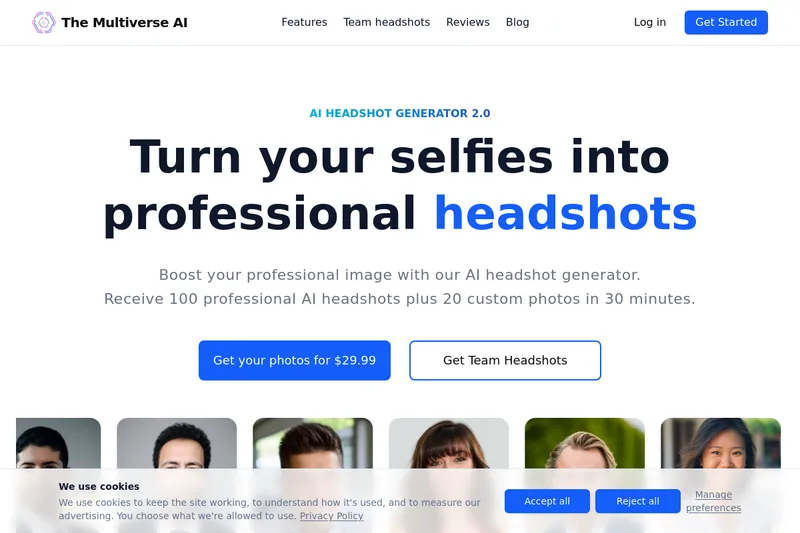
The Multiverse AI is a commercial AI headshot generator that turns user selfies into professional-quality headshots and team portraits, offering a 30-minute turnaround and an editable set of generated images for individual professionals and corporate teams.

Artiphoria AI
Artiphoria AI is a web-based AI image generation software that creates unique images in one click using neural networks and machine learning, aimed at artists, designers, creators and businesses.

Ghibli Art Generator
Ghibli Art Generator is a web-based AI tool that transforms user photos into Studio Ghibli–inspired artwork using a proprietary deep-learning style generator, offering multiple film-style filters, batch processing, and downloadable high-resolution outputs.

RoomAI
RoomAI is a web-based AI room-design tool that restyles real room photos while preserving the room geometry (walls, windows, openings, ceiling height and camera angle). It offers 300+ styles, 20+ room presets, virtual staging and decluttering with fast, full-resolution results for property listings, designers, photographers and homeowners.
Illusion Diffusion
Illusion Diffusion is a web-based AI photo-to-art generator that transforms designs, text, or photos into illusion-style artwork using ControlNet, OpenPose, and Stable Diffusion models. It offers credit-based image generation, downloadable results, and presets for text-to-image and brand/logo reimagining.