
Draw3d
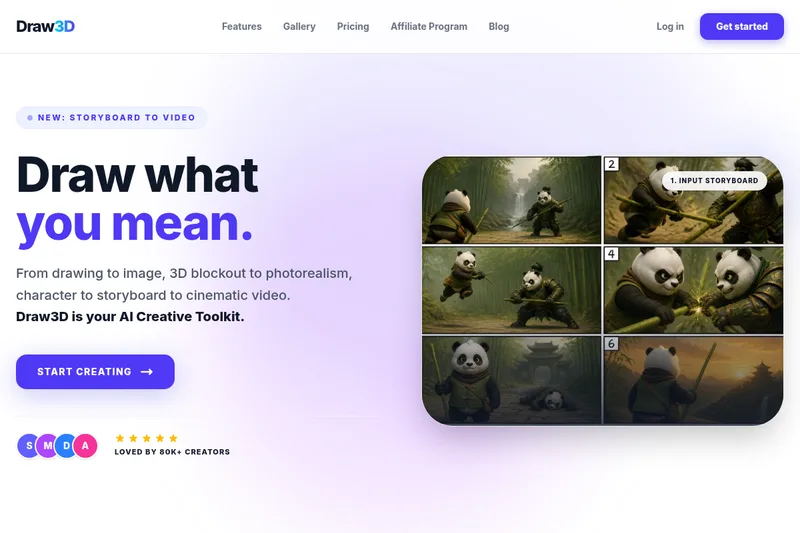
Draw3D is an AI creative toolkit that turns sketches and 3D blockouts into photorealistic images and cinematic videos, enabling creators to move from storyboard to final renders while preserving spatial intent and perspective.
Draw3d is image & design software teams evaluate for creative & design. Use this page to review pricing, integration signals, and the best alternatives before you commit.
Profile facts come from the vendor source. AiMatch labels unknown pricing or API details instead of estimating them.
Review official source →Used in These Packs
Quick Overview
Best for: Creative & Design
What it does
Image & Design software for decision-makers comparing workflow fit and alternatives.
Best fit
Creative & Design
Pricing snapshot
Paid from Not specified on the supplied page
Next step
Compare Draw3d with similar tools before you shortlist it.
Compare this tool before you shortlist it
Review alternatives, pricing posture, and workflow fit side by side.
Draw3D is an AI-driven creative toolkit that converts sketches, 3D blockouts, and storyboards into photorealistic images and cinematic video. Unlike text-first generative tools, Draw3D starts with your drawing so the AI respects composition, depth, and perspective. It is aimed at creators, designers, architects, engineers, and filmmakers who want faster, more controlled image and video production. The product highlights include sketch-to-image, 3D composition, AI 3D rendering, storyboard-to-video, and tools like a scene composer and character creator. Draw3D advertises 80k+ active creators and 7.2M+ images created.
Draw3D is an AI creative toolkit that turns sketches and 3D blockouts into photorealistic images and cinematic videos, enabling creators to move from storyboard to final renders while preserving spatial intent and perspective.
Own this listing?
Claim this page for a one-time $29 to add pricing, features, screenshots, verified owner details, and a clearly labeled 30-day category position after the profile is live.
Claim this listing for $29Key Features
Sketch-to-Image
Generate photorealistic images from 2D sketches; AI renders while respecting every line of your drawing.
3D Composition
Place dummies and compose scenes in true 3D space to define perspective and spatial intent before rendering.
AI 3D Render
One-click AI rendering that turns sketches and 3D blockouts into photorealistic outputs.
Storyboard to Video
Turn still renders into cinematic videos and animate storyboards into moving sequences.
Scene Composer
Tools to compose scenes, control composition and perspective directly from your sketch.
Character Creator
Features for creating characters from sketches (listed on the product feature roster).
High-resolution Exports
Export images as high-quality PNG or JPEG and videos as cinematic MP4; exports are described as production-ready and high-resolution.
Touch & Pen Optimized
Fully optimized for touch and pen input (Apple Pencil or similar stylus), suitable for iPad and tablets.
Private Mode (Premium)
Premium plans include a Private Mode to keep creations, sketches, and videos invisible to the public gallery.
Pricing
Premium
Not specified on the supplied page- Private Mode (keeps creations out of the public gallery)
- Higher-privacy and possibly additional features (details not listed on provided content)
Use Cases
Architecture & Interior Design
Draw and animate architectural scenes and interiors quickly, leveraging 3D composition and photoreal rendering.
Product Design & Engineering
Create rapid prototypes and photoreal renders of products without long waits for traditional rendering workflows.
Content Creation & Filmmaking
Turn storyboards into cinematic videos and animate scenes for previsualization, content, and film planning.
Integrations
No verified integration details are available.
Benefits
Limitations
Frequently Asked Questions
How is Draw3D different from Midjourney or DALL-E?
Is my content private?
Do I own the rights to the images?
Can I use Draw3D on an iPad or Tablet?
What file formats can I export?
Getting Started
- 1 Step 1: Visit the Draw3D site and create an account or click 'Get started'.
- 2 Step 2: Draw or compose on the 2D canvas or place dummies in 3D space to define your scene.
- 3 Step 3: Click generate to have the AI render photorealistic outputs; animate scenes or export images/videos as needed.
Support
Contact page
Use the 'Contact Us' link on the website to reach the Draw3D team.
Documentation / Tutorials
Tutorials are listed on the site for learning product features and workflows.
Community Gallery
Showcase gallery where community creations are displayed and can serve as inspiration and examples.
API
Compare Draw3d with similar tools
See how it stacks up against alternatives
Related Tools
View all 386 →

FaceRate.ai
FaceRate.ai is an AI-powered online tool that analyzes facial attractiveness and symmetry, providing detailed per-feature scores, golden-ratio symmetry analysis, and generated artistic portraits with interpretive insights.
Mycolorelf
MyColorElf is an AI-powered web app that generates custom, high-resolution coloring pages from text prompts in seconds for parents, teachers, artists, and businesses.

Budget-Friendly Alternatives
Srefs.co
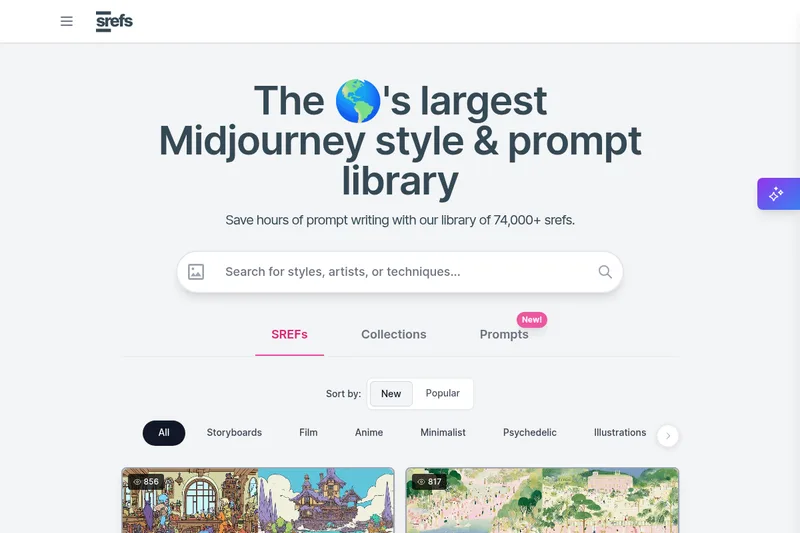
Srefs.co is a searchable library of Midjourney style reference codes (sref) — the world's largest collection of styles (74,000+ srefs) that lets users apply consistent visual aesthetics to AI-generated images, use multiprompt comparisons, save and organize styles, and request API access.

PUMPG (Powerusers MidJourney Prompt Generator)
PUMPG (Powerusers MidJourney Prompt Generator) is a free, web-based interactive prompt builder that helps users construct detailed Midjourney prompts using modular controls for model version, aspect ratio, stylize, chaos, seeds, image references (Sref/Cref), quality, speed, and other advanced parameters.
AI Picasso
AI Picasso is a mobile-first image-generation app and service for creating AI illustrations, personalized AI avatars, LINE stamps, pet transformations, profile images, and beauty-makeup filters; the site also offers business solutions using image-generation AI. Note: the service is scheduled to end on 2025-08-04.
FLUX.1 Kontext
FLUX.1 Kontext is an instruction-based AI image editing and generation suite on fluximage.co that enables precise, context-aware edits via natural language while preserving character identity, visual relationships, and multi-turn consistency.