Pixnova
PixNova AI is an all-in-one web platform of AI-powered media tools, highlighted by a free online face swap for photos, videos and GIFs that works without sign-up and produces realistic results quickly.
Pixnova is image & design software teams evaluate for content & marketing. Use this page to review pricing, integration signals, and the best alternatives before you commit.
Used in These Packs
Quick Overview
Best for: Content & Marketing
What it does
Image & Design software for decision-makers comparing workflow fit and alternatives.
Best fit
Content & Marketing
Pricing snapshot
Freemium from Free
Next step
Compare Pixnova with similar tools before you shortlist it.
Compare this tool before you shortlist it
Review alternatives, pricing posture, and workflow fit side by side.
Pixnova
PixNova AI provides a large suite of browser-based AI media tools focused on image and video editing, generation, and enhancement. The site emphasizes an easy-to-use free AI Face Swap tool (photos, videos, GIFs) that requires no sign-up and returns results in seconds. PixNova targets casual users, creators, educators and influencers who want fast face swaps, templates and other AI-powered creative utilities without installing software. Beyond face swap, PixNova lists dozens of other tools including image upscalers, background removal, magic eraser, video enhancers, text-to-video, voice cloning, transcription, AI room and stage planning, logo and headshot generators, and more.
PixNova AI is an all-in-one web platform of AI-powered media tools, highlighted by a free online face swap for photos, videos and GIFs that works without sign-up and produces realistic results quickly.
Own this listing?
Claim this page to add pricing, features, screenshots, and verified owner details.
Claim this listingKey Features
Free AI Face Swap (Photos, Videos, GIFs)
Swap faces in photos, videos and GIFs online with an AI-powered workflow. The tool supports single and multiple face swaps and provides preset templates to speed creation.
No Sign-up Required (Free Usage)
The face swap tool can be used without creating an account for basic free usage and returns results quickly.
Daily Free Credits & Premium Upgrade
The platform offers daily free credits for users and an optional Premium upgrade that unlocks unlimited daily creations, higher-resolution output and larger uploads.
High-resolution & Extended Upload Support (Premium)
Premium benefits advertise 2K output support, extended video lengths and uploads up to 1 GB.
Wide Toolset
A broad catalog of AI tools including image upscaler, image generator, image-to-video, video enhancer, magic eraser, background remover, color correction, face and headshot tools, voice cloning, text-to-speech, transcription, and more.
Templates & Presets
Curated photo and video face swap templates (holiday, superhero, models, business, sports, etc.) that let users quickly apply popular looks.
Fast Processing
Photo face swaps claim results in about 3–5 seconds; video workflows are designed for quick generation with on-site rendering controls.
Formats & Upload Support
Supports common image formats (JPG, PNG, WEBP) and video formats (MP4, MOV, WEBM, M4V) for uploads.
Privacy & Temporary Storage
Uploaded images are removed automatically after a short retention period (the site indicates images will be removed in 1 day) and the service provides Terms, Privacy and Content Policy pages.
Share & Download
Completed creations can be downloaded or shared directly from the site.
Pricing
Free access with daily free credits, no sign-up required for basic face swap operations; free outputs are advertised as watermark-free.
Free
Free- Daily free credits
- No sign-up required for some features
- Basic face swap (photos, short videos, GIFs)
Premium
Pricing not listed on page- Unlimited daily creations
- 2K high-resolution support
- Extended video lengths
- Up to 1GB file uploads
Use Cases
Social Media Content & Viral Videos
Creators and influencers can produce eye-catching face-swap videos and images to increase engagement and reach using trending templates and quick generation workflows.
Entertainment & Fun
Casual users can create humorous GIFs, face-swap with celebrities or try alternative looks for fun and personal sharing.
Education & Classroom Materials
Educators can make playful visuals or demonstrative materials (for example, swapping faces in images) for lessons or presentations.
Creative Experimentation & Personalization
Users can explore alternate styles, virtual try-on concepts (clothing/model swaps) or transform portraits into different scenarios without advanced editing skills.
Transcription & Captioning Workflows
Built-in transcript generators for platforms like YouTube and TikTok help creators produce captions and transcriptions for video content.
Integrations
YouTube
PixNova lists a YouTube Transcript Generator and supports creating transcriptions for YouTube videos.
TikTok
PixNova lists a TikTok Transcript Generator to help generate transcriptions and captions for TikTok content.
Social Sharing
Built-in sharing options to post creations to social networks (site references Twitter, YouTube and Pinterest links).
Benefits
Limitations
Frequently Asked Questions
What is an AI Face Swap?
How do I swap a face in a photo?
Is there a time limit for video face swaps?
How many faces can be swapped in a multi-face swap?
Is AI face swapping legal in my country?
Getting Started
- 1 Step 1: Upload the original image or video you want to swap (supported formats: JPG, PNG, WEBP for images; MP4, MOV, WEBM, M4V for video).
- 2 Step 2: Upload the target face image (high-quality, forward-facing recommended) or choose a preset template from the gallery.
- 3 Step 3: Click 'Start Face Swapping' or 'Render' to process the swap, then download or share the result.
Support
Email support available at [email protected]
support center
Online support center and FAQs accessible from the website (link available on site).
docs/blog/about
Site includes pages for Blog, About Us, Terms of Service, Privacy Policy and Content Policy to help users learn more.
API
Compare Pixnova with similar tools
See how it stacks up against alternatives
Related Tools
View all 400 →

Retouchpro
Retouchpro (AI Photo Generator) is a web-based AI image generation and editing platform for creators, influencers, and agencies that produces photorealistic and stylized images in seconds using multiple top image models and community-driven templates.

Aifengshui
AI Feng Shui is a web tool that uses computer vision and feng shui principles to analyze bedroom and home layouts, giving practical placement, flow, and balance recommendations for modern living spaces.
Mimicbrush
MimicBrush is an AI-powered image editing tool that enables realistic, localized edits by transferring style and texture from a reference image to a selected area of a source image with minimal user skill required.

Nano-banana-pro
AI Image Maker (Nano-banana-pro) is an independent web platform for ultra-fast, high-fidelity AI image generation powered by Google’s Nano Banana model (attribution only). It delivers native 4K outputs, batch generation (up to 10 images), and iterative editing with natural text commands for creators, designers, and teams.

Collov
Collov AI is an AI-powered virtual staging and photo-editing platform that instantly transforms property photos with photorealistic furniture, lighting, seasonal changes, and virtual tours to help real estate professionals increase engagement and sell listings faster.
Premium Alternatives

%22%2F%3E%20%3Ctext%20x%3D%2250%25%22%20y%3D%2250%25%22%20dominant-baseline%3D%22central%22%20text-anchor%3D%22middle%22%20font-family%3D%22system-ui%2C-apple-system%2Csans-serif%22%20font-weight%3D%22700%22%20font-size%3D%2250%22%20fill%3D%22white%22%3EP%3C%2Ftext%3E%20%3C%2Fsvg%3E)


Myfuturechildren
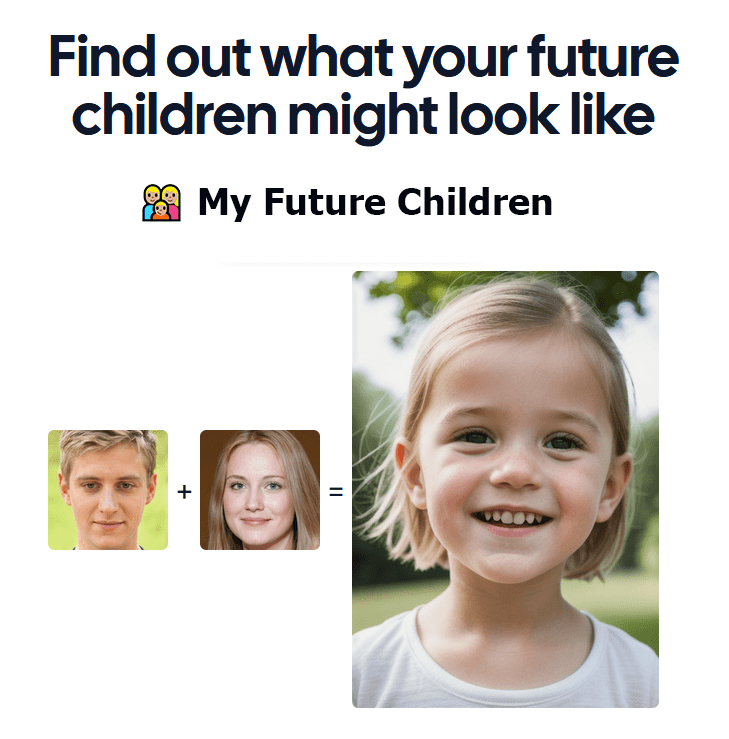
My Future Children is a web app that generates an AI-predicted image of a child by combining two parent photos. Users upload two parent images, choose a gender, and receive a generated child image in about 30 seconds.