
Rask.ai
Rask AI translates and dubs video and audio into 135+ languages, with voice cloning, subtitles, and lip sync. Creators and localization teams can use the app or API to prepare content for international audiences.
One of 103 tools in Video
Who it's for
- Localization and media teams that need to translate and dub video or audio for audiences in multiple languages.
- Learning and development teams localizing course libraries, customer education, or internal training videos.
- Creators, marketers, and podcasters who want translated versions of their video or audio content.
How it fits your workflow
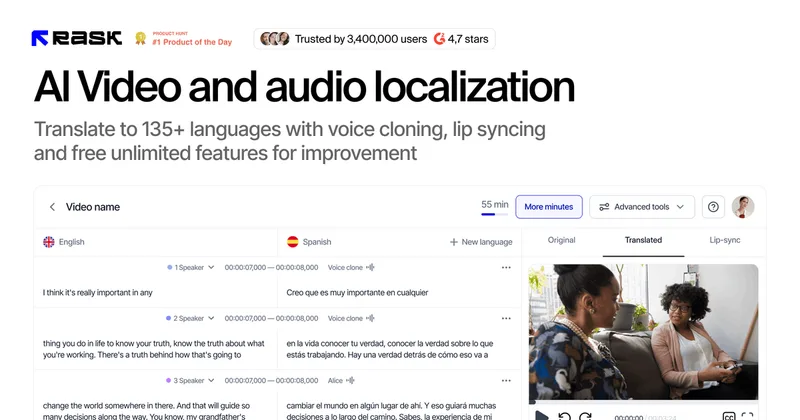
Use Rask AI in the app to translate and dub video or audio. The product offers transcription, translated text, AI voices, voice cloning, multi-speaker handling, and automatically generated captions.
Review and edit the translated text before rendering or redubbing the final version. Use lip sync to match translated audio to the video.
For recurring or high-volume localization, automate workflows through Rask's API. The page also describes teamspaces, translation dictionaries, folders, and reusable voice presets for enterprise work.
Pricing
Free: The page offers free access to try Rask AI without a credit card and lists several free tools. The screen recorder beta is described as free early access.
Creator
The page advertises 35% off yearly plans; the base price is not stated.
Creator Pro
The page advertises 35% off yearly plans; the base price is not stated.
Enterprise
Contact Rask AI or book a demo; no price is stated.
- · Enterprise capabilities and compliance features
- · API-supported localization workflows
Prices checked on Oct 18, 2026 from the vendor's site. They can change; confirm before you buy.
Key features
- Video and audio translation
- Translate video and audio into 135+ languages, with transcription and translation controls.
- AI dubbing and voice cloning
- Generate dubbed audio with AI voices and clone voices in 32 languages. The page also describes accent adaptation and voice presets.
- Multi-speaker translation
- Detect the number of speakers in a video and support translation for content with multiple speakers.
- Lip sync
- Match translated audio to speakers' lip movements in a video.
- Captions and subtitles
- Automatically generate captions and subtitles, and upload or download SRT files.
- Transcript editing
- Edit translated text before rendering a final version, then redub the video.
Limitations to know
- The page states that YouTube transcription and translation tools support videos up to 5 hours long.
- The AI screen recorder is presented as an early-access beta rather than a generally available feature.
Alternatives to consider
-
Verbalate
Choose it if you need the stated coverage of 230+ languages and 800+ language pairs, or want its optional human-in-the-loop verification.
-
Subtranslateai
Choose it if your main task is translating subtitle and media files while preserving timing, formatting, and dialogue context.
-
Vidby
Choose it if you also need document translation alongside video and audiovisual localization.
Getting started
- Choose the free trial option on the Rask AI site; the page says no credit card is required.
- Sign up and start translating or dubbing video content in the app.
- Edit the translated text before rendering the final version.
- For large-scale workflows, review the API offering or book a demo.