

Spikes
Spikes Studio is an AI-powered social video studio that automatically finds standout moments in long videos, creates platform-formatted short clips, adds captions and branding, and provides scheduling and analytics for creators, teams, and enterprises.
Spikes is video software teams evaluate for video. Use this page to review pricing, integration signals, and the best alternatives before you commit.
Profile facts come from the vendor source. AiMatch labels unknown pricing or API details instead of estimating them.
Review official source →Used in These Packs
Quick Overview
Best for: Video
What it does
Video software for decision-makers comparing workflow fit and alternatives.
Best fit
Video
Pricing snapshot
Free
Next step
Compare Spikes with similar tools before you shortlist it.
Compare this tool before you shortlist it
Review alternatives, pricing posture, and workflow fit side by side.
Spikes Studio is an AI-first social video studio that turns long-form recordings into short, platform-optimized clips using automated moment detection, captioning, and formatting. It targets creators, agencies, marketers, podcast producers, media organizations, and enterprise teams by combining AI-powered editing, multi-format exporting, scheduling, and analytics to accelerate content production and publishing. The product is positioned for both solo creators and scale-ready workflows, offering team collaboration, content organization, and cross-platform publishing from a unified dashboard.
Spikes Studio is an AI-powered social video studio that automatically finds standout moments in long videos, creates platform-formatted short clips, adds captions and branding, and provides scheduling and analytics for creators, teams, and enterprises.
Own this listing?
Claim this page for a one-time $29 to add pricing, features, screenshots, verified owner details, and a clearly labeled 30-day category position after the profile is live.
Claim this listing for $29Key Features
AI-powered clip detection
In-house AI trained on hundreds of thousands of broadcasts that automatically finds standout moments and creates engaging clips.
Animated captions
Add eye-catching, on-brand captions to videos to keep viewers hooked.
Video trimmer
Quickly cut and trim videos with precision using the web editor.
Short video maker & templates
Create engaging short videos with customizable templates and multi-format exporting for TikTok, Instagram Reels, and YouTube Shorts.
Automatic transitions and zooming
Automatic transitions and zooming to smooth edits and enhance clip quality.
On-brand caption styling
Apply brand-specific caption styles and pre-designed brand templates for consistent visuals.
Multi-platform intelligence & instant resizing
Automatically optimizes content for platform-specific formatting, titles, hashtags, and visuals.
Cross-platform scheduling & one-click publishing
Connect social accounts, schedule posts, and publish across platforms with a visual content calendar and smart posting recommendations.
Engagement analytics
Unified performance dashboard with per-post growth tracking, historical trend analysis, and insights to identify what drives engagement.
Team collaboration & scalable workflows
Drag-and-drop organization, custom project folders, and shared workspaces to manage multiple clients and projects.
Video podcast editor
Tools to transform podcasts into shareable video clips.
Pricing
Free plan available (includes watermark). Free users can explore demo videos, earn extra minutes via referrals/onboarding, and no credit card is required to start the free trial.
Use Cases
Churches
Expand digital reach and increase donations by turning sermons and events into shareable clips.
Agencies
Scale production and reduce editing costs (claims of saving ~$2,700/month) while handling multiple clients with shared workspaces and workflows.
Creators
Grow audiences and reach viral views quickly by automating clip selection, captions, and platform optimization to avoid burnout.
Podcasts
Convert podcast episodes into bite-sized video clips to reach new audiences and accelerate growth.
Marketers
Enable marketers to produce platform-perfect videos, optimize posting, and manage campaigns without deep editing skills.
Media & Entertainment
Streamline workflows and scale distribution to reach more people with automated clipping and formatting.
Politics
Engage voters and amplify messages by turning long-form content into targeted micro-content.
Integrations
TikTok
Resize and publish clips optimized for TikTok and connect accounts for scheduling.
Instagram (Reels)
Create and resize Reels, apply platform-specific formatting and post/schedule to Instagram.
YouTube (Shorts)
Generate YouTube Shorts from long-form video and schedule/publish to YouTube.
LinkedIn & Facebook
Connect social accounts to schedule and publish content across LinkedIn and Facebook from the Spikes dashboard.
Benefits
Limitations
Frequently Asked Questions
Can I edit videos using your web editor?
Do the videos have watermarks?
What languages do you support?
Can I post and schedule social media posts through Spikes Studio?
Is Spikes free?
Do I need a credit card to try Spikes Studio?
Is my content secure and private?
How will this help my business grow?
Getting Started
- 1 Sign up for a free account or Start Free Now from the Spikes Studio website.
- 2 Upload a video file to the web editor or use the 'Add Captions' tab for clips (web editor supports videos up to 5 minutes).
- 3 Use the AI Video Editor to detect moments, add captions, apply templates, resize for platforms, then export or schedule posts to connected social accounts.
Support
Help Center / Docs
Site references a Help Center for product support and information.
Blog
Blog content and articles available on the site for product updates, use cases and best practices.
API
Compare Spikes with similar tools
See how it stacks up against alternatives
Related Tools
View all 103 →


Sendpotion
Potion (Sendpotion) is an AI video personalization platform that generates hyper-realistic videos in your own face, voice, and gestures for sales, marketing, support, and education, enabling scalable personalized outreach and video content creation.

Videocaption
Videocaption is an AI-powered web tool that automatically generates and burns captions into videos for social platforms (TikTok, YouTube Shorts, Reels) with customizable styles, batch processing, and MP4 export.

Video Mood
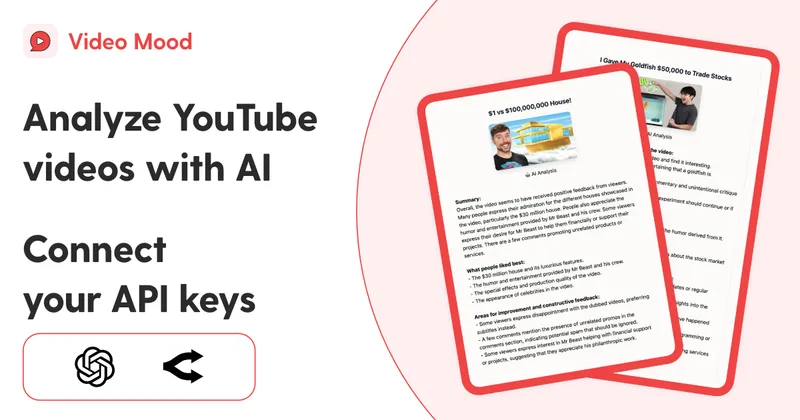
Video Mood is a web app that summarizes YouTube videos and their comments using AI (GPT-4o) with the user's own OpenAI or Open Router API keys, providing summaries, comment sentiment analysis, and easy sharing.

Premium Alternatives


reccloud-cn
录咖(reccloud)是一款面向创作者与企业的在线AI音视频处理平台,提供语音转文字、字幕生成、文字转语音、视频翻译、视频生成、去水印、人声分离、音视频总结等一键化AI工具与开发者API。

Prismiq
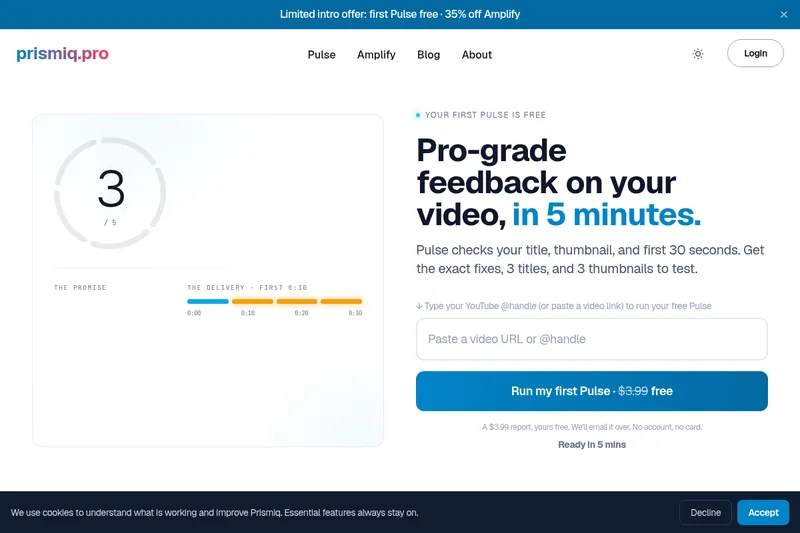
Prismiq Pulse is a post-publish video audit for YouTube that evaluates your title, thumbnail, and first 30 seconds, returns a Pulse score, timestamped friction points, and delivers 3 test-ready title variations plus 3 thumbnail concepts. Reports are ready in about five minutes and can be run by pasting any public YouTube URL.
Sendpotion
Potion (Sendpotion) is an AI video personalization platform that generates hyper-realistic videos in your own face, voice, and gestures for sales, marketing, support, and education, enabling scalable personalized outreach and video content creation.

Topaz Video
Topaz Video is Topaz Labs’ AI-powered desktop and cloud video enhancement application for filmmakers and videographers, offering model-based upscaling, denoising, stabilization, SDR→HDR conversion and other production-grade restoration and finishing tools.

Text Remover
Text Remover is an online AI video cleanup tool that detects and removes text, captions, subtitles, and other overlays, reconstructing the background while aiming to preserve video quality. It is designed for creators, editors, and teams preparing videos for reuse or localization.
