

Tubebuddy
TubeBuddy Assistant is an AI-powered chat and summarization tool that turns YouTube videos with captions into interactive conversations—providing instant summaries, Q&A, smart timestamps, and key takeaways via a browser extension or web interface.
Tubebuddy is video software teams evaluate for video. Use this page to review pricing, integration signals, and the best alternatives before you commit.
Profile facts come from the vendor source. AiMatch labels unknown pricing or API details instead of estimating them.
Review official source →Used in These Packs
Quick Overview
Best for: Video
What it does
Video software for decision-makers comparing workflow fit and alternatives.
Best fit
Video
Pricing snapshot
Free from Free
Next step
Compare Tubebuddy with similar tools before you shortlist it.
Compare this tool before you shortlist it
Review alternatives, pricing posture, and workflow fit side by side.
TubeBuddy Assistant is an AI-driven tool that converts YouTube videos (with captions) into interactive, chat-enabled experiences. It is available as a Chrome browser extension and a web version; users can paste a YouTube URL or use the extension to ask questions, get summaries, view smart timestamps, and extract key takeaways without watching full videos. The product targets users seeking productivity gains—helping them find answers quickly, understand complex topics, and convert long videos into concise insights with no signup required for basic usage.
TubeBuddy Assistant is an AI-powered chat and summarization tool that turns YouTube videos with captions into interactive conversations—providing instant summaries, Q&A, smart timestamps, and key takeaways via a browser extension or web interface.
Own this listing?
Claim this page for a one-time $29 to add pricing, features, screenshots, verified owner details, and a clearly labeled 30-day category position after the profile is live.
Claim this listing for $29Key Features
Chat with any YouTube video
Ask questions and have conversational interactions with videos that have captions ('Have intelligent conversations with any YouTube video', 'chat with them').
Instant summaries and key takeaways
Generate quick summaries and actionable takeaways from video content ('Get summaries and takeaways instantly', 'Quick summaries when time matters').
Smart timestamps and navigation
Provides smart timestamps so users can jump to exact moments in the video ('Smart timestamps for easy navigation', 'Jump to exact moments that matter').
Instant Q&A
Ask targeted questions about a video's content and receive immediate answers ('Instant Q&A for immediate answers').
Browser extension and web version
Available as a Chrome extension that adds chat directly to YouTube pages and as a web interface where users can paste URLs ('Use It Right On YouTube', 'Try Web Version').
Privacy-focused
Describes a focus on user privacy and data security ('Privacy focused - your data stays secure').
Free interactions tier
Offers a free allowance of interactions per month ('Free for 10 interactions per month').
Pricing
Free tier available with 10 interactions per month and no signup required.
Free
Free- 10 interactions per month
- No account required for basic usage
Use Cases
Rapid content consumption
Convert long videos into concise summaries to save time and get key points without watching entire videos ('Turn hours of video watching into minutes of focused insights').
Research and learning
Understand complex topics quickly by asking follow-up questions and receiving simplified explanations ('Explain this topic in simple terms', 'Learn efficiently - Understand complex topics quickly').
Finding precise information
Jump to exact moments in videos using smart timestamps to locate answers and relevant segments ('Find answers fast - Jump to exact moments that matter').
Note-taking and extracting insights
Extract summaries and key takeaways for note-taking, content creation, or workflow integration ('Extract insights - Get summaries and takeaways instantly').
Integrations
YouTube via browser extension
Adds chat functionality directly to YouTube video pages and works with videos that have captions ('Works with any YouTube video that has captions', 'Our extension adds the chat feature directly to any video page').
Chrome
Provides a Chrome browser extension for one-click access on YouTube ('Get Chrome Extension', 'Browser Extension').
Benefits
Limitations
Frequently Asked Questions
No verified FAQs are available.
Getting Started
- 1 Step 1: Install the Chrome extension (click 'Get Chrome Extension') or open the web version ('Try Web Version').
- 2 Step 2: Open a YouTube video that has captions or paste any YouTube video URL into the web interface.
- 3 Step 3: Begin chatting with the video—ask for summaries, key takeaways, or specific answers (no signup required for basic use).
Support
Contact support via email at [email protected] (listed on the page).
docs
Site links include a Privacy Policy and Pricing/Refund & Dispute Policy for additional information (links shown on the page).
API
Compare Tubebuddy with similar tools
See how it stacks up against alternatives
Related Tools
View all 103 →


Instantchapters
InstantChapters is a web app that creates YouTube timestamps (chapters) automatically: paste a YouTube URL and the service generates keyword-optimized timestamps you can copy into your video description to improve viewer experience and watch time.

Videoideas
VideoIdeas.ai is an AI-powered content platform for YouTube creators that generates video scripts, ideas, channel analysis, short-form scripts, ad scripts, and style cloning to speed up content production and grow channels.

Text Remover
Text Remover is an online AI video cleanup tool that detects and removes text, captions, subtitles, and other overlays, reconstructing the background while aiming to preserve video quality. It is designed for creators, editors, and teams preparing videos for reuse or localization.


Premium Alternatives


Sendpotion
Potion (Sendpotion) is an AI video personalization platform that generates hyper-realistic videos in your own face, voice, and gestures for sales, marketing, support, and education, enabling scalable personalized outreach and video content creation.
Text Remover
Text Remover is an online AI video cleanup tool that detects and removes text, captions, subtitles, and other overlays, reconstructing the background while aiming to preserve video quality. It is designed for creators, editors, and teams preparing videos for reuse or localization.
Prismiq
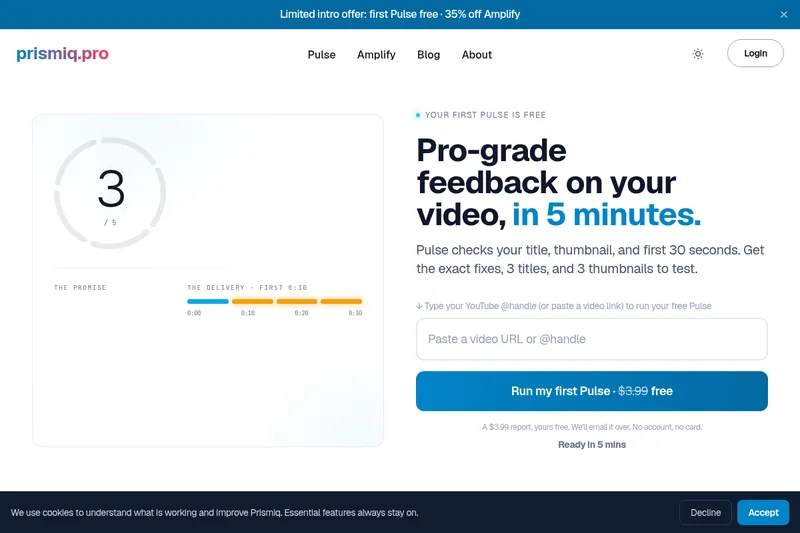
Prismiq Pulse is a post-publish video audit for YouTube that evaluates your title, thumbnail, and first 30 seconds, returns a Pulse score, timestamped friction points, and delivers 3 test-ready title variations plus 3 thumbnail concepts. Reports are ready in about five minutes and can be run by pasting any public YouTube URL.

Topaz Video
Topaz Video is Topaz Labs’ AI-powered desktop and cloud video enhancement application for filmmakers and videographers, offering model-based upscaling, denoising, stabilization, SDR→HDR conversion and other production-grade restoration and finishing tools.

reccloud-cn
录咖(reccloud)是一款面向创作者与企业的在线AI音视频处理平台,提供语音转文字、字幕生成、文字转语音、视频翻译、视频生成、去水印、人声分离、音视频总结等一键化AI工具与开发者API。
