
testRigor
testRigor lets QA and engineering teams create and run software tests from plain-English instructions, including tests for web, mobile, desktop, mainframe, API, and AI features. Teams can use it to automate user-facing workflows and regression checks.
One of 78 tools in NoCode / LowCode
Who it's for
- QA teams that want manual testers to create or maintain automated tests using plain-English instructions.
- Engineering teams that run regression tests in CI/CD and want to create tests directly in testRigor or through Claude Code using MCP and Skills.
- Teams testing web, iOS, Android, or AI-enabled applications that need functional UI, API, messaging, or 2FA test coverage.
Not the right fit if…
- Teams testing games: the page explicitly says testRigor does not test games.
- Teams testing native Windows desktop applications on a free version: the page says native Windows desktop testing is available only in paid versions.
How it fits your workflow
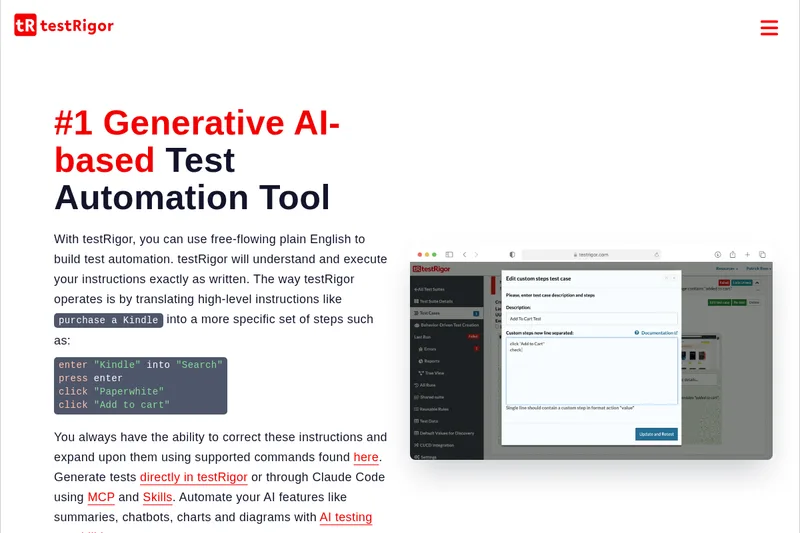
Write test steps as plain-English instructions in testRigor, or generate tests using Claude Code with MCP and Skills. You can also paste or import manual test cases, then review and refine the generated steps.
Run tests across supported platforms. Tests can cover user-facing UI flows as well as APIs, email, SMS, phone calls, and 2FA; the page also describes integrations with CI/CD and test-management tools.
Pricing
Free: Offers a free plan or free trial (site includes 'Start testRigor Free' and signup/demo options), with paid versions referenced for additional capabilities (e.g., desktop testing available in paid versions).
The vendor doesn't publish prices. Check with testRigor directly.
Prices checked on Jul 15, 2026 from the vendor's site. They can change; confirm before you buy.
Key features
- Plain-English / Generative AI Test Authoring
- Write tests in free-form plain English and have testRigor translate them into executable test steps; includes AI-driven code generation and prompt/command-based correction and expansion.
- No-Code / Codeless Testing
- End-to-end codeless test creation from an end-user perspective, enabling non-technical team members to author and maintain tests.
- Cross-platform Testing (Web, Mobile, Desktop, Mainframe)
- Support for web (cross-browser/cross-platform), mobile (native and hybrid for iOS/Android), desktop (native Windows - paid versions), and mainframe testing.
- API, Email, SMS & Phone Testing
- Invoke and validate APIs, send and verify emails, and use Twilio integration for SMS and phone call verification including 2FA validation.
- Self-healing & Low Maintenance
- AI-based self-healing and stable tests not dependent on fragile locators like XPath, aiming to reduce test maintenance significantly.
- Automatic Test Generation from Production
- Use a JavaScript library in production to capture user metadata and automatically generate and maintain behavior-driven tests for frequently used functionality.
Works with
- GitLab / GitHub Actions / Jenkins / Azure DevOps / CircleCI
- Jira / Zephyr / TestRail
- BrowserStack / LambdaTest
- Twilio
- Spinnaker
- CRM/ERP Platforms (Salesforce, SAP, Microsoft Dynamics, Infor, ServiceNow, Workday)
Limitations to know
- The FAQ states that testRigor does not test games.
- Native Windows desktop testing is available only in paid versions, according to the page.
Alternatives to consider
-
Testsigma
Choose it if you need test coverage mapped to Jira, pull requests, and designs, with test generation from requirements and code changes.
-
QA.tech
Choose it if you want autonomous QA agents to perform exploratory testing and connect testing to pull requests and production.
-
Autify
Choose it if you want autonomous AI-driven test generation and maintenance using natural language and visual recognition across web, mobile, and desktop.
Getting started
- Sign up for testRigor or request a demo.
- Create tests in testRigor or generate them through Claude Code using MCP and Skills.
- Paste or import manual test cases if applicable, then review and refine the steps in plain English.
- Run the tests across supported platforms.
Frequently asked questions
How is testRigor's test automation different from Selenium?
testRigor generates tests by mirroring end-user behavior using a JavaScript library in production to capture metadata and automatically create behavior-driven tests; tests are written in plain English (searchable and customizable), are not dependent on XPath, and include grouping and quick editing tools to reduce maintenance.
How are you different from Cucumber/Gherkin?
testRigor positions itself as Cucumber implemented for your project, eliminating the need to write or maintain underlying Selenium code by using an NLP-based parser to execute plain-English specifications directly.
What are your end-to-end tests actually testing for?
Acceptance-level functional UI regression tests — verifying that functionality works via the UI (for example, confirming a full purchase flow from login to purchase confirmation).
What do you test well?
Particularly adept at form-based UIs, multi-user interaction flows (email, SMS), platforms with changing code/HTML IDs, and complex flows combining image comparison, audio, drag-and-drop, etc.
What don't you test well?
The product explicitly states it does not test games.