Trinka
Trinka AI is a privacy-first grammar checker and language-enhancement writing assistant focused on academic and technical writing, offering desktop and browser apps, integrations, and enterprise solutions including a Confidential Data Plan.
Trinka is education software teams evaluate for content & marketing. Use this page to review pricing, integration signals, and the best alternatives before you commit.
Profile facts come from the vendor source. AiMatch labels unknown pricing or API details instead of estimating them.
Review official source →Used in These Packs
Quick Overview
Best for: Content & Marketing
What it does
Education software for decision-makers comparing workflow fit and alternatives.
Best fit
Content & Marketing
Pricing snapshot
Freemium from Free
Next step
Compare Trinka with similar tools before you shortlist it.
Compare this tool before you shortlist it
Review alternatives, pricing posture, and workflow fit side by side.
Trinka AI is a privacy-first grammar checker and language-enhancement writing assistant designed for academic and technical writing. The product provides grammar and style corrections, academic and citation tools, plagiarism and AI-content detection, and specialized checks intended to help students, researchers, academics and publishing professionals.
Trinka offers consumer-facing apps and enterprise solutions: individual users can access a free plan and browser/Word integrations, while institutions and publishers can deploy enterprise offerings such as a Confidential Data Plan (no data storage, no AI training) and custom integrations for publication workflows.
Trinka AI is a privacy-first grammar checker and language-enhancement writing assistant focused on academic and technical writing, offering desktop and browser apps, integrations, and enterprise solutions including a Confidential Data Plan.
Own this listing?
Claim this page for a one-time $29 to add pricing, features, screenshots, verified owner details, and a clearly labeled 30-day category position after the profile is live.
Claim this listing for $29Key Features
Grammar & Style Checker
Advanced grammar, punctuation, and academic style suggestions aimed at formal and technical writing.
Proofread & File/LaTeX Support
File upload proofreading and LaTeX proofreading capabilities for academic manuscripts.
Citation Tools
Citation quality checks and citation formatter to assist with reference accuracy and formatting.
Plagiarism & AI Content Detection
Plagiarism checking and an AI content detector to help assess originality and AI-generated text.
Paraphraser and Translation
Paraphrasing tool and translation support to rewrite or translate text while preserving meaning.
Integrations & Apps
MS Word add-in, browser extensions (Chrome, Firefox, Edge), Windows and Mac apps, offline app, and API/SDK.
Confidential Data Plan
Privacy-first enterprise option offering real-time data deletion, no data storage, and no AI training for sensitive content.
Journal Finder & Publication Tools
Journal Finder and publisher-focused tools such as copyediting and custom AI models for journals.
Pricing
Trinka offers a free plan that includes advanced grammar and language checks.
Free
Free- Advanced grammar and language checks (included in free plan as stated on site)
Premium / Paid
Not listed on page; upgrade required for premium features- Premium features referenced on site include advanced checks, plagiarism checks, Confidential Data Plan, and Word add-in access
Enterprise / Confidential Data Plan
Contact sales- Custom enterprise solutions, data control, and privacy-first deployments (no data storage, no AI training)
Use Cases
Academic Writing and Research
Improve grammar, style, citations, and publication readiness for research papers, theses, and manuscripts.
Institutional Academic Integrity
University-focused solutions (DocuMark, policy hub, training) to support responsible AI use and academic integrity.
Publishing Workflows
Publisher tools for copyediting, integrity screening, and AI-assisted peer review to reduce time-to-publication.
Confidential & Sensitive Content
Healthcare and corporate users can use the Confidential Data Plan for privacy-first AI writing where no data is stored or used for AI training.
Integrations
Microsoft Word (Add-in)
Real-time writing suggestions and proofreading within MS Word on Windows and Mac.
Browser Extensions
Chrome, Firefox and Edge extensions to receive writing suggestions while writing online.
Grammar Checker API / SDK
API/SDK access for programmatic integration (site lists Grammar Checker API and Developer Docs).
LMS & Publisher Integrations
Mentions LMS integrations and publisher-focused integrations for journals and institutional deployments.
Benefits
Limitations
No verified limitations are available.
Frequently Asked Questions
Why is grammar important?
How can I check my grammar online?
Can I integrate Trinka with Microsoft Word or my browser?
Can I use Trinka for free?
Who can use Trinka’s Grammar Checker?
How does Trinka ensure the privacy of my documents?
Getting Started
- 1 Step 1: Start for Free by creating an account on the Trinka website.
- 2 Step 2: Paste text into the online editor or upload your document to run checks (grammar, citation, plagiarism, AI detection).
- 3 Step 3: Install desired integrations (MS Word add-in, browser extension, or desktop app) or contact sales for enterprise solutions such as the Confidential Data Plan.
Support
[email protected] for customer and product support.
docs
Developer Docs and product resources linked from the site for API and integration guidance.
webinars/workshops
Site references webinars and occasional workshops; testimonials mention Zoom assistance for customer service.
API
Developer Docs linked from trinka.ai (Grammar Checker API / SDK referenced on site)
Compare Trinka with similar tools
See how it stacks up against alternatives
Related Tools
View all 116 →
Academa Studio
Academa Studio is an AI-native web editor for authoring Manim (mathematical animation) content, providing an integrated Python runtime, renderer preview, and AI-assisted chat prompts to generate and refine animations.

Language Model Builder
Language Model Builder is a free macOS app and interactive textbook that teaches how language models are built and lets you train small GPT-style models locally on Apple Silicon Macs.
Teacher Planner
Teacher Planner is an online planning tool for teachers to organize lessons by day, week, month, unit, or outline, import a timetable from a photo or PDF, and prepare classroom materials with AI tools. It includes free and paid plans with different planbook and printing features.

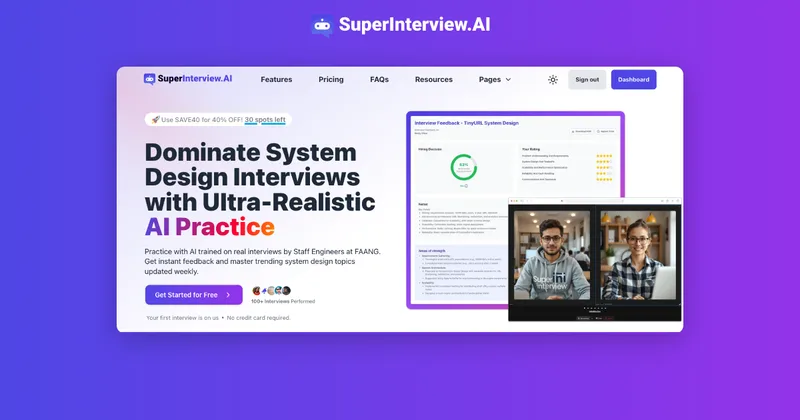
SuperInterview AI
SuperInterview AI is an AI-powered platform for practicing system design interviews with ultra-realistic audio mock interviews, instant expert feedback, and adaptive learning—aimed at engineers preparing for top-tier tech roles.

thesify
Thesify is a web-based, AI-powered academic writing assistant for researchers, students, and academics that provides manuscript pre-submission review, citation discovery, journal recommendations, and AI coauthoring agents that search, read, and edit documents to speed up research and improve academic writing.
Premium Alternatives