

Tynker AI
Tynker AI is a no-code platform for creators, agencies, and brands to build, customize, and deploy multi‑modal AI applications (text, image, audio) and activations quickly, with real-time analytics and team collaboration features.
Tynker AI is nocode / lowcode software teams evaluate for content & marketing. Use this page to review pricing, integration signals, and the best alternatives before you commit.
Profile facts come from the vendor source. AiMatch labels unknown pricing or API details instead of estimating them.
Review official source →Used in These Packs
Quick Overview
Best for: Content & Marketing
What it does
NoCode / LowCode software for decision-makers comparing workflow fit and alternatives.
Best fit
Content & Marketing
Pricing snapshot
Free from Free
Next step
Compare Tynker AI with similar tools before you shortlist it.
Compare this tool before you shortlist it
Review alternatives, pricing posture, and workflow fit side by side.
Tynker AI is a no-code platform that enables creators, agencies, and brands to design and deploy AI-driven applications and activations quickly. The product supports multi-modal AI (text, image, audio) and emphasizes full customization, instant deployments, and real-time analytics. It targets teams and agencies that need rapid production of campaigns, games, quizzes, events, and interactive experiences without developers or long delivery timelines.
Tynker AI offers AI-centric gamified activations for events, brands, and marketing.
Own this listing?
Claim this page for a one-time $29 to add pricing, features, screenshots, verified owner details, and a clearly labeled 30-day category position after the profile is live.
Claim this listing for $29Key Features
No-code App Builder
Design interactive, AI-driven experiences with no coding required; build games, quizzes, campaigns, and other activations in minutes.
Multi‑modal AI Tools
Support for multiple AI mediums—text, image, and audio—allowing creators to mix and match modalities for activations.
Full Customization
Control every element, interaction, and AI behavior with customizable components rather than fixed presets.
Instant Deployments
Publish changes and launch AI-powered apps in seconds with zero setup; build, test, and share from one place.
Real‑Time Analytics
Track player interactions, generated assets, collected data, and screens viewed to understand engagement and impact.
Team Collaboration
Invite collaborators to work on the same activation in real time, designed for agency and team workflows.
Configurable Plugins
Extend app capabilities with plugins for data collection, prize draws, email notifications, and more.
Pre‑built Templates
Start quickly using ready-to-use templates that come with a complete experience for rapid customization and publishing.
Pricing
Tynker AI advertises that you can 'Get your first app for free' and has a 'Get started - Free' entry point.
Free
Free- Get your first app for free
- Access to the no-code app builder
Use Cases
Marketing Activations & Campaigns
Create AI-powered campaign experiences and activations to engage audiences and drive conversions.
Games and Quizzes
Build interactive games and quizzes that leverage AI content and multi-modal elements for memorable experiences.
Event Personalization
Personalize events and activations with tailored AI-driven interactions and instant deployments for live experiences.
Physical Rewards & Prize Draws
Bridge digital interactions to real-world rewards using plugins for prize draws and physical gift fulfillment.
Integrations
Configurable plugins
Plugins enable features such as data collection, prize draws, and email notifications to extend activation capabilities.
Benefits
Limitations
No verified limitations are available.
Frequently Asked Questions
No verified FAQs are available.
Getting Started
- 1 Step 1: Visit the site and choose 'Get started' or 'Get started - Free' to create an account.
- 2 Step 2: Open the App Builder and pick a pre-built template or start from scratch.
- 3 Step 3: Customize AI behaviors, add configurable plugins (data collection, email notifications, prize draws), then publish and monitor performance with real-time insights.
Support
docs
Support Guides listed in Quick Links on the site indicate documentation and guides are available.
contact
A 'Contact' quick link is listed on the site for further assistance or sales inquiries.
API
Compare Tynker AI with similar tools
See how it stacks up against alternatives
Related Tools
View all 78 →
Appy Pie
Appy Pie is an AI-powered no-code app builder that converts plain-English prompts into working native Android and iOS apps with backend, hosting, and store-publishing support. It targets founders and businesses who want to ship production mobile apps quickly without writing code.

Pineapplebuilder
Pineapple Builder is a no-code AI website builder that creates, customizes, and optimizes professional websites for businesses using trained AI assistants and built-in SEO, analytics and integrations. It targets business owners, freelancers, creatives and SaaS teams who want fast, conversion-focused sites without coding.

Inlinehelp
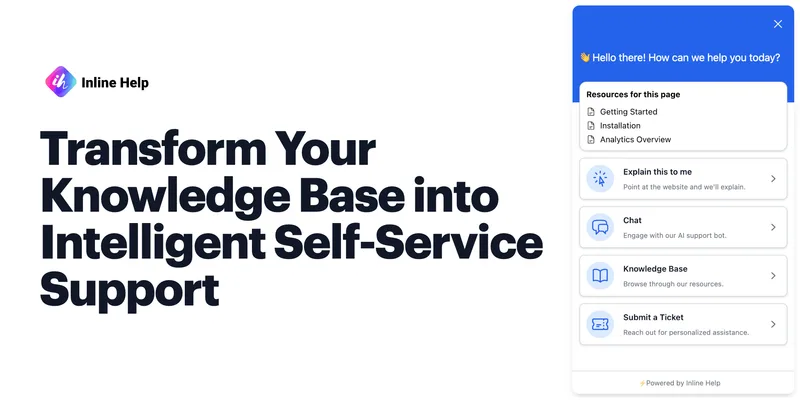
Inlinehelp is a no-code, AI-powered in-app support platform that turns a product's knowledge base into proactive contextual assistance via features like Explain This, AI Chatbot, tooltips, and a unified support widget.

Swiftspeed
Swiftspeed is an AI-first no-code app builder that creates native iOS, Android and PWA mobile apps from plain-English prompts or a drag-and-drop editor, with built-in publishing, monetization, analytics, and integrations for businesses.

Premium Alternatives

softgen
Softgen is an AI-powered web app builder that turns plain-English app descriptions into deployed, production-ready Next.js apps with managed Supabase, GitHub export, one-click Vercel deploy, and selectable AI models—designed for founders, makers, and teams to build MVPs and SaaS fast.
Appy Pie
Appy Pie is an AI-powered no-code app builder that converts plain-English prompts into working native Android and iOS apps with backend, hosting, and store-publishing support. It targets founders and businesses who want to ship production mobile apps quickly without writing code.

Kivicube
Kivicube is a web-based, no-code AR creation and publishing platform that lets individuals and enterprises build, preview and publish interactive AR experiences (WebAR, WeChat Mini Program, Vision Pro, etc.) using visual editing and AI-powered tools such as 3D model and video generation.

SunSed
SunSed is an AI app builder for creating and running business applications from descriptions, using tested building blocks and a built-in programming language. Hosting, databases, logins, email, file storage, payments, and other app services are included in its paid plans.
-Bh91Hz9I.png)

