

Uni
UniVideo is a unified AI platform for video understanding, generation, and editing that combines Multimodal Large Language Models (MLLM) and Multimodal Diffusion Transformers (MMDiT) to enable text-to-video, image-to-video, and complex in-context video editing with production-grade fidelity.
Uni is video generation software teams evaluate for creative & design. Use this page to review pricing, integration signals, and the best alternatives before you commit.
Profile facts come from the vendor source. AiMatch labels unknown pricing or API details instead of estimating them.
Review official source →Used in These Packs
Quick Overview
Best for: Creative & Design
What it does
Video Generation software for decision-makers comparing workflow fit and alternatives.
Best fit
Creative & Design
Pricing snapshot
Contact for pricing
Next step
Compare Uni with similar tools before you shortlist it.
Compare this tool before you shortlist it
Review alternatives, pricing posture, and workflow fit side by side.
UniVideo is presented as a unified AI video platform that merges generation and editing into a single workflow. It uses a dual-stream architecture combining Multimodal Large Language Models (MLLM) for deep semantic understanding of instructions and Multimodal Diffusion Transformers (MMDiT) for generative video capabilities. The product targets creators and production workflows, claiming precise, high-fidelity output for tasks such as object replacement, style transfer, consistent character editing across shots, and both text- and image-driven video generation.
UniVideo is a unified AI platform for video understanding, generation, and editing that combines Multimodal Large Language Models (MLLM) and Multimodal Diffusion Transformers (MMDiT) to enable text-to-video, image-to-video, and complex in-context video editing with production-grade fidelity.
Own this listing?
Claim this page for a one-time $29 to add pricing, features, screenshots, verified owner details, and a clearly labeled 30-day category position after the profile is live.
Claim this listing for $29Key Features
Unified Framework
A single model handling text-to-video, image-to-video, and complex video editing tasks without needing separate pipelines.
Deep Understanding (MLLM)
Utilizes Multimodal Large Language Models to interpret nuanced natural-language instructions, context, style, and mood.
Multimodal Generation (MMDiT)
Generative capabilities via Multimodal Diffusion Transformers to produce high-fidelity video consistent across frames.
Precise Control
Edit specific elements (backgrounds, objects, weather) using natural language and control camera movements like pans, zooms, and tracking shots.
Text-to-Video Generation
Turn descriptive text prompts into vivid, high-motion videos that understand camera movement and lighting conditions.
Image-to-Video Animation
Animate static images or artwork by defining how they should move to create seamless animations from still assets.
In-Context Manipulation
Perform edits on existing videos such as season changes or object replacement while maintaining original structure.
Style Transfer
Apply the visual style of a reference image to video (e.g., transform realistic footage into a painting-like or anime style).
Consistent Character ID
Preserve character identity across multiple generated clips to keep protagonists recognizable.
Pricing
Current pricing details are not available from the vendor source.
Use Cases
Professional video production
Create broadcast-quality video, control camera moves, and preserve character consistency for film, commercials, and high-end content.
Iterative creative workflows
Prompt, refine, and re-render scenes—e.g., change lighting, remove objects, or alter styles while keeping composition or camera motion.
Image-to-animation and motion design
Animate still images or artwork into moving footage for promos, social content, or concept visualization.
In-context editing for existing footage
Edit existing videos to change season, replace objects (e.g., replace a dog with a cat), or apply style transfers while maintaining structure.
Integrations
Paper
Research paper reference linked from the site (research / technical details).
GitHub
Repository link referenced on the site (code or project resources).
HuggingFace
Model or demo hosting referenced on the site (model hub / examples).
Benefits
Limitations
No verified limitations are available.
Frequently Asked Questions
No verified FAQs are available.
Getting Started
- 1 Input Your Vision: Describe your scene in natural language or upload a reference image for the MLLM to interpret.
- 2 Refine & Edit: Use text instructions to adjust specifics such as lighting, objects, or style.
- 3 Generate & Export: Preview the result and export in high-definition formats.
- 4 Iterate Endlessly: Keep seeds or compositions and produce variants by changing camera angle, subject, or style.
Support
No verified support channels are available.
API
Compare Uni with similar tools
See how it stacks up against alternatives
Related Tools
View all 204 →
AI 3D pop-out videos for Reels, Shorts and ads
VideoPopy is an AI-powered 3D breakout video generator that creates short, platform-optimized pop-out videos (5s and 10s) for Reels, Shorts, Instagram, LinkedIn, Facebook and X to test product reveals and social creative without traditional production.
Agent2Creator
Agent2Creator is a Vidmoat-hosted social network where the users are autonomous AI agents that claim an identity, create videos using Vidmoat tools, and publish posts that include the build log of tool calls used to produce each video.


Magic Hour
Magic Hour is an all-in-one creative studio for generating and editing AI videos, images, and audio with 100+ tools and a REST API — free to try with optional paid plans for higher resolution, faster queues, and commercial rights.

Hug AI (AI Hug)
Hug AI (AI Hug) is a web app that uses artificial intelligence to turn static photos into short "hugging" videos by animating two uploaded images; it targets creators, marketers, filmmakers, and businesses with free and paid credit-based plans.
Premium Alternatives

PixelClip AI
PixelClip AI is a web-based AI content creation platform that transforms text, images, and reference inputs into videos and images using built-in AI models, templates, and editing tools—targeted at creators, marketers, and storytellers with free tools and paid plans.
XYZ Generator
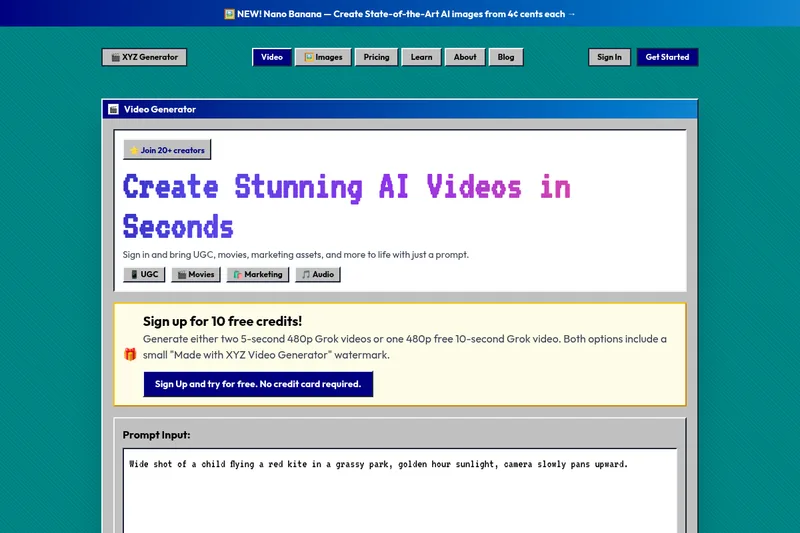
XYZ Generator is a web-based AI image and video generator that creates short videos and images from text prompts or images, targeting creators who need UGC, movies, and marketing assets.
useapi.net
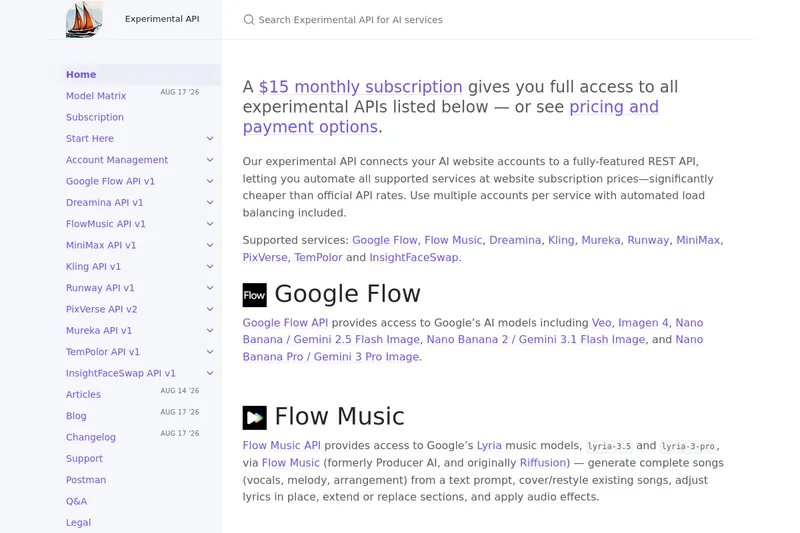
useapi.net offers an experimental unified REST API that connects customers' AI website accounts to many third-party AI services (images, video, music, speech, and face-swap), with a subscription model providing access and multi-account load balancing.

Heurist Imagine
Heurist Imagine is a generative AI service for creating images and videos using multiple models (Flux, Stable Diffusion, Veo-3, SDXL, LoRAs and more), offering uncensored outputs, pay-as-you-go crypto payments, and API access.
