
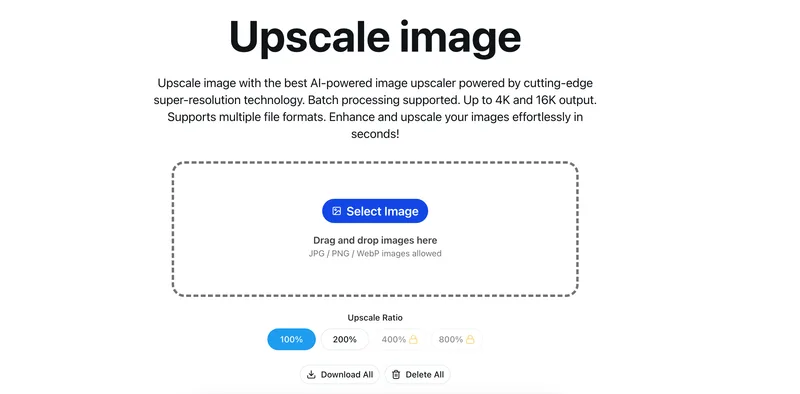
Upscale-image
AI-powered image upscaler that increases image resolution using super-resolution technology, supporting batch processing and outputs up to 4K/16K while preserving details; suitable for photos, illustrations, game screenshots, and e-commerce images.
Upscale-image is image & design software teams evaluate for creative & design. Use this page to review pricing, integration signals, and the best alternatives before you commit.
Profile facts come from the vendor source. AiMatch labels unknown pricing or API details instead of estimating them.
Review official source →Used in These Packs
Quick Overview
Best for: Creative & Design
What it does
Image & Design software for decision-makers comparing workflow fit and alternatives.
Best fit
Creative & Design
Pricing snapshot
Freemium from Not specified (free access to basic features)
Next step
Compare Upscale-image with similar tools before you shortlist it.
Compare this tool before you shortlist it
Review alternatives, pricing posture, and workflow fit side by side.
Upscale image is an online AI-powered image upscaler that uses super-resolution and deep learning to increase image resolution while preserving detail. The tool supports multiple file formats (JPG, PNG, WEBP, BMP, etc.), offers batch processing, and can produce outputs up to 4K and 16K. It targets photographers, designers, e-commerce sellers, game screenshot restorers, and anyone needing higher-resolution images quickly. The service emphasizes speed (processing in seconds), privacy (uploaded photos cleared within 24 hours), and free commercial use.
AI-powered image upscaler that increases image resolution using super-resolution technology, supporting batch processing and outputs up to 4K/16K while preserving details; suitable for photos, illustrations, game screenshots, and e-commerce images.
Own this listing?
Claim this page for a one-time $29 to add pricing, features, screenshots, verified owner details, and a clearly labeled 30-day category position after the profile is live.
Claim this listing for $29Key Features
AI Super-Resolution
Uses advanced AI and super-resolution algorithms to intelligently add pixels and reconstruct details for sharper, clearer upscaled images.
Fast Processing
Integrated with the latest AI and optimized server architecture to process most images in seconds (high-resolution images typically complete in 10-30 seconds).
Multiple Upscale Ratios and High-Resolution Output
Supports common upscale ratios (e.g., 200%, 400%) and output targets including 1K, 2K, 4K, 8K, and 16K; Pro users can access 4K/16K output.
Batch Processing
Process multiple images at once to speed workflows; Pro users enjoy unlimited batch processing while free users have more limited batch capabilities.
Built-in Image Editor
Includes editing tools for cropping, filters, fine-tuning, annotation, stickers, and frames before or after upscaling.
Privacy & Auto-deletion
Uploaded images are automatically cleared within 24 hours; the site states use of industry-standard encryption for transmission.
Wide Format Support
Supports common image formats including JPG, JPEG, PNG, WEBP, BMP and others.
Pricing
Free users can access basic features including single image processing and lower upscale ratios (100%, 200%); upscaled images can be used commercially.
Free
Not specified (free access to basic features)- Basic single-image processing
- Access to some upscale ratios (100%, 200%)
- Commercial use allowed
Pro
Not specified on page- Unlimited batch processing
- Support for 4K/16K high-resolution output
- Faster processing speeds and priority technical support
Use Cases
Anime / Cartoon Characters
Sharpens lines, purifies colors, and preserves outlines and illustration details for anime, comics, and chibi characters.
Landscape / Travel Photos
Enhances blurry landscape photos, restores true colors, and reveals details in night, backlight, or foggy scenes.
Portrait Photos & Restoration
Improves clarity of skin details, eyes, hair, and facial features for selfies, ID photos, and old photo restoration.
E-commerce Product Images
Transforms small or blurry product images into HD quality while preserving material texture and sharp edges for listings on platforms like Shopify, Taobao, and Amazon.
Game Screenshots & CG Images
Upscales low-resolution game screenshots and CG images to preserve UI elements and character/model details.
Illustrations / Posters / Design Drafts
Converts small poster and social media images into print-quality clarity while preserving fonts and illustration edges.
Integrations
Supported image formats
Accepts JPG, JPEG, PNG, WEBP, BMP and other common image formats for upload and processing.
E-commerce platforms (target use)
Advertised as ideal for product images for platforms such as Shopify, Taobao, and Amazon (mentioned as target use cases rather than direct integrations).
Benefits
Limitations
Frequently Asked Questions
How does the AI-powered image upscaler work?
Will the upscaled images lose quality or become distorted?
What image formats are supported?
Can I process multiple images in batch?
How long does it take to process an image?
Can I use upscaled images for commercial purposes?
Are my images stored? How is my privacy protected?
What's the difference between free and Pro users?
Getting Started
- 1 Step 1: Open the site and upload or drag-and-drop your image(s) (JPG / PNG / WebP, etc.).
- 2 Step 2: Select an upscale ratio or output resolution (1K, 2K, 4K, 8K, 16K) and any editor adjustments (crop, filters, fine-tune).
- 3 Step 3: Start processing, then download the upscaled image(s) once complete.
Support
docs/FAQ
On-page FAQ provides answers to common questions about processing, formats, privacy, and pricing tiers.
contact
Page states 'Have another question? Feel free to contact us anytime,' but no specific email or contact link is provided on the supplied page.
API
Compare Upscale-image with similar tools
See how it stacks up against alternatives
Related Tools
View all 386 →


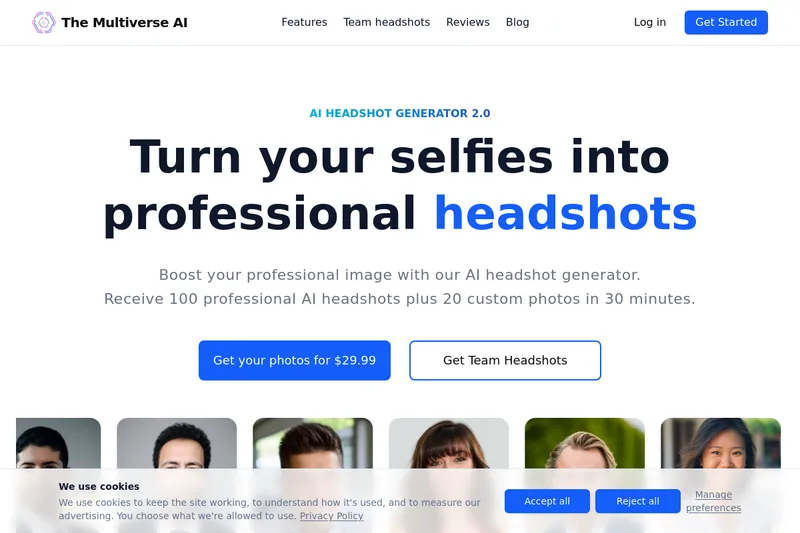
Themultiverse
The Multiverse AI is a commercial AI headshot generator that turns user selfies into professional-quality headshots and team portraits, offering a 30-minute turnaround and an editable set of generated images for individual professionals and corporate teams.


Flux Pro AI (FluxProWeb)
Flux Pro AI (FluxProWeb) is a web-based suite for AI image and video generation, editing, and enhancement that offers multiple text-to-image, image-to-image and text-to-video tools and a catalog of production-grade models for creators and professionals.
Photostudio
Blockode AI Photo Studio is an AI-powered photoshoot generator that trains a custom model from your uploaded selfies to produce stylized, high-resolution AI photoshoots. It targets users who want custom-generated portraits with options for commercial use.
Premium Alternatives


drawingpics
DrawingPics is a native macOS app for Apple Silicon that converts sketches into photorealistic or stylized images in real time using Core ML and the Apple Neural Engine. It runs fully offline, is available as a one-time purchase, and targets creators and small studios.

Picture to Text
Picture to Text is an online OCR image-to-text converter that extracts editable text from images, screenshots, PDFs and handwritten notes using advanced OCR technology. It offers free and paid tiers with batch processing, multi-format support, and multi-language extraction.
RoomAI
RoomAI is a web-based AI room-design tool that restyles real room photos while preserving the room geometry (walls, windows, openings, ceiling height and camera angle). It offers 300+ styles, 20+ room presets, virtual staging and decluttering with fast, full-resolution results for property listings, designers, photographers and homeowners.

PreCheck
PreCheck is an AI-powered facial recognition and face-search platform that lets users upload a single photo to find where that face appears across the web, and also provides reverse phone and email lookups for identity, reputation management, and fraud prevention.
Photostudio
Blockode AI Photo Studio is an AI-powered photoshoot generator that trains a custom model from your uploaded selfies to produce stylized, high-resolution AI photoshoots. It targets users who want custom-generated portraits with options for commercial use.

Ghibli Art Generator
Ghibli Art Generator is a web-based AI tool that transforms user photos into Studio Ghibli–inspired artwork using a proprietary deep-learning style generator, offering multiple film-style filters, batch processing, and downloadable high-resolution outputs.
