

Premation
Premation is a GPU-accelerated, deterministic desktop motion-graphics studio modelled on After Effects’ Classic 3D workflow, offering timeline editing, 2.5D cameras, rigging, vector tools, particles and a production-focused export pipeline.
Premation is ai tools software teams evaluate for creative & design. Use this page to review pricing, integration signals, and the best alternatives before you commit.
Profile facts come from the vendor source. AiMatch labels unknown pricing or API details instead of estimating them.
Review official source →Used in These Packs
Quick Overview
Best for: Creative & Design
What it does
AI Tools software for decision-makers comparing workflow fit and alternatives.
Best fit
Creative & Design
Pricing snapshot
Free from Free
Next step
Compare Premation with similar tools before you shortlist it.
Compare this tool before you shortlist it
Review alternatives, pricing posture, and workflow fit side by side.
Premation is a desktop motion-graphics application built for WebGPU (with WebGL2 fallback) that unifies layers, curves, depth, rigging and rendering in a single project file to avoid multi-app round trips. It emphasizes deterministic rendering so previews and final exports are identical, supports production export formats (MP4, WebM, ProRes, PNG sequences, Lottie), and is modelled on After Effects’ Classic 3D workflow to lower the learning curve for experienced users. The product ships as an open-source local edition under GNU AGPL v3.0 and a server edition that adds cloud projects, sync, billing and an optional AI assistant.
An open-source AI alternative to After Effects Discussion | Link
Own this listing?
Claim this page for a one-time $29 to add pricing, features, screenshots, verified owner details, and a clearly labeled 30-day category position after the profile is live.
Claim this listing for $29Key Features
GPU-accelerated WebGPU/WebGL2 engine
Premation uses WebGPU when available and falls back to WebGL2; the viewport shows which tier it landed on and the app requires GPU support to render.
Deterministic rendering and export
A deterministic frame loop ensures the same project re-rendered produces identical frames; frame time is index / fps rather than wall-clock and exports resume identically after a crash.
Single-document workspace and timeline
Layers, curves, depth, rigging and rendering live in the same project file with a single undo stack; multiple compositions per project and nested pre-comps are supported.
2.5D cameras, lights and depth
Make layers 3D, use one- and two-node cameras with depth of field, lights with cone angle and shadows, extrusion and bevels for shapes and text.
Per-glyph text animators
Selector stack for per-character/word/line animation with range and wiggly selectors, plus text-on-path support.
Rigging and puppet tools
Bone tool with forward kinematics, LBS skinning and FABRIK IK; puppet tool deforms triangulated meshes with an as-rigid-as-possible solver.
Vector path and brush tools
Pen, pencil, pressure-sensitive brush and curvature tools with boolean merges, trim paths, repeaters, dashed/tapered strokes and other path modifiers.
Deterministic particle system
Emitter with deterministic fields so the same field produces the same result; controls for rate, lifetime, velocity, gravity, turbulence and size/colour over life.
Production export formats
Export options include MP4 (H.264), WebM (VP9 + Opus), MOV (ProRes 4444), GIF, PNG/JPEG sequences, WAV audio and Lottie (bodymovin JSON).
AE-like concepts and shortcuts
Maps directly to After Effects concepts: blend modes, track/alpha mattes, parenting, adjustment layers, Classic-3D model, keyframe assistants and expression controls.
Pricing
Free for the public beta. No sign-up required.
Public beta
Free- Free for the public beta
- No sign-up required; project files saved locally
Use Cases
Title and motion design
Create animated titles, lower-thirds and product plates with full per-glyph text control, rigging and vector tools.
High-fidelity, deadline-safe exports
Deterministic rendering and a preview that mirrors the encoder let teams rely on identical frames across previews and final renders.
Cross-resolution workflows and 4K editing
Proxy workflow transcodes low-resolution stand-ins for interactive playback while exporting at full resolution, enabling editing of high-res footage.
Pipeline handoff and archival
Support for ProRes 4444 and PNG sequences with alpha for lossless handoff to finishing and archival workflows.
Integrations
ffmpeg
Used for MP4, WebM, GIF and ProRes exports; Premation looks for $FFMPEG_PATH, then a bundled copy, then ffmpeg on PATH.
Lottie / bodymovin
Import and export vector animations via Lottie (bodymovin JSON) for vector shapes and transforms.
GitHub Releases
Every build and the source tree are published on GitHub Releases alongside the source used to build it.
Benefits
Limitations
Frequently Asked Questions
Is Premation ready for real work?
Is it open source?
What does it need to run?
Do I need ffmpeg?
How much will AE users need to learn?
Can I bring artwork in from elsewhere?
Will 4K footage actually cut in this?
Is the AI assistant required?
Getting Started
- 1 Download the build for your platform from the Premation site or GitHub Releases (Windows 10/11 x64 available; macOS and Linux builds coming soon).
- 2 Install and run the desktop Electron application; the viewport header reports whether WebGPU or the WebGL2 fallback is active.
- 3 Open or create a .motion project file saved on local disk; import assets (SVG, images, video, audio, Lottie) and compose layers.
- 4 If you need MP4/WebM/GIF/ProRes exports, ensure ffmpeg is available (via $FFMPEG_PATH, bundled copy, or on PATH).
Support
docs
Documentation and Learn links available from the product site.
downloads / releases
Builds and installers published on GitHub Releases alongside the source.
source / issue tracker
Source code and development workflows are public (editor under GNU AGPL v3.0); use the project’s source repo for contribution and issue reporting.
API
Compare Premation with similar tools
See how it stacks up against alternatives
Related Tools
View all 168 →
GeneratePPT
GeneratePPT is an AI-first presentation tool that converts topics, notes, URLs, PDFs, DOCX, and other inputs into clean, professional PowerPoint decks in under 60 seconds, with one-click styling, auto-sourced images, and an AI slide editor called AI Director.

Koboyo Icons
Koboyo Icons is a large library of 71,262 free hand-drawn SVG icons, organized into many thematic groups and categories and accessible via website browsing and an MCP/API integration for AI and editor workflows.

Colorbliss
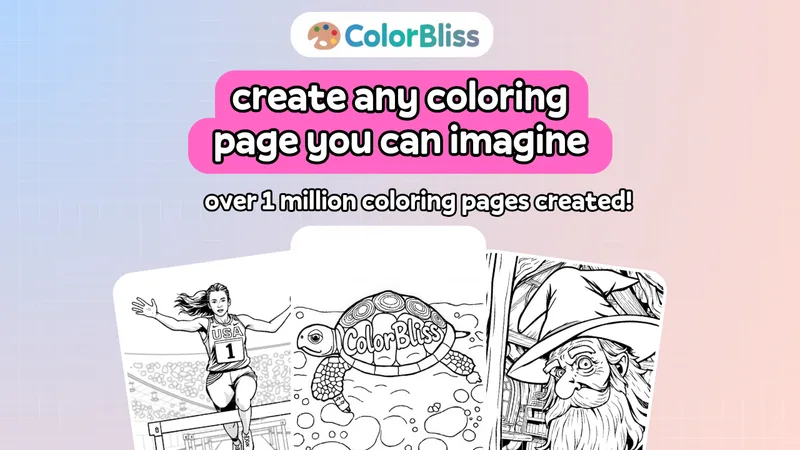
ColorBliss is a web-based AI coloring page generator that turns text prompts, photos, or rough sketches into printable black-and-white line art and downloadable PNG/PDF files, with options for in-app coloring, word art, and commercial licensing for creators.

qreative-ai-artful-qr-codes
Qreative AI converts plain QR codes into high-resolution, brand-aligned art using generative AI, helping marketers and designers produce scannable, visually engaging QR codes for print and digital campaigns.

Decktopus AI
Decktopus AI is a web-based AI presentation tool that generates complete, on-brand slide decks from a simple prompt or uploaded files, includes an AI delivery coach (Loop), export and sharing features, brand kit automation, and analytics to track viewer engagement.

Sparc3d
Sparc3D is a high-resolution 3D generation platform that uses sparse representation technology (Sparcubes and Sparconv-VAE) to produce watertight, print-ready meshes at up to 1024³ voxel resolution with faster training and modality-consistent text-to-3D and image-to-3D synthesis.
Premium Alternatives

Stringartgenerator
String Art Generator is a web tool that transforms photos into printable string art patterns using an advanced algorithm, offering customizable complexity, high-resolution exports, and material calculations for hobbyists and professional artists.

Sticker Magic
Sticker Magic is an AI-powered sticker generation platform that creates digital stickers from simple text descriptions, aimed at hobbyists, creators, and small businesses for personal, social, and commercial use. Free to get started with a 5-credit trial.

Ai-architectures
AI-Architectures is a web-based platform that converts sketches, photos, or text descriptions into photorealistic architectural renders, labeled floor plans, and staged listing photos in about 30–40 seconds, with exports suitable for professional CAD/BIM workflows.



Pineapple Builder
Pineapple Builder is an AI website builder for businesses that generates websites and helps owners update pages, create SEO content, and manage leads. The site says plans start at $16 per month and offers 100 free AI credits to try the product.