
AnswerThis
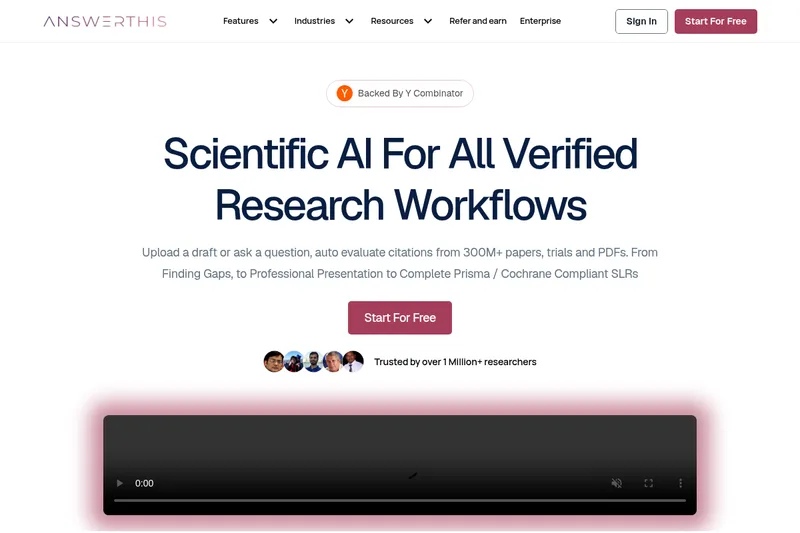
AnswerThis helps academic, clinical, and research teams search scientific literature, verify cited claims, and produce research drafts and systematic reviews. It keeps source management, writing, and collaboration in one workspace.
One of 143 tools in Research
Who it's for
- Academic researchers and graduate students preparing literature reviews, dissertations, or theses from scientific papers.
- Clinical and medical research teams screening literature and preparing evidence assessments or systematic reviews.
- Research co-author groups that want a shared workspace for sources, drafts, and review.
How it fits your workflow
Start with a research question, a pasted protocol, or an uploaded draft. Search across the stated collection of more than 300 million papers, trials, and PDFs, with filters for database, journal quality, date, and study type.
Review answers with citations linked to source passages. Save and organize material in the library, including sources synced from Zotero or Mendeley.
Draft or revise in the AI writer, format citations, and collaborate in a shared workspace. For systematic reviews, the page describes workflows for screening, extraction, meta-analysis, and grading.
Pricing
Free: A free plan is available with usage and feature limits.
Free plan
$0
- · Free and paid plans are documented. Feature and usage limits depend on the selected plan.
Paid plans
Price not published
- · See the provider pricing page for current rates, billing periods, and usage limits.
Prices checked on Sep 7, 2026 from the vendor's site. They can change; confirm before you buy.
Key features
- Large-scale evidence search
- Search across a claimed database of 300M+ research papers to find relevant evidence, filter by type and source, and prioritize high-quality journals.
- Citation-backed literature reviews
- Draft comprehensive literature reviews and case studies with line-by-line citations linked to source papers and exportable citation formats.
- AI Editor & Agentic Editing
- AI-powered editor tools for rephrasing, expanding, shortening, continuing text, and adding citations; includes plagiarism and AI-content detection.
- Library & document management
- Personal and shared libraries, save papers and PDFs, import from reference managers, organize projects and export citations or extracted insights as CSV.
- Data extraction & structured exports
- One-click extraction of key details (findings, methodology) from papers with list and table views and the ability to export structured files.
- Enterprise compliance & traceability
- PRISMA-compliant workflows, submission-ready evidence tables, risk-of-bias assessments, and logging so that decisions are traceable; claim that user data does not train AnswerThis models.
Works with
- Zotero
- Mendeley
- SSO / SAML
- Institutional systems
Alternatives to consider
-
ResearchPal
Choose it if you want an academic research and writing workspace that combines literature search, citation management, paper analysis, PDF chat, and AI-assisted writing.
-
Scite
Choose it if your priority is discovering and evaluating scientific literature with Smart Citations and an AI assistant grounded in the scholarly record.
-
Ressearch AI
Choose it if your research workflow also needs data acquisition, Python or R analysis, visualization, and publication-ready exports in one cloud environment.
Getting started
- Select 'Start For Free' on the AnswerThis site.
- Ask a research question, paste a protocol, or upload a draft.
- Use search filters and inspect citations linked to source passages.
- Save sources to the library and continue with drafting, citation formatting, or collaboration.
Frequently asked questions
What is AnswerThis?
AnswerThis is an all-in-one AI research assistant that supports the entire workflow from finding research gaps and collecting papers to summarizing, analyzing, and drafting citation-backed content for research papers, dissertations, or theses.