augment-code
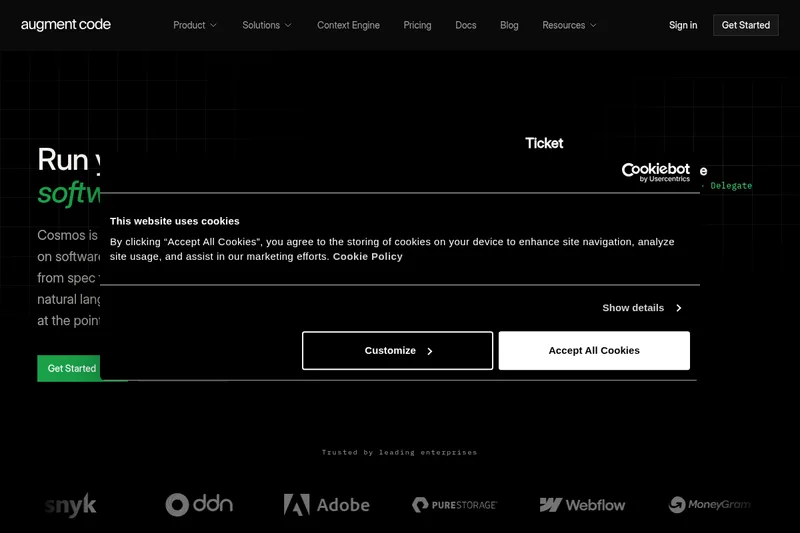
Augment Code is a powerful AI software development platform that leverages an industry-leading context engine to provide autonomous coding agents, codebase-aware autocomplete, and deep integration with developer workflows, designed to help software engineers write production-ready code efficiently.
augment-code is coding software teams evaluate for coding. Use this page to review pricing, integration signals, and the best alternatives before you commit.
Used in These Packs
Quick Overview
Best for: Coding
What it does
Coding software for decision-makers comparing workflow fit and alternatives.
Best fit
Coding
Pricing snapshot
Free from $30/month
Next step
Compare augment-code with similar tools before you shortlist it.
Compare this tool before you shortlist it
Review alternatives, pricing posture, and workflow fit side by side.
augment-code
Augment Code is an AI-driven coding platform designed for real software development, offering autonomous software agents that operate locally or remotely to complete tasks end-to-end, including planning, building, and opening pull requests for review. It integrates deeply with popular IDEs such as Visual Studio Code, JetBrains IDEs, Vim, and Neovim, and supports terminal commands and over 100 external tools. The platform is built to understand large or small codebases through its proprietary context retrieval engine, enabling precise and context-aware code generation and refinements. Trusted by engineers at leading companies, Augment Code aims to significantly boost developer productivity and code quality while ensuring security and privacy by default.
AI platform for understanding codebases, accelerating coding, and improving team collaboration.
Own this listing?
Claim this page to add pricing, features, screenshots, and verified owner details.
Claim this listingKey Features
Context Engine
Cutting-edge retrieval system that understands your entire codebase, regardless of size, to provide highly relevant code suggestions.
IDE Integrations
Native support for Visual Studio Code, JetBrains IDEs, Vim, and Neovim to seamlessly integrate AI assistance into your development environment.
Autonomous Agents
Local or remote AI agents that can plan, build, and open pull requests autonomously, streamlining end-to-end software development tasks.
Terminal Integration
Agents can run commands in your terminal with approval or automatically, mimicking your workflow for enhanced automation.
MCP (Multi-Context Pull)
Capability to pull in additional context and work with over 100 external tools relevant to your technology stack.
CLI Tool
Augment CLI (Auggie) allows AI automation directly in your development workflow or terminal user interface.
Smart Apply
One-click intelligent application of AI-generated code suggestions from chat directly into your codebase.
Security and Privacy
Code security and privacy are ensured by default, addressing critical concerns for enterprise and individual developers.
Focus Context
Prioritize specific files and reference third-party documentation to tailor AI assistance to your current focus.
Enhanced Prompts
Start with simple prompts and expand them with codebase-specific details for precise and accurate code changes.
Memories and Rules
Customize Augment with your team's best practices and preferences to maintain consistency and quality.
Tasklist
Break down complex problems into manageable, trackable steps without losing context.
Images Support
Add screenshots and wireframes to provide additional context for AI assistance.
Pricing
Free trial available to try the platform before committing to a paid plan.
Standard Plan
$30/month- Full access to AI coding agents
- IDE integrations
- Terminal and CLI tools
- Context engine and real-time codebase indexing
Use Cases
Autonomous Code Generation
Use AI agents to autonomously plan, write, and submit code changes, reducing manual coding effort.
Context-Aware Code Completion
Leverage deep understanding of your codebase for precise autocomplete suggestions that fit your project context.
Cross-Repository and Multi-Language Support
Work seamlessly across different repositories and languages with consistent AI assistance.
Complex Bug Fixing and Refactoring
Utilize AI to identify, explain, and fix complex bugs or refactor code efficiently.
Terminal Command Automation
Automate terminal commands and workflows with AI agents that can execute tasks with or without approval.
Team Knowledge Sharing
Bring together scattered team knowledge and expertise to the fingertips of every engineer, improving onboarding and collaboration.
Integrations
Visual Studio Code
Native extension to integrate AI coding assistance directly into VS Code.
JetBrains IDEs
Plugin support for JetBrains IDEs to provide AI-powered coding features.
Vim and Neovim
Support for Vim and Neovim editors to bring AI assistance to terminal-based workflows.
Terminal
Agents can run commands in your terminal environment to automate workflows.
MCP Servers
Integration with over 100 external tools and services relevant to your development stack.
Slack
Integration to enable AI assistance and notifications within Slack channels.
Benefits
Limitations
Frequently Asked Questions
What IDEs does Augment Code support?
Is my code secure when using Augment Code?
Can Augment Code work with multiple repositories and languages?
Does Augment Code offer a free trial?
How does the autonomous agent feature work?
Getting Started
- 1 Step 1: Sign up for an account at https://www.augmentcode.com/signup.
- 2 Step 2: Install the Augment Code extension or plugin for your preferred IDE (Visual Studio Code, JetBrains IDEs, Vim, or Neovim).
- 3 Step 3: Configure your codebase and connect any relevant external tools or repositories.
- 4 Step 4: Start using autonomous agents and AI-powered autocomplete to assist with coding tasks.
- 5 Step 5: Explore additional features like the CLI tool and terminal integration to enhance your workflow.
Support
Press inquiries can be sent to [email protected].
Contact Page
General sales and support inquiries can be made via https://www.augmentcode.com/contact.
Documentation
Comprehensive docs are available at https://docs.augmentcode.com/.
Support Portal
Customer support is accessible at https://support.augmentcode.com/.
Status Page
Service status updates are available at https://status.augmentcode.com/.
API
No public API documentation is mentioned on the website.
Not available.
Compare augment-code with similar tools
See how it stacks up against alternatives
Related Tools
View all 36 →
Promptbuilder
Prompt Builder is a web app for generating, optimizing, testing, and managing AI prompts across multiple models (ChatGPT, Gemini, Claude, Grok, Mistral, etc.). It provides model-tuned prompt generation, a chat-based refinement workspace, versioning, and a searchable prompt library with built-in execution via supported assistants.
Traycer AI
Traycer AI is an advanced AI coding assistant designed to work effectively on large codebases by enabling spec-driven development with detailed planning, iterative refinement, and seamless integration with popular AI coding agents.
Vibe Coding Award
Vibe Coding Award is a platform celebrating innovation in AI-native coding projects, showcasing exceptional human-AI collaboration across websites, apps, content, games, and experimental creations.
Premium Alternatives
Documentpro
DocumentPro is an AI-powered document processing and workflow automation platform that extracts structured data from any document format and exports it to downstream systems, delivered via API or a web app for rapid embed and deployment.
Writingmate
WritingMate.ai appears to be an AI-powered writing product sold through Lemon Squeezy. The public page provides pricing information but includes minimal product detail.
AI For Graphic Designers
AI for Graphic Designers is an ebook and 8-hour video course designed to teach graphic designers how to leverage AI tools for creating art, logos, videos, and more, while also learning how to monetize AI-generated designs.