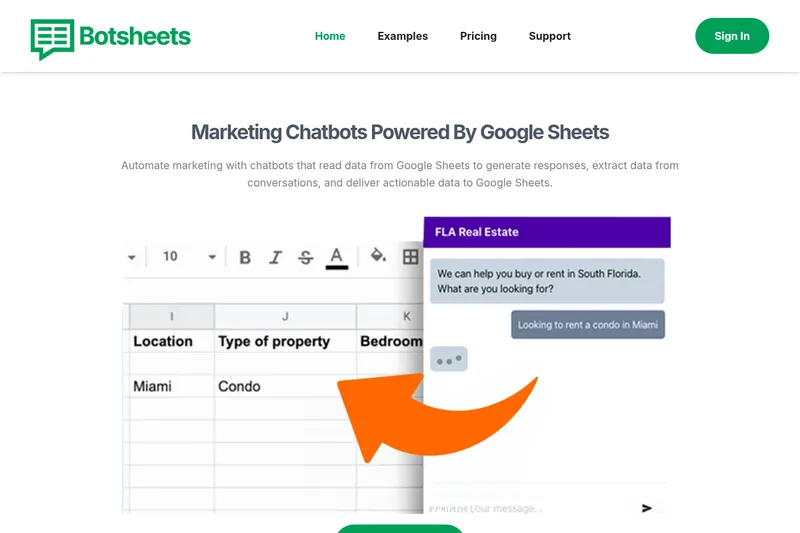
Botsheets
Botsheets provides chatbots that connect to Google Sheets and Google Drive to automate marketing and data collection, generate visualizations and Google Slides, and read/write conversational data to spreadsheets without coding.
Botsheets is chatbots & assistants software teams evaluate for chatbots & assistants. Use this page to review pricing, integration signals, and the best alternatives before you commit.
Profile facts come from the vendor source. AiMatch labels unknown pricing or API details instead of estimating them.
Review official source →Quick Overview
Best for: Chatbots & Assistants
What it does
Chatbots & Assistants software for decision-makers comparing workflow fit and alternatives.
Best fit
Chatbots & Assistants
Pricing snapshot
Contact for pricing
Next step
Compare Botsheets with similar tools before you shortlist it.
Compare this tool before you shortlist it
Review alternatives, pricing posture, and workflow fit side by side.
Botsheets offers chatbots that integrate directly with Google Sheets and Google Drive to automate marketing and data-collection workflows. The product lets teams create conversational forms, read and write spreadsheet data from chats, generate tables and visualizations in response to natural language, and produce Google Slides from sheet data. It targets agencies, business teams, marketing, product managers, finance, and website customers who want to replace traditional forms with interactive chat experiences.
Botsheets provides chatbots that connect to Google Sheets and Google Drive to automate marketing and data collection, generate visualizations and Google Slides, and read/write conversational data to spreadsheets without coding.
Own this listing?
Claim this page for a one-time $29 to add pricing, features, screenshots, verified owner details, and a clearly labeled 30-day category position after the profile is live.
Claim this listing for $29Key Features
Google Sheets Read & Write
Chatbots can read data from Google Sheets and write extracted conversational data back to spreadsheets, using Sheets as a database.
Form Replacement via Chatbots
Replace website forms with chatbots that ask and answer questions to collect specified data and deliver it to Google Sheets.
Natural Language Tables & Visualizations
Connect Google Sheets and receive a chatbot that generates tables and a variety of visualizations in response to natural language messages.
Generate Google Slides
Automatically generate professional-looking Google Slides from your data with insights, graphs, and recommendations saved to your Google Drive.
Quick No-Code Setup
No coding required; the site states setup takes about two minutes and requires no credit card.
Sharing & Embedding
Share a direct link to chatbots or embed them into a webpage.
Google Sheets Extension
Offers an installable Google Sheets extension to enhance integration with Sheets.
Pricing
Current pricing details are not available from the vendor source.
Use Cases
Agencies
Agencies can manage chatbots from the dashboard while clients only need access to Google Sheets.
Business Teams
Spin up chatbots quickly to collect actionable business data and streamline workflows.
Marketing
Automate marketing with chatbots that read campaign or customer data from Sheets and interact conversationally.
Product Managers
Rapidly create chatbots by connecting Google Drive to gather user feedback or product data.
Finance
Streamline reporting by using chatbots to talk about and extract financial data from Sheets.
Customers / Websites
Provide dynamic conversational experiences on websites as replacements for static forms.
Integrations
Google Sheets
Primary integration used as a database for reading and writing conversational data and generating visualizations.
Google Drive
Connect Google Drive to enable chatbot creation and to save generated Google Slides securely to your Drive.
Google Slides
Generate professional-looking Google Slides from your data with insights and graphs.
Benefits
Limitations
No verified limitations are available.
Frequently Asked Questions
No verified FAQs are available.
Getting Started
- 1 Step 1: Click 'Get Started' on the Botsheets site to create an account or begin.
- 2 Step 2: Connect a Google Drive / Google Sheets to let bots read and write spreadsheet data.
- 3 Step 3: Install the Google Sheets extension (optional) and share or embed the generated chatbot.
Support
Support page
Access support via the site's Support link (available in navigation).
Community
Community links listed on the site include Product Hunt, YouTube, Facebook Group, Discord, Medium, and LinkedIn.
API
Compare Botsheets with similar tools
See how it stacks up against alternatives
Related Tools
View all 143 →


botdistrikt
BotDistrikt is a UX-focused, AI-powered chatbot platform for businesses and marketers that builds omnichannel, personality-driven bots with analytics, developer integrations, and hybrid AI+rules control.

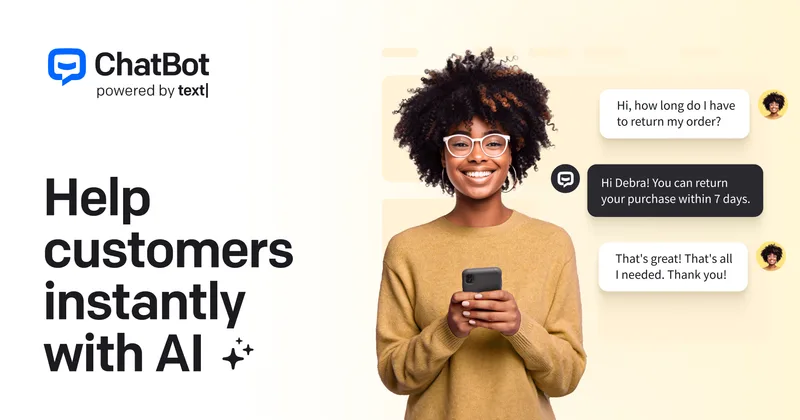

autochat
AutoChat is an India-first WhatsApp automation platform that combines WhatsApp Business API, AI-assisted chatbots, team inbox/CRM, broadcasts, and commerce features to help SMEs, D2C brands, education teams, real estate teams, agencies, and service businesses manage leads, sales, and support on WhatsApp while preserving existing chat continuity.


Premium Alternatives
innerai-com
Inner AI é uma plataforma brasileira que reúne mais de 50 modelos de IA pagos (como GPT-5, Claude 4.6, Gemini 3.1 e Grok) oferecendo acesso centralizado, bibliotecas de prompts, templates de documentos, assistentes personalizados, cursos com certificado e aplicativos web/móvel — tudo com foco em equipes e uso profissional.


trainmy-ai
TrainMyAI builds custom, on-premise or cloud-hosted AI chatbots using retrieval-augmented generation (RAG) for private content, with access via WhatsApp, the web, and a private API while keeping all data on your own server.


MARA
MARA is AI-powered hotel reputation management software that helps hotel teams draft review replies in their brand voice, analyze guest feedback, and manage reputation workflows across properties. It combines a shared review inbox, analytics, surveys, widgets, and integrations.