code-gpt

code-gpt

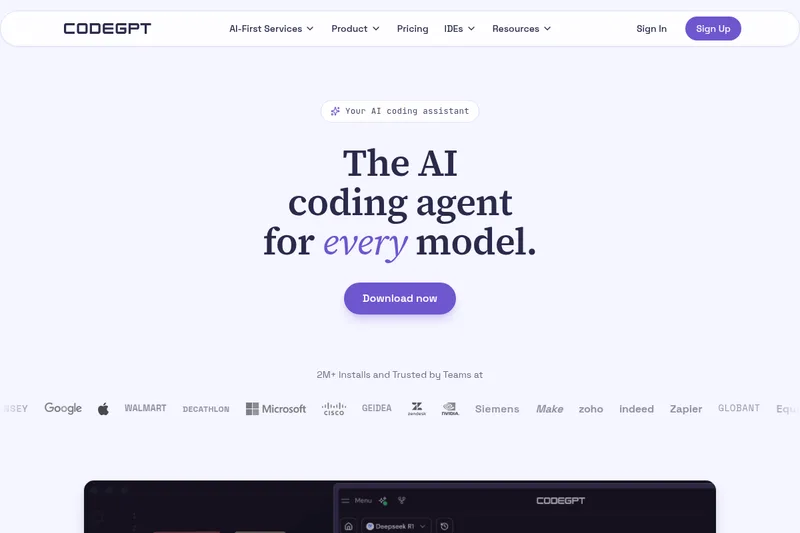
CodeGPT is an AI-first coding assistant and IDE extension that lets developers use their own API keys and any model to generate, refactor, and debug code with full visibility and data control.

code-gpt is coding software teams evaluate for business operations. Use this page to review pricing, integration signals, and the best alternatives before you commit.

Freemium API Enterprise 75/100
#54 in Coding (54 tools)
Added 0 year ago
Data reviewed Jul 15, 2026

Profile facts come from the vendor source. AiMatch labels unknown pricing or API details instead of estimating them.

Review official source →

Quick Overview

Best for: Business Operations

What it does

Coding software for decision-makers comparing workflow fit and alternatives.

Best fit

Business Operations

Pricing snapshot

Freemium from $0

Next step

Compare code-gpt with similar tools before you shortlist it.

Compare this tool before you shortlist it

Review alternatives, pricing posture, and workflow fit side by side.

code-gpt

CodeGPT is an AI coding assistant and IDE extension designed for developers and teams who want transparent, model-flexible, and privacy-first AI tooling. It integrates into popular IDEs (Visual Studio Code, JetBrains family) and lets users bring their own API keys to run any compatible model. The product emphasizes full visibility into what the AI reads and changes, model choice and swapping, and enterprise features such as AI agents, planning modes, and integrations to link APIs, docs, and databases.

CodeGPT targets professional workflows and organizations, offering both self-managed and enterprise services including integration consulting, dedicated support, and AI transformation solutions. The product highlights data sovereignty, control over API keys, and a model-agnostic approach so teams can choose providers like OpenAI, Anthropic, Claude, Gemini, or others.

AI platform for software development teams, offering AI coding assistance and automation.

Own this listing?

Claim this page for a one-time $29 to add pricing, features, screenshots, verified owner details, and a clearly labeled 30-day category position after the profile is live.

Claim this listing for $29

Key Features

Bring Your Own Key (BYOK)

Use your own API keys and run any supported model; CodeGPT emphasizes that you own the keys and control when cloud models are used.

Model Agnostic / Full Model Flexibility

Supports choosing or swapping models (mentions Claude, Gemini, OpenAI, Anthropic, etc.) to match reasoning depth, context length, or speed requirements.

IDE Integrations

Extensions for Visual Studio Code and JetBrains IDEs (IntelliJ, PyCharm, etc.) to bring AI coding workflows directly into developer environments.

AI Agents & Planning Mode

Agent and Planning mode for multi-step reasoning and agent-driven workflows that plan and execute coding tasks.

MCP (Integration Bridge)

Links to APIs, documentation, and databases to allow the assistant and agents to access external systems and resources.

Context Tracking & Rules

Tracks context live with rules the assistant follows for consistent, standards-based code and transparent context usage without hidden limits.

Auto-complete and Advanced Coding Tools

Advanced auto-complete features, code generation, refactoring, and debugging assistance to speed development.

Visibility & Review Workflow

Shows what files are read, planned changes, and suggested edits so users can review every step before changes are applied.

Security & Terminal Protections

Terminal features that include proactive threat detection and neutralization to protect business assets.

Pricing

Free Tier Available

A free plan is available with usage and feature limits.

Free plan

$0
  • Free and paid plans are documented. Feature and usage limits depend on the selected plan.

Paid plans

  • See the provider pricing page for current rates, billing periods, and usage limits.

Use Cases

Developer Productivity

Speed up coding tasks such as generation, refactoring, and debugging with in-IDE AI assistance and advanced auto-complete.

Enterprise AI Integration

Integrate AI into business workflows through consulting and custom solutions to automate end-to-end processes and drive the customer journey.

Custom AI Agents

Build and deploy AI-driven agents that can link to APIs, docs, and databases to perform multi-step engineering tasks or automation workflows.

Secure, Controlled AI Use

Maintain data sovereignty and control by using your own API keys and choosing when code or data leaves your environment.

Integrations

Visual Studio Code

Official VS Code extension for in-editor AI coding assistance.

JetBrains IDEs

Plugins for IntelliJ, PyCharm, and other JetBrains IDEs to bring CodeGPT features into those environments.

Model providers (OpenAI, Anthropic, Claude, Gemini, etc.)

Connect to a variety of LLM providers via your own API keys to choose models for reasoning, context length, or speed.

MCP - APIs, Docs, Databases

Link external APIs, documentation, and databases to enable agents and assistants to access project resources.

Benefits

Full data control and privacy-first architecture so code and data remain under user control unless cloud models are explicitly chosen.
Model flexibility allows teams to pick the best model for reasoning, latency, or cost needs and swap providers at any time.
Enterprise-ready features including consulting, dedicated support, and integrations enable production usage across teams.
High visibility into assistant actions (reading files, planning changes) reduces risk and increases trust in AI-driven edits.
IDE-native experience (VS Code, JetBrains) lowers friction and speeds adoption for developers.

Limitations

No verified limitations are available.

Frequently Asked Questions

No verified FAQs are available.

Getting Started

  1. 1 Step 1: Visit https://www.codegpt.co/ and download the extension for your IDE (Visual Studio Code or JetBrains plugin).
  2. 2 Step 2: Create an account or sign in and supply your own API key (BYOK) to connect your preferred model.
  3. 3 Step 3: Configure model choice and extension settings, then start using Agent/Planning mode and advanced auto-complete in your editor.

Support

docs

Extension Documentation and API Docs linked from the site (Extension Docs, API Docs).

blog

Latest news & insights available via the CodeGPT blog on the website.

enterprise support

Dedicated support & training and AI integration consulting for enterprise customers (contact via site).

API

Available: Yes
Documentation:

API access is documented at https://developers.codegpt.co/. Access and limits depend on the provider plan.

Compare code-gpt with similar tools

See how it stacks up against alternatives

Freemium
FixBugs

FixBugs

FixBugs is an AI debugging agent for SREs and on-call engineers that auto-triages alerts, performs AI-powered root cause analysis, reproduces issues, and generates validated code fixes with reproduction tests. Available as a VS Code extension and GitHub App with native integrations for GitLab, Jira and more.

Coding
Top source
Contact for pricing
please do not escape

please do not escape

A curated dataset of sandbox environments for AI coding agents, published with a raw YAML data file and hosted on GitHub; intended as a discoverable, contributor-driven collection of examples and primary-source references.

Coding
Contact for pricing
Nibware

Nibware

Nibware is a catalog of real, compiled SwiftUI components for iOS 17+ that developers can copy and paste into Xcode — each component shows a live iOS Simulator screenshot alongside the exact source code.

Coding
Freemium
Sentrint

Sentrint

Sentrint is a code-security scanner that analyzes repositories for hardcoded secrets, access rules, vulnerable dependencies and dangerous code paths, uses an AI layer to filter false positives and generates platform-specific fix prompts, and returns a numeric grade, findings in plain English, and a live badge.

Coding
Free
GIDE, Your AI Coding Command Center

GIDE, Your AI Coding Command Center

GIDE is a local-first, agentic AI coding IDE and CLI that runs LLMs on your machine to edit code, run commands, and verify changes—offline, with zero per-token cost, an OpenAI-compatible local API, and gated file writes for safe automation.

Coding
Nola

Nola

Nola is a TypeScript superset that makes LLM inference a first-class language feature—introducing infer and ask constructs that compile to plain TypeScript so developers can write typed, observable LLM-backed functions with minimal glue.

Coding
Freemium
CodeTrain

CodeTrain

CodeTrain is a local‑first, hands-on AI coding tutor that teaches developers by guiding them to write code in their own codebase step by step. It runs an agent on your machine, offers sandbox or repo modes, and provides team features (dashboards, onboarding journeys, SSO/SCIM, self‑host) for companies.

Coding
Freemium
workbench

workbench

workbench is a cloud-hosted, always-on terminal environment for developers that provides SSH-accessible containers preconfigured with Debian 13 and common developer tools, plus integrated AI coding assistance (Codex).

Coding

Premium Alternatives

Paid
templateai

templateai

TemplateAI is a paid Next.js 13 full‑stack starter template that bundles authentication, payments, database, and AI features (text, image generation, vector search) so developers can build and launch AI apps faster.

Coding
Paid
shipflutter

shipflutter

ShipFlutter is a customizable Flutter starter kit and AI-powered builder that combines Flutter, Firebase, and Vertex AI to generate production-ready, responsive Android, iOS, and Web apps quickly. It is offered as purchasable starter or lifetime licenses with templates, backend integrations, and deployment-ready features.

Coding
Paid
augment-code

augment-code

Augment Code's Cosmos is an enterprise unified agents platform that runs software development agents at organizational scale, providing a Context Engine, agent runtime, reusable Experts, and security controls to accelerate code review, testing, incident response, and other SDLC workflows.

Coding

Explore Related Categories

Explore by Outcome