

crawl-ai
Crawl AI is a web-based platform that enables users to create custom AI assistants quickly and easily without coding, by leveraging web crawling, data integration, and adjustable AI settings.
crawl-ai is chatbots & assistants software teams evaluate for business operations. Use this page to review pricing, integration signals, and the best alternatives before you commit.
Used in These Packs
Quick Overview
Best for: Business Operations
What it does
Chatbots & Assistants software for decision-makers comparing workflow fit and alternatives.
Best fit
Business Operations
Pricing snapshot
Freemium from Completely free during Alpha and Beta versions
Next step
Compare crawl-ai with similar tools before you shortlist it.
Compare this tool before you shortlist it
Review alternatives, pricing posture, and workflow fit side by side.
crawl-ai
Crawl AI is designed to simplify the creation of custom AI assistants for users without technical expertise. By combining advanced web crawling and scraping capabilities with AI assistant development, the platform automatically gathers relevant data from the web based on a user-defined topic. This data is structured into a vector store to train an AI model, enabling the creation of powerful assistants tailored to specific knowledge domains. Users can also upload or connect their own data sources, such as Google Drive, to further customize their AI assistant. The platform offers adjustable AI settings to fine-tune the assistant's behavior, making it suitable for a variety of applications including customer support automation, research, content generation, and exam preparation.
A platform to build custom AI assistants with web crawling and data scraping capabilities.
Own this listing?
Claim this page to add pricing, features, screenshots, and verified owner details.
Claim this listingKey Features
Build your own AI Assistant in minutes
Start by defining the knowledge domain with just one prompt to quickly create a custom AI assistant.
Web Scraping & AI Integration
Automatically crawls the web to gather relevant information on the chosen topic, ensuring the AI has access to a wide range of data.
Bring Your Own Data
Upload or connect to external data sources like Google Drive to customize the AI assistant with specific knowledge.
Adjustable AI Settings
Fine-tune the assistant's behavior with settings for creativity and accuracy, controlling how it interacts and responds.
Pricing
Alpha and Beta versions are fully free for users. A tiered pricing system will be implemented after full production release.
Alpha
Completely free during Alpha and Beta versions- Full access to custom AI assistant creation
- Web crawling and data integration
- Adjustable AI behavior settings
Use Cases
Automate customer support
Create AI assistants that can handle customer inquiries and support tasks efficiently.
Research specific topics
Gather and summarize information on specialized subjects using AI assistants trained on relevant data.
Generate content ideas
Use AI to brainstorm and develop creative content concepts tailored to your needs.
Summarize complex data
Leverage AI to distill and explain complicated information in an accessible way.
Exam preparation assistant
Build AI helpers to assist with studying and exam readiness by providing targeted knowledge and practice.
Integrations
Google Drive
Allows users to upload or connect their Google Drive data to customize their AI assistant with personal or organizational knowledge.
Benefits
Limitations
Frequently Asked Questions
What is Crawl AI?
Is Crawl AI free to use?
How does Crawl AI work?
Can I customize the AI assistant's behavior?
Does Crawl AI support mobile devices?
Is my data secure with Crawl AI?
Getting Started
- 1 Step 1: Define the knowledge domain or topic for your AI assistant with a clear prompt.
- 2 Step 2: Allow Crawl AI to automatically crawl the web and gather relevant data.
- 3 Step 3: Optionally upload or connect your own data sources to customize the assistant.
- 4 Step 4: Adjust AI settings such as creativity and accuracy to fine-tune responses.
- 5 Step 5: Deploy and start using your custom AI assistant.
Support
Contact support via the website contact form with responses expected within 24 hours.
documentation
Instructions and FAQs are available on the website to assist users.
API
No API documentation is currently available.
Not applicable.
Compare crawl-ai with similar tools
See how it stacks up against alternatives
Related Tools
View all 270 →


voiceflow-ai
Voiceflow is a no-code platform that enables product teams to build, launch, and scale AI chat and voice agents across multiple customer channels with speed, control, and observability.



mansaibots
mansaibots provides AI-powered chatbot solutions that automate customer support, assist sales, and handle appointments 24/7 for websites and e-commerce stores.

nova-echo-ai
Nova Echo AI provides advanced AI employees specialized in handling phone calls, designed to automate and enhance communication processes for businesses.
Premium Alternatives

codiumai
Qodo is an AI-powered code review platform designed to provide enterprise-grade, context-aware code quality checks across the software development lifecycle (SDLC), supporting multi-repo environments and enforcing coding standards, security, and compliance automatically.

prefixbox-com
Prefixbox is an AI-powered product search and discovery solution designed for e-commerce retailers to increase conversion rates and online revenue through personalized search, AI agents, and product recommendations.

unitedtax-ai
UnitedTax.AI offers professional tax preparation services for modern businesses and professionals, combining experienced tax professionals with AI technology to deliver faster, more accurate, and cost-effective tax filing solutions.

infiniteanalytics-com
SherlockAI by Infinite Analytics is an AI-powered SaaS platform designed for enterprises to gain deep consumer insights, optimize marketing strategies, and drive growth through data-driven decisions. It serves industries like CPG/Retail, Financial Services, and Hospitality with advanced audience targeting, location intelligence, and site selection tools.
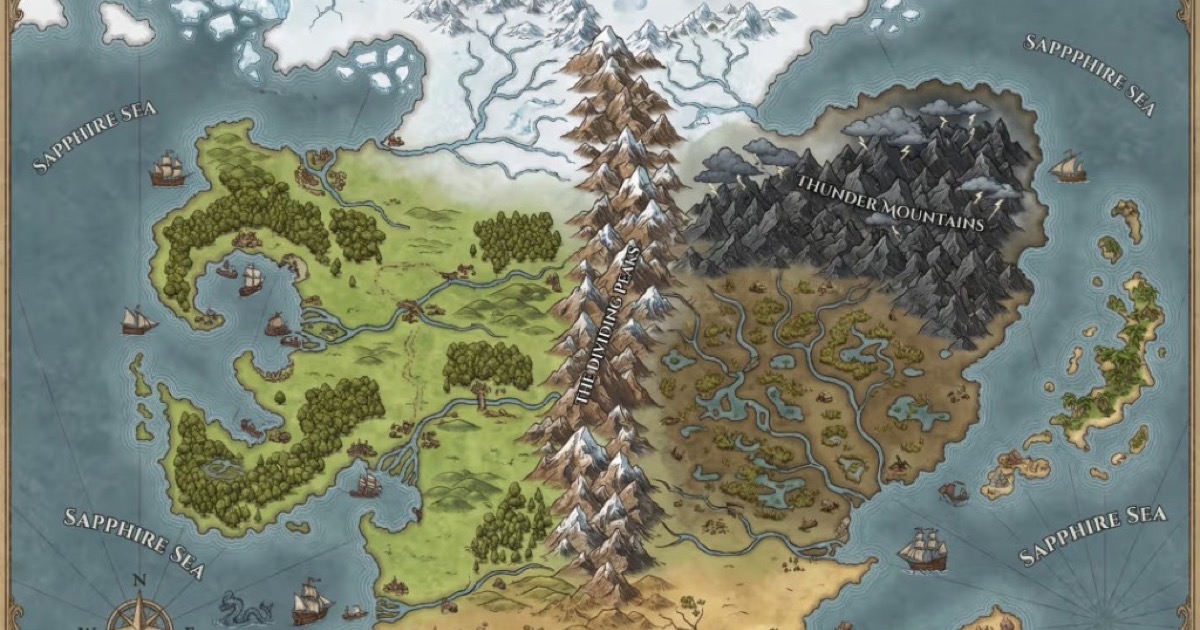
Fantasygen
FantasyGen is an AI-powered fantasy map generator and map maker that creates D&D battlemaps, world maps, dungeon maps, city maps, and more instantly from text prompts. It's aimed at game masters, authors, worldbuilders, and game developers who need fast, high-quality maps without drawing skills.

Auralis
Auralis is an enterprise AI-powered customer support platform that deploys customizable AI agents to automate up to ~60% of support processes, accelerate resolution times, and improve CSAT while integrating with existing tools and maintaining enterprise-grade security.

Listingbott
ListingBott is a directory submission service that places your SaaS, product, newsletter, or blog on 100+ hand-picked directories from a 10k+ database to boost Domain Rating and drive relevant traffic, combining AI agents and human review to deliver safe, gradual listings and a full report.