

Docparser
Docparser is a cloud-based document parsing and smart data-extraction platform that converts PDFs, Word documents, images and other file types into structured data for Excel, Google Sheets, JSON, XML and many integrations. It provides visual/no-code rule creation, zonal OCR and an AI engine (DocparserAI) to automate extraction for business workflows.
Docparser is nocode / lowcode software teams evaluate for business operations. Use this page to review pricing, integration signals, and the best alternatives before you commit.
Profile facts come from the vendor source. AiMatch labels unknown pricing or API details instead of estimating them.
Review official source →Used in These Packs
Quick Overview
Best for: Business Operations
What it does
NoCode / LowCode software for decision-makers comparing workflow fit and alternatives.
Best fit
Business Operations
Pricing snapshot
Free
Next step
Compare Docparser with similar tools before you shortlist it.
Compare this tool before you shortlist it
Review alternatives, pricing posture, and workflow fit side by side.
Docparser is a smart document processing platform that extracts important data from PDFs, Word documents, CSV, XLS, TXT, XML and image files and exports to Excel, Google Sheets, JSON, XML and other formats. It targets business workflows across industries such as accounting, retail, ecommerce, logistics and manufacturing and offers templates for common document types (invoices, purchase orders, bank statements, contracts, HR forms, shipping notes, product lists).
The product uses zonal OCR, advanced pattern recognition and anchor keywords for extraction and provides a visual, no-code rule builder. Docparser also offers DocparserAI — an AI engine to simplify and automate parsing — and supports cloud storage imports, a REST API, webhooks and many third-party integrations so extracted data can be routed into existing workflows.
Docparser is a cloud-based document parsing and smart data-extraction platform that converts PDFs, Word documents, images and other file types into structured data for Excel, Google Sheets, JSON, XML and many integrations. It provides visual/no-code rule creation, zonal OCR and an AI engine (DocparserAI) to automate extraction for business workflows.
Own this listing?
Claim this page for a one-time $29 to add pricing, features, screenshots, verified owner details, and a clearly labeled 30-day category position after the profile is live.
Claim this listing for $29Key Features
Zonal OCR
Select and extract text from specific document areas by dragging rectangles to outline the data to capture.
Visual Rule Builder / No-code Rules
Create parsing rules without coding using preset templates or custom rules via a visual rule wizard and real-time preview.
Table Extraction
Define rows and columns by dragging/dropping column dividers to extract structured table data.
Scanned Image Preprocessing
Preprocess scanned images (deskewing, artifact removal) to improve OCR and extraction accuracy.
Checkboxes, Radio Buttons, Barcodes & QR Codes
Recognize form responses, checkboxes/radio buttons and process barcode/QR code content with the built-in scanner.
Export & Integration Options
Export to Excel, CSV, JSON, XML or connect to thousands of cloud applications (Zapier, Workato, Power Automate) and use webhooks or the REST API.
DocparserAI
An AI engine to automate and customize data extraction and simplify parsing workflows.
Cloud Storage & Import Options
Upload documents directly, connect to Dropbox, Box, Google Drive, OneDrive, email attachments or ingest via the REST API.
Data Retention Controls
Automatic document retention settings (reviews mention auto-deletion after ~90 days by default).
Pricing
Try It Free — No credit card required (site shows a free trial option; full plan details available on the pricing page).
Use Cases
Invoice & Accounts Payable Automation
Extract invoice reference numbers, dates, totals and line items and send to accounting systems or spreadsheets.
Purchase Order Processing
Extract purchase order fields to feed order management or ERP systems.
Bank & Credit Card Statement Conversion
Convert statements into spreadsheets or other formats for accounting and reconciliation.
Contracts & Agreements Data Extraction
Extract recurring fields from legal agreements, leases, warranties and other contracts.
HR Forms & Applications
Pull structured data from enrollment forms, applications, payroll and other HR documents.
Shipping Orders & Delivery Notes
Automate processing of delivery and shipping notes, including barcode and QR code data capture.
Product & Price List Table Extraction
Extract product tables to populate POS systems, eCommerce catalogs or spreadsheets.
Integrations
Dropbox / Box / Google Drive / OneDrive
Import documents directly from popular cloud storage providers.
Zapier / Workato / MS Power Automate
Connect parsed output to thousands of apps and build automated workflows.
REST API & Webhooks
Programmatic ingestion and push of parsed data to custom systems or endpoints.
Excel / Google Sheets
Export parsed data directly to spreadsheet formats for analysis or accounting.
Benefits
Limitations
Frequently Asked Questions
No verified FAQs are available.
Getting Started
- 1 Step 1: Upload or import a sample document (direct upload, cloud storage, email attachment or via REST API).
- 2 Step 2: Define parsing rules using preset templates or the visual rule builder (no coding required); optionally use DocparserAI to automate extraction.
- 3 Step 3: Export or connect parsed data to Excel, Google Sheets, CSV, JSON, XML or integrate with other apps via Zapier, Workato, Power Automate, webhooks or the REST API.
Support
Docs
API Reference and documentation linked from the site for developers.
Knowledge Base
Knowledge Base and Support Center for product help and guides.
Schedule Demo
Option to schedule a one-on-one demo from the website.
Contact
Contact Us link available on the site for sales/support inquiries.
Academy / Blog
Training resources and articles available via the Academy and Blog sections.
API
API Reference (linked from site navigation).
Compare Docparser with similar tools
See how it stacks up against alternatives
Related Tools
View all 78 →

Brancher.ai
Brancher.ai is a no-code platform that connects AI models to let users create AI-powered apps in minutes using ready-made templates and a visual builder; it offers 100 free credits on signup and plans to support monetization of user creations.


Webscrapeai
Webscrape AI is a no-code AI-powered web scraping tool that automates data collection from websites, offering customizable, fast, and cost-effective scraping plans for businesses.

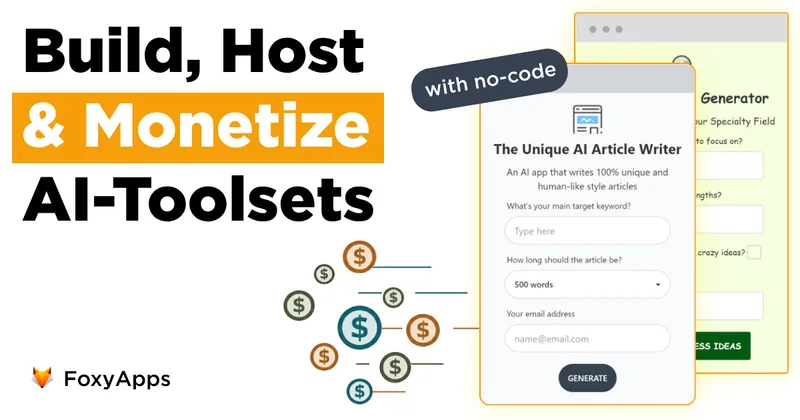

toolmark.ai
toolmark.ai is a no-code AI tool builder that lets individuals and companies create, embed, and monetize AI-powered tools (text, image, and voice) using a drag-and-drop editor and multiple advanced AI models.

Swiftspeed
Swiftspeed is an AI-first no-code app builder that creates native iOS, Android and PWA mobile apps from plain-English prompts or a drag-and-drop editor, with built-in publishing, monetization, analytics, and integrations for businesses.
Premium Alternatives

softgen
Softgen is an AI-powered web app builder that turns plain-English app descriptions into deployed, production-ready Next.js apps with managed Supabase, GitHub export, one-click Vercel deploy, and selectable AI models—designed for founders, makers, and teams to build MVPs and SaaS fast.
Appy Pie
Appy Pie is an AI-powered no-code app builder that converts plain-English prompts into working native Android and iOS apps with backend, hosting, and store-publishing support. It targets founders and businesses who want to ship production mobile apps quickly without writing code.

Kivicube
Kivicube is a web-based, no-code AR creation and publishing platform that lets individuals and enterprises build, preview and publish interactive AR experiences (WebAR, WeChat Mini Program, Vision Pro, etc.) using visual editing and AI-powered tools such as 3D model and video generation.

SunSed
SunSed is an AI app builder for creating and running business applications from descriptions, using tested building blocks and a built-in programming language. Hosting, databases, logins, email, file storage, payments, and other app services are included in its paid plans.


-Bh91Hz9I.png)