
Ferry
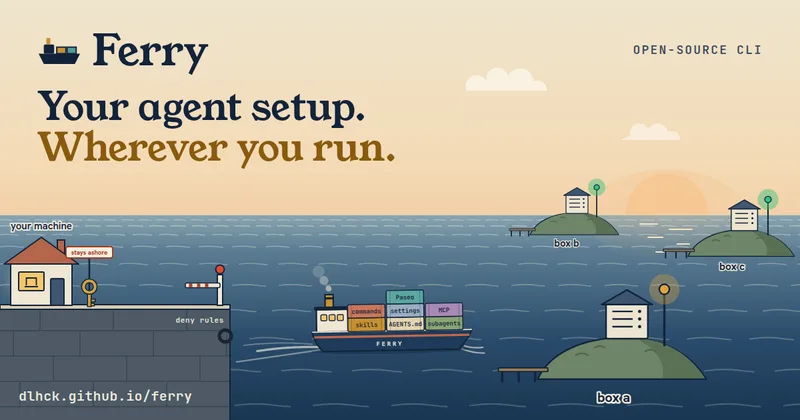
Ferry syncs selected AI coding-agent configuration from a developer's machine to remote Linux boxes through a private Git snapshot. Developers use it to keep agent setups aligned and move projects between machines without copying credentials.
One of 135 tools in Developer Tools
Who it's for
- Developers running Claude Code, Codex, Pi, or Cursor Agent locally and on remote Linux boxes who want shared skills and supported settings.
- Teams managing multiple Linux boxes over SSH or Tailscale that want one machine to publish the agent configuration others pull.
Not the right fit if…
- Teams whose target machines are not Linux boxes: the setup instructions require a Linux box.
- People who need Ferry to replicate logins, tokens, API keys, or environment values: Ferry explicitly keeps those off the snapshot.
How it fits your workflow
Install Ferry on your macOS or Linux machine, prepare a reachable Linux box, and create an empty private Git repository. Run ferry init with the box destination and snapshot URL; Ferry publishes selected configuration to the repository, and the box pulls and links it.
Use ferry sync for a manual update or install ferry watch to sync changes automatically. Ferry checks carried files against deny rules before publishing; a match stops the whole sync. Logins and environment values remain on their respective machines.
Use ferry move to transfer a Git project and supported session data between your machine and a box, or ferry tunnel to expose a box-reachable port on localhost.
Pricing
The vendor doesn't publish prices. Check with Ferry directly.
Prices checked on Oct 2, 2026 from the vendor's site. They can change; confirm before you buy.
Key features
- Agent setup synchronization
- Publishes selected skills, instruction files, settings, hooks, and remote or stdio MCP server definitions to a private snapshot repository. Remote boxes pull the snapshot and link the carried files into their agent directories.
- Support for four agent CLIs
- Ferry installs and updates Claude Code, Codex, Pi, and Cursor Agent on each box, and carries the supported configuration fields for each agent.
- Automatic change syncing
- The ferry watch service detects changes and syncs them to boxes automatically. It can be installed as a launchd or systemd user service on macOS and Linux.
- Credential-aware deny rules
- Ferry checks files before publishing. A match stops the whole sync without publishing anything; logins, tokens, API keys, environment values, and credential files are not carried.
- Remote project moves
- The ferry move command transfers Git projects, including untracked files, and can carry Claude and Codex sessions and Claude project memory. Moves between boxes pass through your machine and are checked by deny rules.
- Port forwarding
- Ferry tunnel forwards a box port to localhost or forwards a port on a host reachable from the box. ferry tunnel --follow can automatically forward development server ports announced through Ferry.
Works with
- Claude Code, Codex, Pi, and Cursor Agent
- Paseo
- Sherlock
- Tailscale and OpenSSH
- Private Git hosts
- GitHub CLI and jq
Limitations to know
- The remote boxes must run Linux; Debian and Ubuntu are the tested distributions.
- Ferry requires an empty private Git repository for the snapshot. If it uses an SSH URL, an SSH agent with a key that can push is required.
- Ferry does not carry logins, credential files, tokens, API keys, .env files, or MCP environment values.
- Ferry skips stdio MCP servers that use inline scripts or refer to a path in your home directory, and it does not install MCP server commands.
- The deny-rule scan cannot identify a password typed into free prose in a session; the page recommends --no-sessions when a session may contain one.
- The page states that Ferry's checks do not protect against a box account controlled by an attacker; users should trust the box and SSH user running agents.
Alternatives to consider
-
Codex Remote
Choose it if you need a toolchain that provisions remote machines on cloud providers and installs AI runtimes, rather than syncing an existing machine's agent setup to your own Linux boxes.
Getting started
curl -fsSL https://raw.githubusercontent.com/dlhck/ferry/main/install.sh | shA macOS or Linux machine; a reachable Linux box with SSH or Tailscale access; an empty private Git repository; and, for an SSH snapshot URL, an SSH agent with a key that can push.
- Install Ferry on your machine with the shell installer or npm package.
- Create an empty private Git repository and prepare a Linux box reachable over SSH or Tailscale.
- Run ferry init with the box destination and snapshot URL, then run ferry install and ferry sync.
Frequently asked questions
What does Ferry sync?
Ferry can carry selected skills, agent instructions, supported settings, hooks, and remote or stdio MCP server definitions. Logins, credential files, tokens, API keys, .env files, and MCP environment values stay on their machines.
Where is the snapshot stored?
Ferry publishes the snapshot to an empty private Git repository that you create. Each box pulls the snapshot from that repository.
How do boxes connect to Ferry?
Your machine connects to each box over SSH or Tailscale. Ferry supports plain OpenSSH as well as Tailscale.
Which operating systems and architectures are mentioned?
The page specifies macOS or Linux and arm64 or x64 for the installer. The remote box setup requires a Linux box; Debian and Ubuntu are tested.
Does Ferry copy agent logins to remote boxes?
No. Ferry starts logins on the box and keeps the resulting token there; it does not copy a token from your machine.