

GPT Image 2.5
GPT Image 2.5 is a prompt-based image generation and editing workspace offering two model modes—Flare for fast creative exploration and Sunburst for detail-focused edits—designed for product visuals, portraits, campaigns, and other content creation workflows.
GPT Image 2.5 is image & design software teams evaluate for image & design. Use this page to review pricing, integration signals, and the best alternatives before you commit.
Profile facts come from the vendor source. AiMatch labels unknown pricing or API details instead of estimating them.
Review official source →Used in These Packs
Quick Overview
Best for: Image & Design
What it does
Image & Design software for decision-makers comparing workflow fit and alternatives.
Best fit
Image & Design
Pricing snapshot
Paid from $19.90 / monthUSD $9.95/ month Billed $119.40 yearly
Next step
Compare GPT Image 2.5 with similar tools before you shortlist it.
Compare this tool before you shortlist it
Review alternatives, pricing posture, and workflow fit side by side.
GPT Image 2.5 is an integrated image generation and editing workspace that supports text-to-image and image-to-image workflows. It provides two model modes—Flare for fast creative exploration and Sunburst for detail-focused editing—allowing creators to start from a prompt or a reference photo and refine compositions, lighting, materials, layouts, and text. The workspace supports 1K, 2K and 4K outputs where available, a credit-based usage model, and a personal "My creations" area where generated images are stored for 30 days.
The product is positioned for professional creative workflows including product photography, brand campaigns, portraits, editorial covers, and social content. Users sign in to generate images and can choose model, resolution, and aspect ratio; the site notes processing time varies with model, resolution and queue and that generation is currently available to administrators.
AI image generator and editor for prompts and reference photos GPT Image 2.5 is a AI Tool featured on Dang.ai. Learn more about GPT Image 2.5's AI tool.
Own this listing?
Claim this page for a one-time $29 to add pricing, features, screenshots, verified owner details, and a clearly labeled 30-day category position after the profile is live.
Claim this listing for $29Key Features
Flare
Mode optimized for fast creative exploration and broad compositional directions.
Sunburst
Mode optimized for detail-focused editing and targeted changes while preserving specified elements.
Text-to-Image and Image-to-Image
Support for creating images from prompts or editing existing reference photos in a single workspace.
Reference-guided edits
Use clear reference photos to preserve facial features, product details, markings, proportions and other identity-defining elements while changing setting, outfit, or background.
Multiple output resolutions and aspect ratios
Supported outputs include 1K, 2K and 4K where the selected model and aspect ratio support them; incompatible options are disabled.
Credit-based pricing and generation
Paid credits work across available image models; credits are consumed per generation and certain confirmed failed generations return credits.
My creations storage
Generated images are stored in 'My creations' for 30 days where they can be downloaded or deleted.
Draft checks for text-heavy designs
Advises users to review spelling, Chinese characters, names, dates, prices, logos and placement before publishing.
Model selection and workflow
Choose Flare for exploration or Sunburst for refined edits; GPT Image 2 remains available for legacy workflows.
Credits returned for failed generations
Credits are returned for confirmed failed generations as stated in the pricing details.
Pricing
Basic
$19.90 / monthUSD $9.95/ month Billed $119.40 yearly- 1,000 credits every month
- Skip the queue
- Access to GPT Image, Nano Banana & Seedream
- 1K, 2K and supported 4K outputs
Pro
$39.90 / monthUSD $19.95/ month Billed $239.40 yearly- 2,200 credits every month
- Skip the queue
- Access to GPT Image, Nano Banana & Seedream
- 1K, 2K and supported 4K outputs
Max
$99.90 / monthUSD $49.95/ month Billed $599.40 yearly- 6,000 credits every month
- Skip the queue
- Access to GPT Image, Nano Banana & Seedream
- 1K, 2K and supported 4K outputs
Use Cases
E-commerce & Product Campaigns
Plan seasonal scenes, explore shared palettes and compositions, and preserve packaging details while adapting images for campaign assets.
Brand Teams
Try multiple cover or campaign directions with Flare, then refine the chosen composition with a reference image to maintain consistency.
Portrait Creators
Use a clear portrait reference to change setting, clothing, or color while retaining distinctive facial features and proportions.
Content Creators & Social Teams
Generate seasonal social content, product color studies, and editorial cover concepts with iterative edits.
Pet & Niche Brands
Guide portrait fidelity for animals and create pet-inspired visuals while retaining distinctive markings.
Event Organizers & Posters
Draft posters and informational cards, then refine wording, dates and element placement before publishing.
Product Design
Explore product color studies, surface treatments and packaging proportions for launches and seasonal posts.
Integrations
Google Sign-In
Sign in with Google is offered as a login option on the site.
Arena.ai (leaderboard reference)
External leaderboard snapshots from Arena.ai are cited showing Sunburst and Flare rankings in text-to-image and image editing arenas.
Benefits
Limitations
Frequently Asked Questions
What can I create with GPT Image 2.5?
Should I choose Flare or Sunburst?
How can I preserve a person or product?
Can I edit the same image in several steps?
What should I check in text-heavy designs?
Which sizes are supported, and how long does generation take?
How do I save results, and who can generate now?
Getting Started
- 1 Step 1: Sign in to the workspace (Sign in is required to generate images and use available credits).
- 2 Step 2: Choose a model mode (Flare for exploration or Sunburst for detail-focused editing) and select resolution and aspect ratio.
- 3 Step 3: Enter a prompt or upload a reference photo, describe what to change and what to preserve, then generate. Save results to My creations and download as needed.
Support
docs
Resources page and Image Examples sections listed on the site provide usage guidance and examples.
blog
Blog linked from the site for updates and examples.
contact
A 'Contact us' link is available on the site for inquiries (page lists Contact us).
API
Compare GPT Image 2.5 with similar tools
See how it stacks up against alternatives
Related Tools
View all 386 →

Headshotphoto
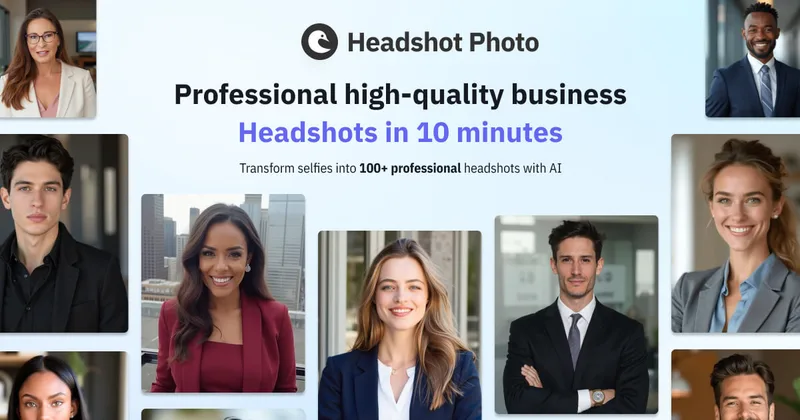
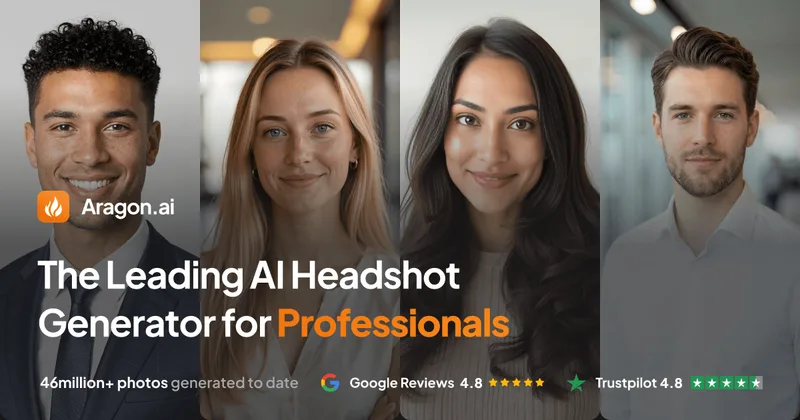
Headshot Photo is an AI-powered service that generates professional-quality headshots from a few selfies in about two minutes, aimed at individuals and teams for LinkedIn, resumes, corporate profiles, and branding.

Aiheadshotgenerator
AI Headshot Generator is a free online tool that creates professional, high-definition headshots from uploaded photos or from text prompts, aimed at resumes, LinkedIn, social media, and personal branding.

Budget-Friendly Alternatives
Headshotphoto
Headshot Photo is an AI-powered service that generates professional-quality headshots from a few selfies in about two minutes, aimed at individuals and teams for LinkedIn, resumes, corporate profiles, and branding.

FASHN Virtual Try-On
FASHN Virtual Try-On is part of FASHN AI’s fashion studio that uses proprietary AI models to generate realistic on-model product imagery and interactive try-on experiences for brands, agencies, and developers via app and API.

insMind AI Image Generator
insMind AI Image Generator is a web-based platform that unifies multiple leading AI image models to generate, edit, and enhance images from text or image inputs, offering 50+ art styles, image-to-image editing, and mobile access.

Niji7
Niji V7 on Niji7.art is an online AI-powered anime and illustration generator offering the Niji V7 model (and multiple other models) for text-to-image, image-to-image and video generation, aimed at creators who need professional-grade anime-style artwork with improved coherency, eye detail and line work.

Actionfiguregenerator
Action Figure Generator is a web-based AI tool that transforms user photos into collectible-style action figure images with custom packaging, accessories, and themes using generative AI.
Image to Text Converter
Online Image to Text Converter (Imagetotext.io) is a freemium web tool that uses OCR (including Tesseract and Python libraries) to extract editable text from images, screenshots, handwritten notes, and scanned documents.