Expression Editor AI
Expression Editor AI is a web-based tool for quickly changing and animating facial expressions, poses, and gestures in photos using AI, aimed at portraits, selfies, and creative or professional imagery.
Expression Editor AI is image & design software teams evaluate for image & design. Use this page to review pricing, integration signals, and the best alternatives before you commit.
Profile facts come from the vendor source. AiMatch labels unknown pricing or API details instead of estimating them.
Review official source →Used in These Packs
Quick Overview
Best for: Image & Design
What it does
Image & Design software for decision-makers comparing workflow fit and alternatives.
Best fit
Image & Design
Pricing snapshot
Contact for pricing
Next step
Compare Expression Editor AI with similar tools before you shortlist it.
Compare this tool before you shortlist it
Review alternatives, pricing posture, and workflow fit side by side.
Expression Editor AI is a browser-based application that enables users to change and animate facial expressions, poses, and gestures in photos using AI. It targets portraits, selfies, and creative projects and provides tools for expression editing, face animation, and related image manipulations. The site offers tutorials, demos, and multiple feature modules to support both casual and professional image-editing workflows.
AI tool to edit and animate facial expressions in photos and videos.
Own this listing?
Claim this page for a one-time $29 to add pricing, features, screenshots, verified owner details, and a clearly labeled 30-day category position after the profile is live.
Claim this listing for $29Key Features
Face Animation
Animate facial expressions, poses, and gestures for portraits and selfies.
Eye Controls
Tools to adjust eye expressions and movements.
Mouth Adjustments
Controls for altering mouth shape and expressions, including smile enhancement.
Head Movements
Adjust head position and movements to change pose and viewpoint.
Magic Edit
An editing mode referenced in tutorials for adding or changing items like hats, pets, or other elements.
AI Character Clone / AI Subject Clone
Features listed for cloning or replicating subjects and characters.
Virtual Try-On / Clothes Swap
Tools for changing outfits and headwear to preview different looks.
Face Swap & Face Clone
Functionality to swap faces or clone facial features.
AI Video Tools
Listed video-related features such as AI Hugging Video Generator, AI Kissing Video Generator, and AI Video Upscaler.
Anonymization & Blurring
Features for anonymizing faces including blurring, pixelation, masks, and other privacy-oriented effects.
Background Changer / Swap
Tools to change or swap backgrounds in images.
Upscale / Image Enhancements
Upscaling and photo enhancement tools for improving image quality.
Pricing
Current pricing details are not available from the vendor source.
Use Cases
Professional Headshots
Create or enhance headshots for corporate, medical, or executive profiles.
Content Creator & Social Media Portraits
Prepare social-media-ready portraits, thumbnails, and stories with expressive adjustments.
Modeling & Portfolio Images
Adjust expressions and poses for modeling portfolios and magazine-style imagery.
Event and Family Photography
Enhance smiles and expressions in family, wedding, and event photos.
Creative & Fine Art Projects
Use expression editing and composition replication for artistic portrait work.
Anonymization & Privacy Use Cases
Apply anonymization filters (blur, pixelate, masks) for privacy-sensitive images.
Integrations
No verified integration details are available.
Benefits
Limitations
No verified limitations are available.
Frequently Asked Questions
No verified FAQs are available.
Getting Started
- 1 Step 1: Visit the site and click 'Get Started' or 'Login' to create an account.
- 2 Step 2: Upload a portrait or selfie to the editor.
- 3 Step 3: Use provided tools such as Magic Edit, expression sliders (e.g., 'Smile' slider), face animation, or background tools to make edits, then export/download the result.
Support
tutorials
Watch free video tutorials on the site (e.g., 'Watch Free Tutorials', '25+ Free Tutorials').
support
Site includes 'Support' and 'Contact Us' links in navigation for additional help.
docs
Site provides FAQs, changelog, and a blog for guidance and updates.
API
Compare Expression Editor AI with similar tools
See how it stacks up against alternatives
Related Tools
View all 386 →

Swapanything
SwapAnything.io is an online AI-powered platform for swapping faces and clothes in photos, videos, and GIFs, and for converting common file formats (PDF, HEIC, WebP, etc.) quickly in-browser.

Headshotpro
HeadshotPro is an AI-powered service that generates professional business headshots from a small set of selfies, producing hundreds of realistic, production-ready images for individuals and teams.
ImageUpscalerAI
ImageUpscalerAI is a web-based AI image upscaler that enlarges photos, cartoons and other images (up to 400%/200%) using an AI engine; it offers a free limited tier and a PRO subscription with no conversion limits and a commercial usage license.
Fluxcontext
Flux Kontext is an open-source, context-aware multi-modal AI image generation platform by Black Forest Labs that emphasizes character consistency, semantic image editing, and ComfyUI workflow integration for professional image generation and iterative editing.
Flux2klein
Flux2 Klein AI is a web-based image generator that produces photorealistic images in under 0.5 seconds using the Flux2 Klein 9B model, offering text-to-image and image-to-image generation plus unified generation and editing capabilities.
LetsEnhance
LetsEnhance is a web-based AI image enhancement platform that upscales, sharpens, restores, and improves image quality for print, web, AI art, and product photography using machine learning models and business APIs.
Premium Alternatives
Photostudio
Blockode AI Photo Studio is an AI-powered photoshoot generator that trains a custom model from your uploaded selfies to produce stylized, high-resolution AI photoshoots. It targets users who want custom-generated portraits with options for commercial use.
imakeit.ai
imakeit.ai is a browser-based AI image generator and editor powered by GPT Image 2. It creates and edits visuals from text prompts and reference images, with adjustable quality, 1K–4K output, and upfront credit costs.

drawingpics
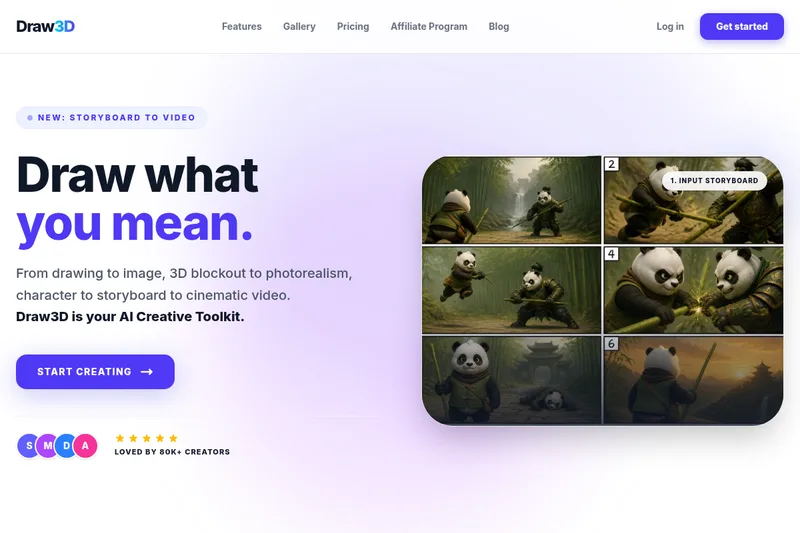
DrawingPics is a native macOS app for Apple Silicon that converts sketches into photorealistic or stylized images in real time using Core ML and the Apple Neural Engine. It runs fully offline, is available as a one-time purchase, and targets creators and small studios.
phopet
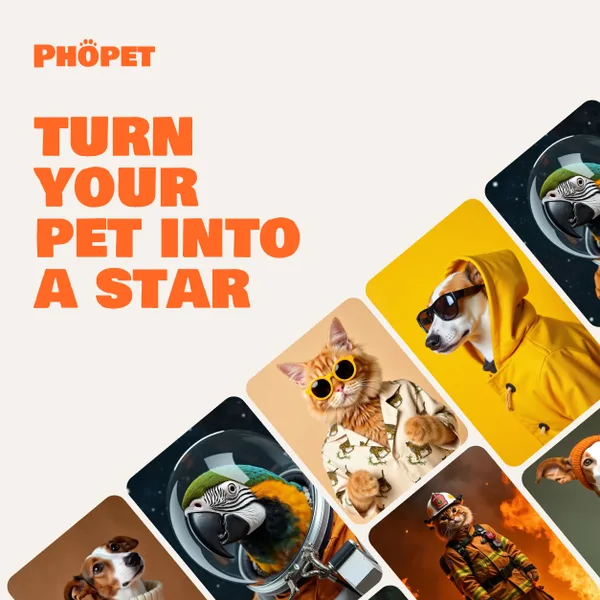
Phopet is a pet-focused image-generation service that trains a custom AI model from user-uploaded pet photos to produce themed, studio-quality images, upscaled prints, and merchandise-ready assets. It targets pet owners who want personalized photo packs and creative stories featuring their pets.