

Helpdesk
HelpDesk (by Text) is a browser-based, AI-empowered ticketing and help desk platform that centralizes email, chat, Messenger, and SMS into a single inbox with automation, workflows, and enterprise-grade security for teams of all sizes.
Helpdesk is chat software teams evaluate for business operations. Use this page to review pricing, integration signals, and the best alternatives before you commit.
Profile facts come from the vendor source. AiMatch labels unknown pricing or API details instead of estimating them.
Review official source →Quick Overview
Best for: Business Operations
What it does
Chat software for decision-makers comparing workflow fit and alternatives.
Best fit
Business Operations
Pricing snapshot
Freemium from See pricing page for current plans and rates
Next step
Compare Helpdesk with similar tools before you shortlist it.
Compare this tool before you shortlist it
Review alternatives, pricing posture, and workflow fit side by side.
HelpDesk by Text is a ticketing and help desk platform designed to centralize customer messages from email, live chat, Messenger, and SMS into a single AI-assisted inbox. It provides automation and workflows to route, prioritize, and resolve tickets, alongside collaboration tools for teams and integrations to connect with other systems. The product targets small businesses through enterprise customers and emphasizes quick setup, reduced manual work through automation and AI, and enterprise-grade security and compliance.
HelpDesk (by Text) is a browser-based, AI-empowered ticketing and help desk platform that centralizes email, chat, Messenger, and SMS into a single inbox with automation, workflows, and enterprise-grade security for teams of all sizes.
Own this listing?
Claim this page for a one-time $29 to add pricing, features, screenshots, verified owner details, and a clearly labeled 30-day category position after the profile is live.
Claim this listing for $29Key Features
Multichannel Inbox
Bring email, live chat, Messenger, and SMS into one AI-assisted inbox so conversations remain a single thread across channels.
Automation & Workflows
Easy-to-configure automation rules and workflows to route chats and tickets, follow up automatically, push leads to CRM, and remove repetitive tasks without code.
AI Agent & AI Tools
AI Agent resolves routine chat questions, drafts reply suggestions from help center content, provides ticket summaries, adjusts reply tone, detects language, and suggests tags.
Collaboration
Create dedicated teams by language, location, or skill set; use private notes, collision detection, and shared views to solve cases together.
Integrations & API
Workflows connect to tools like Shopify, Salesforce, and HubSpot via predefined actions; connect to anything else via webhooks and the API.
Security & Compliance
Enterprise-grade security with SOC 2, GDPR, and PCI DSS (SAQ A) compliance, role-based access, encryption, and audit logs.
Desktop & Browser Access
Browser-based platform with desktop apps for Mac and Windows to start handling tickets immediately.
Migration Support
Assisted migration from other ticketing systems, including data, history, and workflows, with support covering costs where possible.
Pricing
14-day free trial (no credit card required)
Tiered plans
See pricing page for current plans and rates- 14-day free trial
- Plans for different team sizes and support needs
- Custom Enterprise options
Use Cases
Small Business Support
Cost-effective, easy-to-use ticketing system that helps small teams scale and turn every interaction into customer satisfaction.
Enterprise Support
AI-based features, infrastructure management, and advanced security for organizations requiring enterprise standards and compliance.
IT Help Desk
Manage technical queries with a multi-tiered support structure, automated assistance, and tools for handling complex incidents.
SaaS Customer Support
Handle software-related messages across multiple channels to improve user experience and streamline support workflows.
Retail & E‑commerce
Integrate with commerce and CRM platforms to manage orders, customer inquiries, and post-sale support from one inbox.
Integrations
Shopify
Predefined workflow actions to connect commerce data and customer context to tickets.
Salesforce
Predefined workflow actions to sync ticket and CRM context with Salesforce.
HubSpot
Predefined workflow actions to send ticket or lead data to HubSpot.
Webhooks & API
Connect to other systems via webhooks or the HelpDesk API for custom integrations.
Benefits
Limitations
No verified limitations are available.
Frequently Asked Questions
What is a help desk?
Is HelpDesk part of Text?
Does HelpDesk provide 24/7 support?
Is HelpDesk software safe?
Is HelpDesk software free?
Does HelpDesk have integrations?
Do you offer free migration?
How does HelpDesk handle tickets?
How do you install HelpDesk?
Can HelpDesk automate tasks?
What's the price of HelpDesk?
Getting Started
- 1 Sign up for the free 14-day trial (no credit card required).
- 2 Connect your communication channels (email, live chat, Messenger, SMS) to the HelpDesk inbox.
- 3 Configure automation rules and workflows (Playbook) to route and prioritize tickets.
- 4 Invite teammates, create teams, and set up collaboration views and permissions.
- 5 Optionally connect integrations (Shopify, Salesforce, HubSpot) or configure webhooks and API access.
Support
Chat
24/7/365 chat support ('Chat with us') and a Customer Success Team available any time.
Docs
Help Center and Learning Space with guides, courses, and free resources.
Developer resources
API & Developers section and Developer Program for integrations and technical support.
Partner
Partner Program and Find a Partner to get implementation help.
API
See the API & Developers section on the HelpDesk website for documentation and developer resources
Compare Helpdesk with similar tools
See how it stacks up against alternatives
Related Tools
View all 81 →



screensnapai
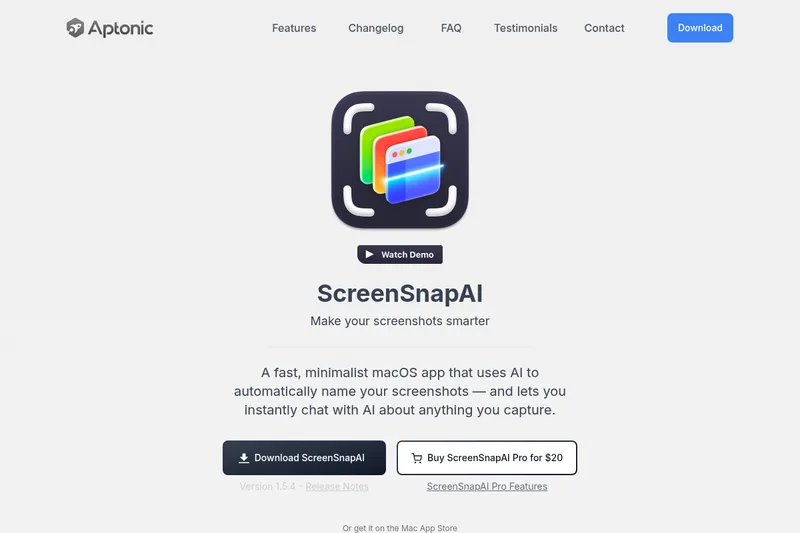
ScreenSnapAI is a native macOS app that automatically names and tags screenshots and lets users ask AI questions about selected areas of their screen. It supports Intel and Apple Silicon Macs running macOS 13 or later.
Premium Alternatives
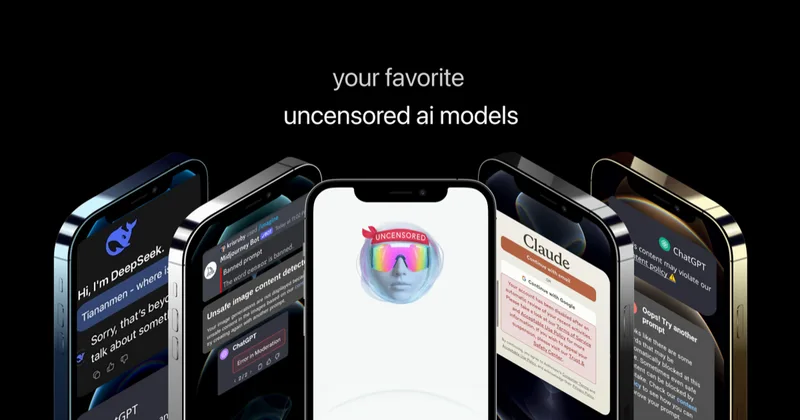
Uncensored
Uncensored AI is a chat and developer platform that provides access to a broad catalog of powerful, minimally filtered AI models for chat, voice, vision, code, and API access, with privacy features like auto-redaction and developer tooling.
screensnapai
ScreenSnapAI is a native macOS app that automatically names and tags screenshots and lets users ask AI questions about selected areas of their screen. It supports Intel and Apple Silicon Macs running macOS 13 or later.
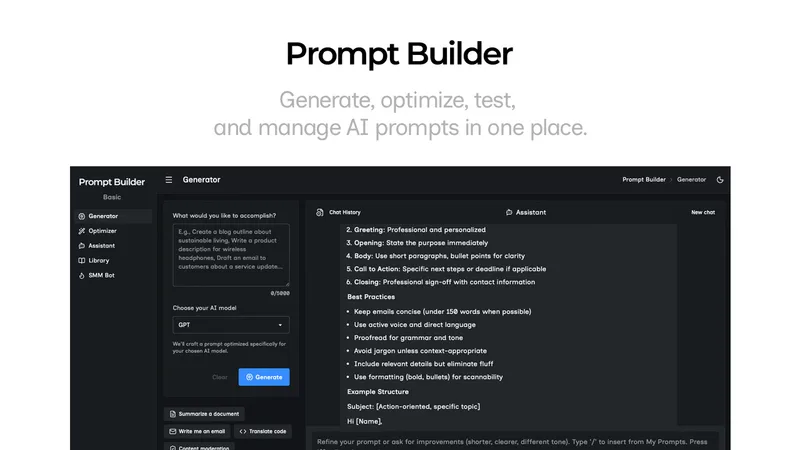
Promptbuilder
Prompt Builder is a web app that generates, optimizes, tests, and manages AI prompts tuned to specific models (ChatGPT, Gemini, Claude, Grok, etc.), with a prompt library, optimizer, built-in chat assistant, and versioning for prompt workflows.


pandachat-ai
PandaChat runs supervised AI customer operations for complex Adria/DACH e‑commerce stacks: a managed team of specialists and supervisors that connects to your systems, handles multilingual 24/7 support across channels, and sends daily briefings with value reports.