

Imageexpander
iExPander is an online AI-powered Image Expander (outpainting) that extends photo borders, generates context-aware backgrounds, and adapts images to multiple aspect ratios for social media, e-commerce, and creative projects.
Imageexpander is image & design software teams evaluate for content & marketing. Use this page to review pricing, integration signals, and the best alternatives before you commit.
Profile facts come from the vendor source. AiMatch labels unknown pricing or API details instead of estimating them.
Review official source →Used in These Packs
Quick Overview
Best for: Content & Marketing
What it does
Image & Design software for decision-makers comparing workflow fit and alternatives.
Best fit
Content & Marketing
Pricing snapshot
Free from Subscription $15.90 / $19.90 per month; $0.080 per credit; 200 Credits / month (as listed)
Next step
Compare Imageexpander with similar tools before you shortlist it.
Compare this tool before you shortlist it
Review alternatives, pricing posture, and workflow fit side by side.
iExPander is a web-based AI Image Expander (photo extender/outpainting) that analyzes a photo's content, style, and context to intelligently generate new pixels beyond the original borders. The tool is designed to produce seamless, natural-looking extensions that preserve lighting, texture, and composition—useful for adapting images to different aspect ratios, fixing awkward crops, and creating extended backgrounds. It targets creators, marketers, designers, photographers, and e-commerce users who need quick, professional image expansion without manual editing.
The product emphasizes ease of use (one-click expansion), multi-aspect-ratio support, watermark-free high-resolution downloads, and secure/private processing. The site provides step-by-step onboarding (upload, choose aspect ratio, generate, download) and offers paid credit/subscription plans as well as a limited free tier.
iExPander is an online AI-powered Image Expander (outpainting) that extends photo borders, generates context-aware backgrounds, and adapts images to multiple aspect ratios for social media, e-commerce, and creative projects.
Own this listing?
Claim this page for a one-time $29 to add pricing, features, screenshots, verified owner details, and a clearly labeled 30-day category position after the profile is live.
Claim this listing for $29Key Features
AI-Powered Outpainting
Uses advanced AI algorithms to analyze an image and generate natural-looking extensions that blend with the original.
Seamless, Natural-Looking Expansion
Creates context-aware content without stretching or distortion to maintain quality, lighting, and style.
Multiple Aspect Ratios
Supports presets for square, portrait, landscape, and custom sizes for major social platforms.
Intelligent Background Generation
Automatically generates and fills missing background areas to create banners, product photos, and creative scenes.
High-Quality, Watermark-Free Downloads
Download expanded images in high resolution suitable for online and print use.
Secure & Private Processing
Images are encrypted, processed securely, stored temporarily, and automatically deleted after a short period.
Easy One-Click Workflow
Simple UI: upload a photo, select aspect ratio and position, click Generate, then download the result.
Pricing
Limited free uses available (includes daily login bonus: Free 3 Credits); paid credits or subscription required for heavier use.
Basic
Subscription $15.90 / $19.90 per month; $0.080 per credit; 200 Credits / month (as listed)- Process up to 200 pictures or generate 66 videos
- Flexible subscription, cancel anytime
- 30-day cloud storage
- VIP generation speed
Pro
Subscription $39.90 / $49.90 per month; $0.067 per credit; 600 Credits / month (as listed)- Process up to 600 pictures or generate 200 videos
- Flexible subscription, cancel anytime
- 30-day cloud storage
- VIP generation speed
Use Cases
Social Media Creators & Influencers
Adapt images to fit Instagram, TikTok, Facebook and other platforms by expanding to required aspect ratios and adding space for text or overlays.
E-commerce & Product Photography
Expand product photos and generate professional backgrounds for Amazon, Shopify, listings, banners, and ads.
Designers & Marketers
Create campaign visuals with exact dimensions, add safe space for logos or copy, and produce consistent backgrounds across assets.
Photographers & Artists
Fix awkward crops, uncrop photos, extend scenes, and enhance portfolio images or digital art with natural expansions.
General Image Adaptation
Repurpose a single image across multiple aspect ratios and formats for web, social and print.
Integrations
Stripe
Listed as the payment provider for subscriptions and purchases.
Benefits
Limitations
Frequently Asked Questions
What is an AI Image Expander and how does it work?
What are the main benefits of using an AI to expand images?
How can I expand image using this Image Expander?
Will the expand image look natural?
Can I control the aspect ratio when I expand image?
What image formats do you support?
Is this image extender free to use?
How is my privacy protected when I upload an image?
How long does it take to expand an image?
What is the maximum size of images that can be uploaded?
Getting Started
- 1 Upload Your Photo: Start by uploading a high-quality JPG, PNG, or WebP image (recommended between 1MB and 8MB).
- 2 Choose Aspect Ratio & Adjust: Select a preset or input custom dimensions, then adjust position and scale.
- 3 Generate & Download: Click 'Generate' to process the image and download the expanded result; manage creations in your history.
Support
Contact support or ask questions via [email protected] (address listed on the site).
feedback
Site includes a 'Feedback' link in the menu for user feedback and reporting issues.
API
Compare Imageexpander with similar tools
See how it stacks up against alternatives
Related Tools
View all 372 →

Aiyearbook
AI Yearbook Generator is a web-based tool that uses AI to transform user photos into nostalgic yearbook-style portraits across multiple eras and themes, with free credits and purchasable credits for additional generations.

Onerecovery
ONERECOVERY Photo Restoration is an AI-powered image repair tool bundled with ONERECOVERY data recovery software that automatically restores, enhances, and colorizes damaged, blurry, or black-and-white photos for Windows and Mac users.



midjourney-api
Midjourney Image API as offered through TTAPI: a unified gateway that exposes Midjourney image generation (and other media models) via a single REST endpoint, enabling developers to generate and edit images alongside many other models with one integration and one billing balance.

EzNanoBanana
Nano Banana (by EzNanoBanana) is a browser-based AI image generator and editor that creates new images from text or references and edits existing photos with precise natural-language instructions while preserving subjects and details.
Premium Alternatives

Picture to Text
Picture to Text is an online OCR image-to-text converter that extracts editable text from images, screenshots, PDFs and handwritten notes using advanced OCR technology. It offers free and paid tiers with batch processing, multi-format support, and multi-language extraction.
Illusion Diffusion
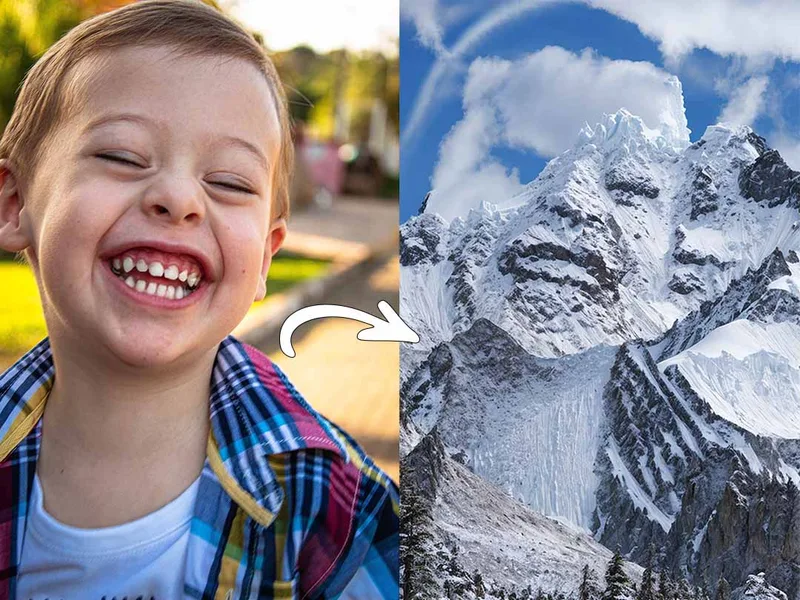
Illusion Diffusion is a web-based AI photo-to-art generator that transforms designs, text, or photos into illusion-style artwork using ControlNet, OpenPose, and Stable Diffusion models. It offers credit-based image generation, downloadable results, and presets for text-to-image and brand/logo reimagining.


Hairstyleai
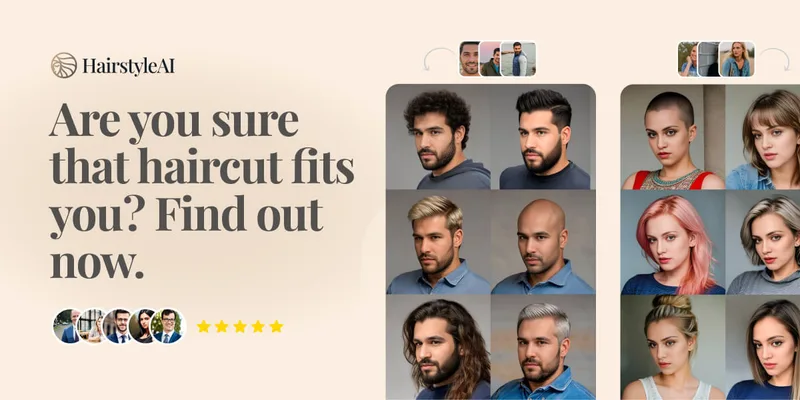
HairstyleAI is a virtual AI hairstyle try-on service (powered by HeadshotPro.com) that lets users preview new haircuts on their photos before committing to a real cut, offering dozens of generated looks and downloadable HD images.

drawingpics
DrawingPics is a native macOS app for Apple Silicon that converts sketches into photorealistic or stylized images in real time using Core ML and the Apple Neural Engine. It runs fully offline, is available as a one-time purchase, and targets creators and small studios.

Aithumbnail
AIThumbnail.so is an AI-powered thumbnail maker for YouTube and creators that generates high-converting thumbnails in under a minute, offering features like Replica Mode, one-photo face integration, and AI smart suggestions to boost CTR and views.

RoomAI
RoomAI is a web-based AI room-design tool that restyles real room photos while preserving the room geometry (walls, windows, openings, ceiling height and camera angle). It offers 300+ styles, 20+ room presets, virtual staging and decluttering with fast, full-resolution results for property listings, designers, photographers and homeowners.