
Fileconv
Fileconv's AI Background Remover is a free web tool that instantly removes image backgrounds and produces high-resolution transparent PNGs (4K) with no sign-up, no watermarks, and unlimited use.
Fileconv is image & design software teams evaluate for image & design. Use this page to review pricing, integration signals, and the best alternatives before you commit.
Profile facts come from the vendor source. AiMatch labels unknown pricing or API details instead of estimating them.
Review official source →Used in These Packs
Quick Overview
Best for: Image & Design
What it does
Image & Design software for decision-makers comparing workflow fit and alternatives.
Best fit
Image & Design
Pricing snapshot
Free from Free
Next step
Compare Fileconv with similar tools before you shortlist it.
Compare this tool before you shortlist it
Review alternatives, pricing posture, and workflow fit side by side.
Fileconv's AI Background Remover is a browser-based tool that automatically detects and removes backgrounds from images using a cloud AI engine. It produces high-resolution transparent PNGs (advertised as 4K) without watermarks and does not require registration. The tool targets a broad audience including people preparing product photos, portraits, logos, real estate and vehicle imagery, and works on desktop and mobile browsers.
Fileconv's AI Background Remover is a free web tool that instantly removes image backgrounds and produces high-resolution transparent PNGs (4K) with no sign-up, no watermarks, and unlimited use.
Own this listing?
Claim this page for a one-time $29 to add pricing, features, screenshots, verified owner details, and a clearly labeled 30-day category position after the profile is live.
Claim this listing for $29Key Features
AI-powered background removal
Uses advanced AI and a cloud engine to automatically detect and erase backgrounds in seconds.
High-resolution transparent PNG output
Delivers high-quality (4K) transparent PNGs suitable for product photos and HD images.
No sign-up, unlimited and free
Tool is advertised as 100% free with unlimited image processing and no registration required.
Wide format support
Supports common image formats: JPG, JPEG, PNG, WebP, GIF, JFIF.
Privacy: automatic deletion
Site states that all images are deleted automatically after processing to protect user privacy.
Device-agnostic web interface
Works directly in browser on desktop, laptop, tablet, and smartphone without additional software.
Pricing
Completely free and unlimited; no registration or subscription required.
Free
Free- Unlimited image processing
- No sign-up or account required
- No watermarks
- High-resolution PNG downloads
Use Cases
E-commerce product photos
Create transparent, high-resolution PNGs for product listings and catalogs.
Portrait and profile images
Remove backgrounds for professional-looking profile photos and social media avatars.
Logos and branding
Generate transparent logo assets for use in marketing materials and websites.
Real estate and vehicle imagery
Prepare clean subject images of properties and cars for listings and promotional use.
General image editing workflow
Quick background removal step to integrate subjects into new designs or compositions.
Integrations
All in AI Tools (trusted partner)
Listed as a trusted partner on the site.
BAI.tools (trusted partner)
Listed as a trusted partner on the site.
The AI Surf (trusted partner)
Listed as a trusted partner on the site.
Dang.ai (trusted partner)
Listed as a trusted partner on the site.
Benefits
Limitations
Frequently Asked Questions
How does the free AI background remover work?
Are there limits on how many images I can process for free?
What types of images does your tool support?
How do I download my background-free image?
Is my privacy protected when I upload images?
Do I need to sign up or create an account?
Can I use the background remover on mobile and desktop?
What makes your background remover better than Remove.bg?
Getting Started
- 1 Step 1: Upload your photo by drag-and-drop or clicking to browse (supports JPG, PNG, WebP, GIF, JFIF).
- 2 Step 2: Wait a few seconds while the AI cloud engine automatically removes the background.
- 3 Step 3: Download the high-resolution transparent PNG and optionally rate the result.
Support
Site includes a prompt to 'Email us' for questions or feedback; no specific email address is provided on the remove-bg page.
docs
In-page FAQ and tool instructions are provided directly on the site.
API
Compare Fileconv with similar tools
See how it stacks up against alternatives
Related Tools
View all 386 →
Crazyfaceai
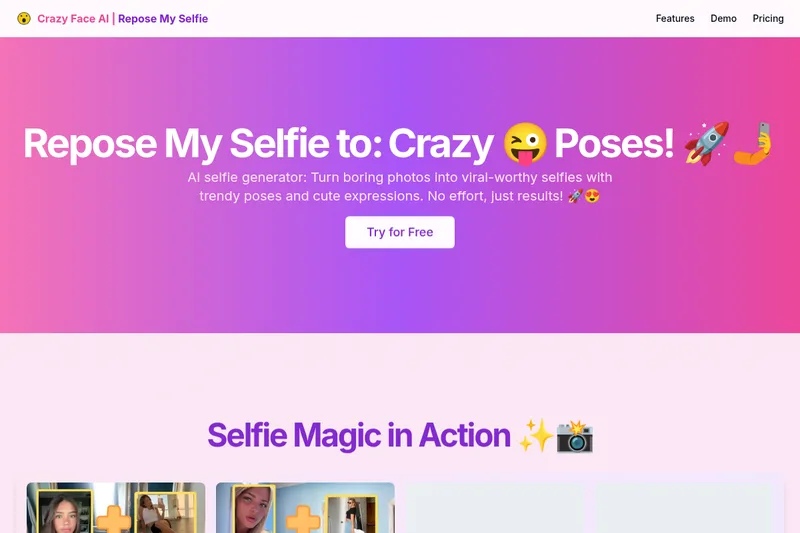
Crazy Face AI (Crazy Selfie AI) is an AI-powered selfie generator that transforms ordinary photos into viral-worthy selfies by generating trendy poses and a wide range of facial expressions using two main tools: a Selfie Face Generator and a Selfie Pose Generator.
phopet
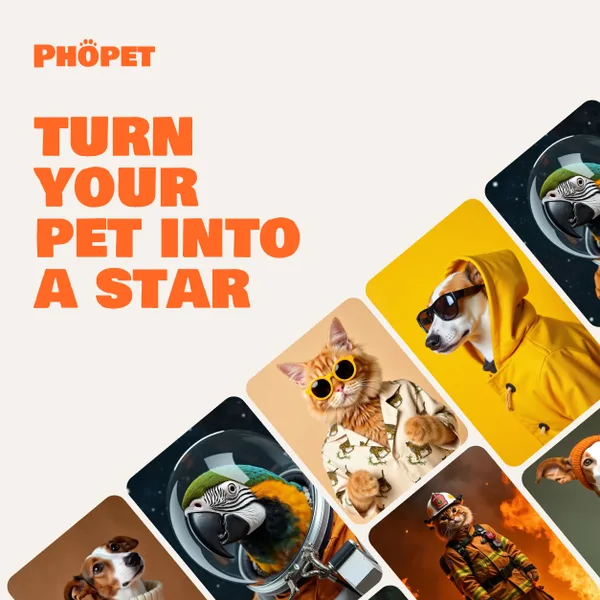
Phopet is a pet-focused image-generation service that trains a custom AI model from user-uploaded pet photos to produce themed, studio-quality images, upscaled prints, and merchandise-ready assets. It targets pet owners who want personalized photo packs and creative stories featuring their pets.

Flux AI Pro (flux-pro.net)
Flux AI Pro (flux-pro.net) is a web-based suite of AI image and video generation tools offering text- and image-to-image generation, an image editor, multi-model options, and credit-based paid plans for commercial use and high-resolution outputs.

Artiphoria AI
Artiphoria AI is a web-based AI image generation software that creates unique images in one click using neural networks and machine learning, aimed at artists, designers, creators and businesses.

Revivast
Revivast is an online professional photo restoration and colorization service that uses AI-enhanced workflows combined with human review to repair, enhance, and naturally colorize damaged, faded, or black-and-white photographs for digital download and optional framed prints.
Aiclotheschanger
AI Clothes Changer is a web-based tool that uses AI to let users virtually try on outfits by uploading a photo, selecting clothing styles, and downloading the transformed image. It’s positioned for personal styling, content creation, and professional profile images and is offered free to use.
Premium Alternatives
phopet
Phopet is a pet-focused image-generation service that trains a custom AI model from user-uploaded pet photos to produce themed, studio-quality images, upscaled prints, and merchandise-ready assets. It targets pet owners who want personalized photo packs and creative stories featuring their pets.
Photostudio
Blockode AI Photo Studio is an AI-powered photoshoot generator that trains a custom model from your uploaded selfies to produce stylized, high-resolution AI photoshoots. It targets users who want custom-generated portraits with options for commercial use.

Picture to Text
Picture to Text is an online OCR image-to-text converter that extracts editable text from images, screenshots, PDFs and handwritten notes using advanced OCR technology. It offers free and paid tiers with batch processing, multi-format support, and multi-language extraction.

imaginebuddy
Imagine Buddy is a web-based library of professionally crafted AI product photoshoot prompts that helps creators and brands generate campaign-ready product imagery using AI image generators like Gemini, ChatGPT/DALL·E, Midjourney, and Stable Diffusion.


Image-AI.pro
Image-AI.pro is a professional AI image generation platform powered by the proprietary img-v2 Pro engine, offering studio-quality, multi-style image generation with instant, no-registration access and an optional VIP membership for faster, higher-resolution outputs.