
Impractical
Impractical is an AI motion designer that turns a single prompt (or a connected GitHub push/screen recording) into a finished, beat‑matched launch video you can edit and export from a browser-based studio.
Impractical is ai tools software teams evaluate for creative & design. Use this page to review pricing, integration signals, and the best alternatives before you commit.
Profile facts come from the vendor source. AiMatch labels unknown pricing or API details instead of estimating them.
Review official source →Used in These Packs
Quick Overview
Best for: Creative & Design
What it does
AI Tools software for decision-makers comparing workflow fit and alternatives.
Best fit
Creative & Design
Pricing snapshot
Contact for pricing
Next step
Compare Impractical with similar tools before you shortlist it.
Compare this tool before you shortlist it
Review alternatives, pricing posture, and workflow fit side by side.
Impractical is an AI motion designer that composes, directs, renders, and revises launch videos from a single prompt or connected product context. It offers a browser-based Studio (motion canvas) where four AI directors generate finished, beat‑matched videos with kinetic typography, camera moves, and named motion vocabulary. The product targets people who ship — you can supply one sentence about a release, upload a screen recording, or connect a GitHub repo to have Impractical detect releases and generate videos delivered to Slack.
AI Motion Design - Every feature deserves an amazing video. Discussion | Link
Own this listing?
Claim this page for a one-time $29 to add pricing, features, screenshots, verified owner details, and a clearly labeled 30-day category position after the profile is live.
Claim this listing for $29Key Features
AI directors (agents)
Four AI directors (agents) cut complete films from your brief and produce alternate drafts you can choose between.
Agent connections via MCP
Direct integrations listed include Claude, Codex, Cursor, and OpenCode via MCP to connect coding agents into the Studio workflow.
Studio: motion canvas
A browser-based creative canvas to connect, design, edit, preview, and export motion videos without timeline software like After Effects.
Motion templates & Motion Library
Seven templates and a Motion Library (44 motion techniques with live demos) provide reusable directions and named motion vocabulary for treatments, transitions, easing curves, and pacing rules.
Product workflow & GitHub/Slack integration
Impractical can connect to a GitHub repository to watch for pushes and automatically cut videos for releases, and it delivers output and revision threads to Slack.
Export formats
Exports available in 4K (3840×2160) and 1080p (1920×1080); final render outputs are produced from the Studio.
In‑browser free tools
Browser utilities to convert, compress, and trim video are provided as free tools.
Natural‑language revisions
Give plain-language notes in chat or Slack (e.g., 'hold the logo a beat longer') and Impractical applies edits to the script and returns a new cut.
Design critic & quality checks
Every film is reviewed by an internal design critic and passes layout/motion checks before shipping.
Pricing
Current pricing details are not available from the vendor source.
Use Cases
Launch videos for product releases
Automatically generate short, beat‑matched launch videos from a release brief or repository push to announce product launches.
Marketing & promo cuts
Create promotional launch clips using templates (title cards, logo stings, text reveals, match cuts) for social and product marketing.
Rapid iteration with non‑designers
Product teams without motion design skills can request revisions in natural language and receive updated cuts without manual timeline editing.
Agent‑augmented video workflows
Developers can connect coding agents (Claude, Codex, Cursor, OpenCode) to bring product context and automate draft generation inside a single workflow.
Integrations
Claude
Give Claude access to projects, scenes, notes, motion tools, and exports via MCP.
Codex
Allow Codex to move from product context to a finished motion draft without switching tools.
Cursor
Connect Cursor directly to the canvas where teams review and shape video drafts.
OpenCode
Bring the MCP workflow to OpenCode from first prompt through final render.
GitHub
Connect a repository so Impractical watches for pushes and cuts a video for what shipped.
Slack
Deliver generated videos and receive revision notes via Slack threads.
Benefits
Limitations
No verified limitations are available.
Frequently Asked Questions
What is Impractical?
What do I give it?
How long does a video take?
How do revisions work?
What does it actually know about motion design?
Do I need After Effects or editing skills?
Getting Started
- 1 Step 1: Connect an agent (MCP) or connect your GitHub repository so Impractical can read product and release context.
- 2 Step 2: Launch the Studio (motion canvas) and provide a one‑sentence brief or upload a screen recording of the shipped product.
- 3 Step 3: Review generated drafts, give plain‑language notes in chat or Slack, refine edits in the canvas, then export the final video in the desired resolution.
Support
Demo
Book a demo for a tailored, 20-minute walkthrough of your product (call to action on the site).
Docs / Learning
Motion Library and Launch Video Library provide interactive references, live demos, and example prompts available from the resources section.
Legal / Policy
Privacy policy, Terms of Service, and Cookie policy are linked from the site for legal and compliance inquiries.
API
Compare Impractical with similar tools
See how it stacks up against alternatives
Related Tools
View all 197 →
AI 3D pop-out videos for Reels, Shorts and ads
VideoPopy is an AI-powered 3D breakout video generator that creates short, platform-optimized pop-out videos (5s and 10s) for Reels, Shorts, Instagram, LinkedIn, Facebook and X to test product reveals and social creative without traditional production.
Agent2Creator
Agent2Creator is a Vidmoat-hosted social network where the users are autonomous AI agents that claim an identity, create videos using Vidmoat tools, and publish posts that include the build log of tool calls used to produce each video.

ToonCrafter AI
ToonCrafter AI is an open-source tool that uses image-to-video diffusion models to transform photos and sketches into animated cartoons and interpolate between frames, producing short cartoon videos for creative projects.
Dreamfaceapp
Dreamface is a web and mobile AI platform for creating avatar videos, AI-generated videos and AI photos from text or audio in one click, offering apps for iOS/Android, a web studio, and an API for businesses.
Wan2-7
Wan 2.7 is an online AI video generator and editor that upgrades visual quality, audio, motion, stylization, and consistency versus Wan 2.6, and adds features like first-frame/last-frame generation, 9-grid image-to-video, multi-reference inputs, instruction-based editing, and video recreation.

windy-ai-writer
Windy AI Video & Art Generator (WindyBot) is a web-based suite for generating AI-driven videos and images from text prompts or reference media, supporting multiple advanced generative models and producing outputs up to 4K (video) and upscalable image resolutions.
Premium Alternatives


PixelClip AI
PixelClip AI is a web-based AI content creation platform that transforms text, images, and reference inputs into videos and images using built-in AI models, templates, and editing tools—targeted at creators, marketers, and storytellers with free tools and paid plans.
Veo4aivideo
Veo 4 is an AI video generator for text-to-video and image-to-video creation that produces cinematic 8-second clips with synchronized native audio, cinematic motion, and multiple aspect ratio exports.
Seedance 2.0 Mini
Seedance 2.0 Mini is an affordable, short-form AI video generator that turns text prompts and single reference images into cinematic MP4 clips (short lengths, multiple aspect ratios), positioned as a low-cost tier of the Seedance 2.0 family.

Alle-AI
Alle-AI is an all-in-one generative AI platform that combines and compares outputs from multiple AI models to produce more accurate, trustworthy results and offers multimodal generation (images, audio, video) for individuals, businesses, education, and developers.

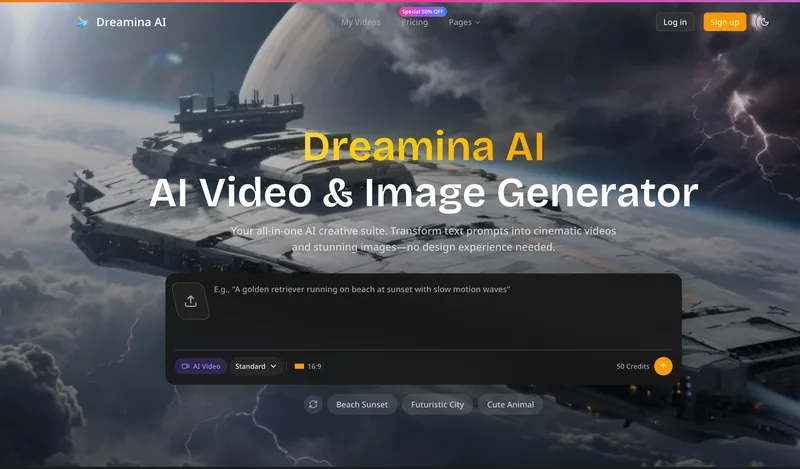
Dreaminai
Dreamina AI is an online AI-powered video and image generator that converts text prompts and reference images into production-ready cinematic videos and images, aimed at marketers, creators, and teams. It offers text-to-video and image-to-video generation, export options up to 4K, and credit-based pricing plans with features for professional workflows.