
Interview Copilot
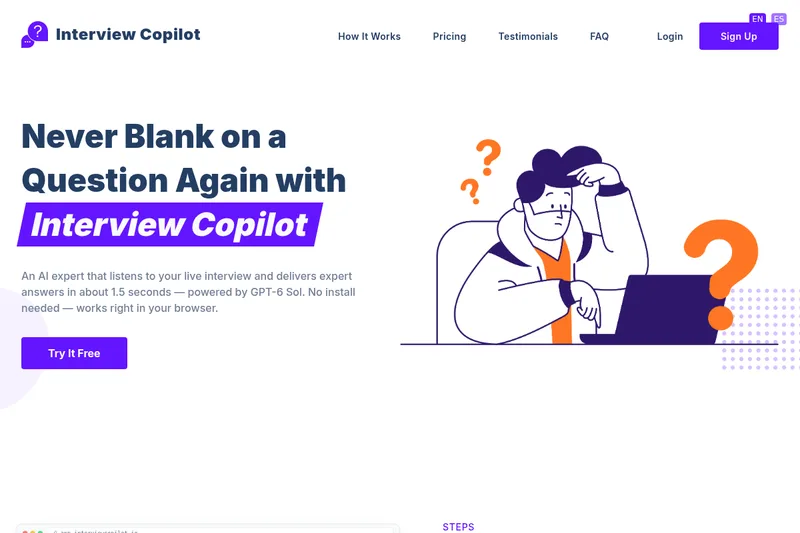
Interview Copilot listens during job interviews and gives candidates structured answer suggestions, with a separate coach for practice and feedback. It is aimed at job seekers who want support for live interviews or structured preparation in a browser.
One of 146 tools in Recruitment & HR
Who it's for
- Software engineering candidates who want coding or system design guidance during technical interviews.
- Candidates preparing for behavioral interviews who want STAR-format prompts and a Career Story Bank.
- Job seekers practicing with role-specific questions who want scored feedback, focused corrections, and same-question retries.
Not the right fit if…
- Hiring teams seeking a hiring prediction: the page says Coach feedback is practice signal and does not predict or guarantee a hiring decision.
- Candidates who need Auto Answer on the Free or Light plan: Auto Answer is listed only for Basic and Intensive.
How it fits your workflow
Open Interview Copilot in a browser before joining a call. The page lists Zoom, Microsoft Teams, Google Meet, and Webex as supported interview platforms and says no installation is needed.
During a live interview, choose a mode and request a suggestion with Get Answer; Basic and Intensive can instead use Auto Answer, which starts a response when the interviewer finishes. The displayed guidance uses an opening line and short points for the candidate to express in their own words.
For practice, answer role-specific questions using the Coach, review its five-dimension scoring and priority correction, then retry the same question and compare attempts.
Pricing
Free: The Free plan costs $0 per month and includes 20 minutes of Copilot, 20 minutes of Interview Coach, manual Get Answer, all four interview modes, 20 languages, and the Career Story Bank.
Free
$0.00 per month
- · 20 minutes of Copilot and 20 minutes of Interview Coach
- · Manual Get Answer
- · All four interview modes
- · 20 languages
Light
$14.99 per month
- · 5 hours of Copilot and 1 hour of Interview Coach
- · Manual Get Answer
- · All four interview modes and 20 languages
- · Resume and job-description personalization
Basic
$19.99 per month
- · 10 hours of Copilot and 10 hours of Interview Coach
- · Auto Answer and manual Get Answer
- · Scored reports, retries, and progress tracking
- · All four interview modes and 20 languages
Intensive
$29.99 per month
- · 20 hours of Copilot and 20 hours of Interview Coach
- · Auto Answer and manual Get Answer
- · Scored reports, retries, and progress tracking
- · All four interview modes and 20 languages
Prices checked on Oct 16, 2026 from the vendor's site. They can change; confirm before you buy.
Key features
- Live answer suggestions
- Listen to an interview conversation and provide structured, speakable guidance. Manual Get Answer is available on every plan, and the page says responses arrive in about 1.5 seconds.
- Auto Answer
- On Basic and Intensive plans, the tool detects when the interviewer has finished and starts a suggested response. Users can turn Auto Answer off and use Get Answer manually.
- Specialized interview modes
- Provides coding, behavioral, system design, and general interview modes. The page describes coding help, STAR-format behavioral answers, and architecture frameworks for system design.
- Interview Coach
- Provides role-specific practice questions, five-dimension scoring, evidence tied to the answer, a priority correction, and the ability to retry the same question and compare attempts.
- Resume and job-description personalization
- Paid plans from Light upward include resume and job-description personalization for interview answers and practice.
- Career Story Bank
- Every listed plan includes a Career Story Bank for behavioral answers.
Works with
- Zoom
- Microsoft Teams
- Google Meet
- Webex
Limitations to know
- Monthly Copilot and Coach usage is capped by plan: Copilot ranges from 20 minutes on Free to 20 hours on Intensive, while Coach ranges from 20 minutes on Free to 20 hours on Intensive.
- Auto Answer is available only on Basic and Intensive; Free and Light plans provide manual Get Answer.
- The page cautions that AI answers can be wrong and presents them as guidance rather than answers users should necessarily repeat verbatim.
- Interview Coach feedback is described as practice signal, not a hiring prediction or guarantee.
Alternatives to consider
-
AI Interview Copilot
Choose it if you want the described real-time voice transcription, screenshot analysis, and algorithmic problem-solving features.
-
Interviews Chat
Choose it if you also want mock interviews and resume or cover-letter tools as part of interview preparation.
-
Final Round AI
Choose it if you prefer a desktop assistant with automatic post-session debriefs and practice tied to a single Goal.
Getting started
- Open Interview Copilot in a browser and sign up or select a plan.
- Open it before joining an interview call on a supported calling platform.
- Choose an interview mode and use manual Get Answer, or enable Auto Answer if using Basic or Intensive.
- For practice, answer a Coach question, review the feedback, and retry the same question.
Frequently asked questions
Which plans include Interview Coach and Auto Answer?
Interview Coach is included on every plan, with 20 minutes per month on Free, 1 hour on Light, 10 hours on Basic, and 20 hours on Intensive. Manual Get Answer is also available on every plan. Auto Answer is included on Basic and Intensive.
What does Auto Answer do?
Auto Answer listens for an interview question and starts a suggested response after the interviewer finishes. Users can switch it off and use Get Answer manually.
What interview platforms does it work with?
The FAQ lists Zoom, Microsoft Teams, Google Meet, and Webex. It says the tool works in a browser and nothing needs to be installed.
How accurate are the AI answers?
The tool combines the conversation with a resume and job description to create a relevant suggestion. The page cautions that AI can still be wrong and says users should treat responses as guidance and decide what to say in their own words.
Can I cancel anytime?
Yes. The page says users can cancel from their account settings at any time. Paid plans also have a three-day money-back guarantee when usage stays within the Free plan limit.