

Lucidchart
Lucidchart is an intelligent, data-driven diagramming and visual collaboration tool that helps teams create flowcharts, org charts, technical diagrams, and architecture visuals using AI, data imports, and real-time collaboration.
Lucidchart is design generators software teams evaluate for design generators. Use this page to review pricing, integration signals, and the best alternatives before you commit.
Used in These Packs
Quick Overview
Best for: Design Generators
What it does
Design Generators software for decision-makers comparing workflow fit and alternatives.
Best fit
Design Generators
Pricing snapshot
Free
Next step
Compare Lucidchart with similar tools before you shortlist it.
Compare this tool before you shortlist it
Review alternatives, pricing posture, and workflow fit side by side.
Lucidchart
Lucidchart is a diagramming platform that combines AI, data linking, and automation to help teams visualize systems, processes, and organizational structures. It offers AI-generated diagram creation and summarization, data imports and linking, templates, and collaboration features to align people and priorities and improve documentation. Lucidchart is aimed at product, engineering, IT, operations, and business teams that need to document, share, and act on visual information across the organization.
The product is part of the Lucid Suite (which includes Lucidspark) and emphasizes integrations, enterprise controls, and templates to accelerate diagram creation, maintain a single source of truth, and enable diagram-based workflows across common productivity and development tools.
Lucidchart is an intelligent, data-driven diagramming and visual collaboration tool that helps teams create flowcharts, org charts, technical diagrams, and architecture visuals using AI, data imports, and real-time collaboration.
Own this listing?
Claim this page to add pricing, features, screenshots, and verified owner details.
Claim this listingKey Features
Lucid AI
AI-powered diagram generation and summarization—create diagrams from text prompts and let AI summarize or enhance diagram content.
Data linking & imports
Import data and link it to diagram elements to create dynamic, data-driven visuals and org charts.
Diagram as code & UML/ERD markup
Support for UML and ERD markup and features that allow programmatic or quick diagram creation for technical diagrams.
Real-time collaboration
Collaborate on diagrams in real time or asynchronously with shared documents and commenting.
Templates and starter content
Large library of templates for process flows, org charts, network and AWS diagrams, UML, customer journeys, roadmaps, and more.
Conditional formatting & layers
Visual controls such as conditional formatting and layering to manage complex diagrams and highlight data-driven states.
Integrations & embedding
Embed and link diagrams across many apps, with over 100 integrations and built-in embedding/linking capabilities.
AI Prompt Flow
Structured AI prompting features to guide AI-driven diagram creation and workflow automation.
Pricing
Free tier available — users can sign up free to try Lucidchart with basic functionality.
Use Cases
Process documentation
Map and optimize business processes and create a single source of truth using flowcharts and BPMN templates.
AI-generated diagrams
Save time by generating diagrams and summaries from text prompts or data imports using Lucid AI.
Org and team planning
Build dynamic org charts to visualize headcount, team structure, workloads, and analytics-driven views.
Technical diagrams and architecture
Create network, cloud, ERD, sequence, and system architecture diagrams with markup support and cloud shape libraries.
Interactive learning & documentation
Use diagrams as central documentation artifacts and embed them across collaboration tools to increase clarity.
Visio replacement
Migrate or replace Visio with a modern, cloud-based diagramming tool that supports common diagram types and imports.
Integrations
Google Workspace (Drive, Sheets, Docs, Calendar)
Embed and link diagrams, import data from Sheets, and integrate with Google Drive and Docs.
Microsoft 365 (Teams, PowerPoint, Excel, Word, SharePoint)
Embed and edit Lucid diagrams in Teams, add diagrams to PowerPoint/Word, and integrate with Excel and SharePoint.
Slack
Share diagrams, grant access, and start brainstorming sessions with Slack shortcuts and integrations.
Atlassian (Jira, Confluence)
Attach Lucid diagrams to Jira issues and embed editable diagrams in Confluence pages.
Notion
Paste Lucidchart links into Notion pages to organize and share visuals.
Jira
Link and attach diagrams to Jira tasks, projects, and issues for traceability.
Figma
Integrate diagram assets with Figma workflows (embed or reference as needed).
AWS & Azure
Cloud shape libraries and integrations to visualize cloud infrastructure and architecture.
Salesforce
Integrate Lucid content with Salesforce to surface diagrams where work gets done.
Benefits
Limitations
Frequently Asked Questions
Can Lucidchart generate diagrams automatically?
Does Lucidchart integrate with other productivity tools?
Is Lucidchart suitable for technical diagrams and architecture?
What enterprise security features are available?
Getting Started
- 1 Sign up for a free account (or sign in with Google, Microsoft, or Slack) to access Lucidchart
- 2 Choose a template or start with a blank canvas; optionally import data or use text prompts to auto-generate diagrams with Lucid AI
- 3 Share, embed, or collaborate on diagrams in real time and connect them into your team’s existing apps via integrations
Support
Help center
Access product documentation and help articles via the Lucid help center.
Training labs
Lucid Training Labs provide guided learning and opportunities to earn Lucid Builder Badges.
User community
Join the Lucid community to engage with other users and the Lucid team.
Contact sales
Contact sales for enterprise purchases and custom deployments (link available on site).
API
Not available
Not available
Compare Lucidchart with similar tools
See how it stacks up against alternatives
Related Tools
View all 181 →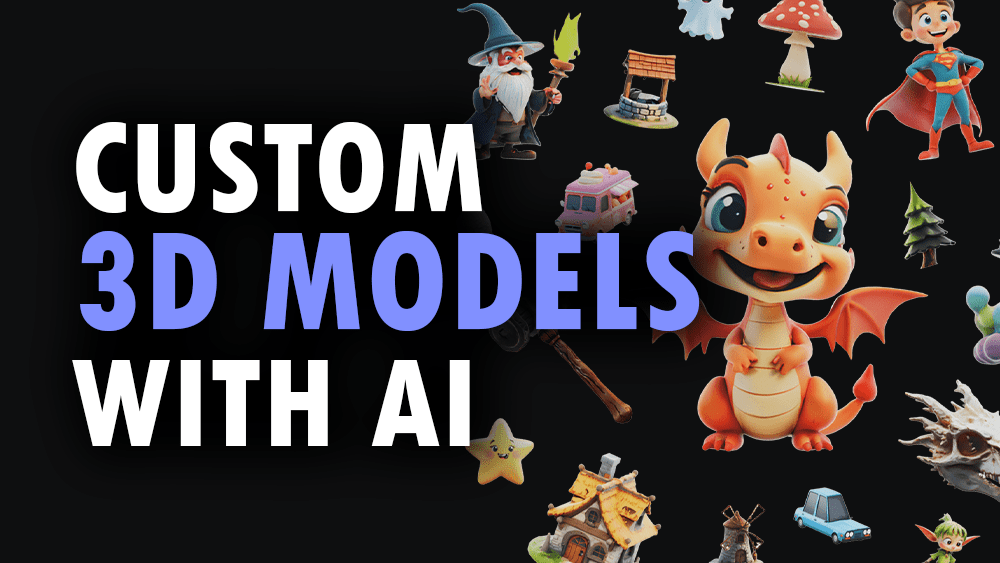
3daistudio
3D AI Studio is an AI-powered platform that generates production-ready 3D models, textures, and optimized meshes from text prompts or images in seconds. It targets creators, game developers, studios, and 3D printing users who need fast, export-ready assets without manual modelling.

Compareheights
CompareHeights is an online height comparison and chart generator that lets users visually compare heights of people, characters, objects and scales from nanometers to kilometers. It is aimed at fans, creators, educators and professionals who need accurate, customizable visual height comparisons.



Logolivery
LogoliveryAI was a free AI-powered logo generator that produced vector logos in SVG format. The company has been officially liquidated and the service is no longer active.

Pronti
Pronti is an AI-powered outfit generator and personal stylist that creates outfit suggestions from your existing wardrobe, lets you upload clothes via photos or receipts, and learns your style over time to improve recommendations while promoting fashion sustainability.

Ai-architectures
AI-Architectures is a suite of AI-powered visualization tools that turn sketches, photos, or text briefs into photorealistic renders, labeled floor plans, and staged listing photos in roughly 30–40 seconds, with exports in PNG/JPG, PDF and DXF for CAD/BIM workflows.

Premium Alternatives

GLM-4.6
GLM-4.6 is an advanced large language model featuring an extended 200K token context window, superior coding and reasoning capabilities, and enhanced agentic performance. It is designed for developers and researchers seeking powerful AI for coding, reasoning, and agent-based applications.


marketingblocks-ai
MarketingBlocks AI is an all-in-one AI marketing assistant platform that automates the creation of marketing content, including landing pages, social media posts, videos, and more, helping entrepreneurs, agencies, and marketers increase leads, sales, and visibility efficiently.

Yourstruly
YoursTruly lets you create, customize, and mail real, handwritten greeting cards and postcards to U.S. addresses quickly — using artist-designed templates or your own photos, with optional AI help to write the message.

AIclicks
AIclicks is an AI and LLM search visibility optimization tool designed to help brands track, analyze, and improve their presence in AI search engines like ChatGPT, Perplexity, and Gemini. It provides actionable analytics, competitor analysis, and AI-generated content to boost AI search rankings.

Corner Time
Corner Time is a minimalist macOS app that displays a native-like clock in the screen corner, even when the menu bar is hidden or in fullscreen mode, enabling distraction-free workflows and digital minimalism.