Mindmapai
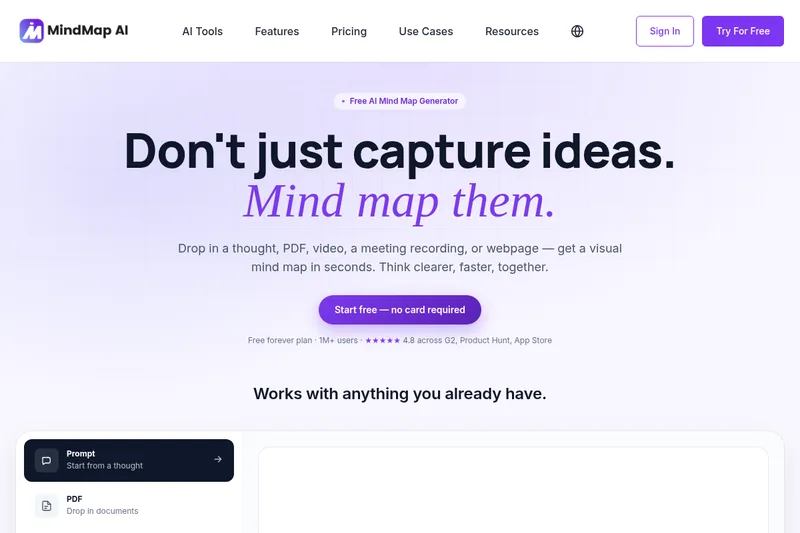
MindMap AI is a cloud-based AI-powered mind map generator that turns prompts, documents, audio/video, webpages and other inputs into editable visual mind maps for individuals and teams. It offers real-time AI chat with maps, multi-structure views (mind map, logic chart, org chart, outline), multi-device apps, and team workspaces.
Mindmapai is education software teams evaluate for education. Use this page to review pricing, integration signals, and the best alternatives before you commit.
Profile facts come from the vendor source. AiMatch labels unknown pricing or API details instead of estimating them.
Review official source →Used in These Packs
Quick Overview
Best for: Education
What it does
Education software for decision-makers comparing workflow fit and alternatives.
Best fit
Education
Pricing snapshot
Freemium from Free forever
Next step
Compare Mindmapai with similar tools before you shortlist it.
Compare this tool before you shortlist it
Review alternatives, pricing posture, and workflow fit side by side.
MindMap AI is an online mind map maker that uses AI to convert prompts, documents (PDFs), videos, audio recordings, webpages, meeting transcripts, and structured files (Markdown, CSV, JSON, XML, HTML, Graphviz) into visual, editable maps in seconds. The product targets both individual users and teams — offering a free forever plan, monthly AI credits, native iOS and Android apps, browser extensions, and team workspaces with admin, billing, roles, and analytics. The site emphasizes fast capture and synthesis for brainstorming, planning, note-taking, study, meetings, research, and professional workflows.
MindMap AI is a cloud-based AI-powered mind map generator that turns prompts, documents, audio/video, webpages and other inputs into editable visual mind maps for individuals and teams. It offers real-time AI chat with maps, multi-structure views (mind map, logic chart, org chart, outline), multi-device apps, and team workspaces.
Own this listing?
Claim this page for a one-time $29 to add pricing, features, screenshots, verified owner details, and a clearly labeled 30-day category position after the profile is live.
Claim this listing for $29Key Features
AI-powered map generation
Create mind maps automatically from a prompt or by uploading content (PDFs, videos, audio, transcripts, webpages, and structured files).
Chat with your map
Interact with the map via AI: expand branches, reorganize sections, summarize, and edit through conversational prompts while the map updates in place.
Multiple structures and views
Switch between Mind Map, Logic Chart, Org Chart, and Outline (branching, radial, top-down flow, hierarchy, linear indented) without rebuilding the content.
Import & export
Import from major mind mapping formats and export maps as PDF, PNG, SVG, CSV, Markdown, or .mma; preserves nodes, branches, and notes.
Team workspaces & admin
Shared projects, admin controls, billing, roles, analytics, and team collaboration features for organizational use.
Cross-device apps & extensions
Available on web, native iOS and Android apps, and browser extensions with maps syncing across devices.
Manual editing and history
Unlimited manual editing (drag, rename, reconnect), keyboard-first shortcuts, undo and history.
Styling and multilingual support
Themes and colors can be set by AI or manually; supports 29+ languages including RTL scripts like Arabic and Hebrew.
Task tracking & project exports
Convert mind map items into project trackers and exported formats for task management and planning.
Pricing
Unlimited manual maps, monthly AI credits, and access to all map structures; no credit card required.
Free
Free forever- Unlimited manual maps
- Monthly AI credits
- Access to all structures
Paid plans
Monthly, yearly, or one-time lifetime plans (pricing details on site)- Additional AI credits
- More export formats
- Larger upload limits and team features
Use Cases
Brainstorming
Rapidly capture rough ideas and expand them into structured maps for ideation and group sessions.
Meeting capture & action items
Upload call or meeting transcripts and get maps with decisions and owners extracted as action items.
Research synthesis & product discovery
Convert lengthy documents or interview transcripts into themed maps to synthesize findings and build scopes.
Study & teaching
Turn lecture PDFs and textbook chapters into study maps that highlight key concepts and links for students and educators.
Planning & project scoping
Create project scope maps from requirements documents and flip views to org charts or logic charts for assignment and planning.
Content and competitive research
Paste competitive research or user interviews to produce structured maps for content strategy and product reviews.
Integrations
Browser extension
Capture webpages and content directly into MindMap AI via a browser extension.
Mobile apps
Native iOS and Android apps to access and edit maps on mobile devices.
Import/Export formats
Supports import from and export to Markdown, CSV, JSON, XML, HTML, Graphviz and major mind map formats.
Benefits
Limitations
No verified limitations are available.
Frequently Asked Questions
Is MindMap AI free?
How do I create a mind map with AI?
What can I turn into a mind map?
Can I import mind maps from other tools?
Can I share and export my mind maps?
Does MindMap AI work on mobile?
Getting Started
- 1 Step 1: Visit the site and create an account — start free with no credit card required.
- 2 Step 2: Type a prompt or upload content (PDF, audio/video, transcript, webpage, or structured file) to generate a map.
- 3 Step 3: Use the chat interface to expand or refine branches, manually edit the map, and export or share the result.
Support
Docs
Resources available via the site including Blogs, Webinars, and FAQs (site resources section).
Contact
Contact Us and Help & Support pages linked from the site for direct assistance.
Community
Community and partners pages referenced on the site for additional help and collaboration.
API
Compare Mindmapai with similar tools
See how it stacks up against alternatives
Related Tools
View all 124 →
Academa Studio
Academa Studio is an AI-native web editor for authoring Manim (mathematical animation) content, providing an integrated Python runtime, renderer preview, and AI-assisted chat prompts to generate and refine animations.

Language Model Builder
Language Model Builder is a free macOS app and interactive textbook that teaches how language models are built and lets you train small GPT-style models locally on Apple Silicon Macs.

Teacher Planner
Teacher Planner is an online planning tool for teachers to organize lessons by day, week, month, unit, or outline, import a timetable from a photo or PDF, and prepare classroom materials with AI tools. It includes free and paid plans with different planbook and printing features.
LongTerMemory
LongTerMemory is an AI study web application that turns learners’ documents, images, and web pages into quizzes, a personalized study plan, and spaced-repetition reviews. It also lets users chat with their imported study materials.

Bedtimestory
Bedtimestory.ai is an AI-powered story generator that instantly crafts personalized bedtime stories for children and supports authors and educators in creating publishable, curriculum-friendly stories.



MagicSchool
MagicSchool is an AI platform built for K-12 schools and districts that provides teacher and student AI tools—like a Presentation Generator, lesson-plan and assessment creators—focused on safe, district-aligned deployments to save teacher time, personalize learning, and build AI literacy.
Premium Alternatives
eSkilled AI Course Creator
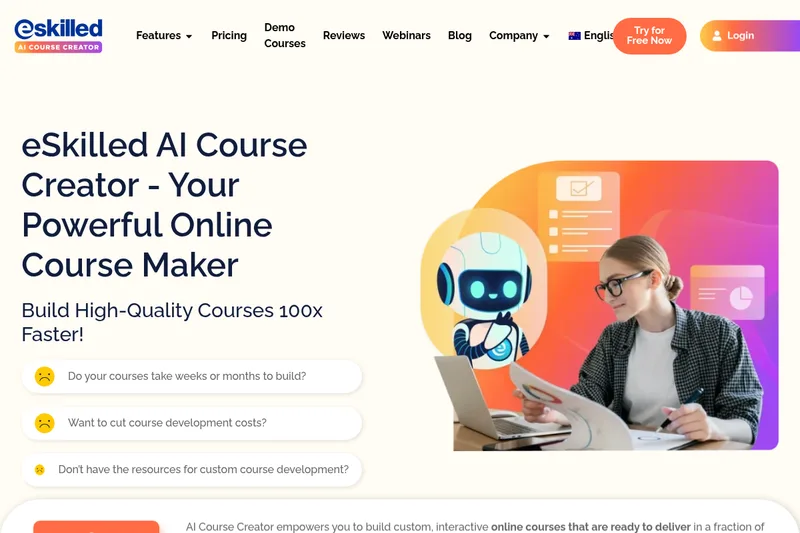
eSkilled AI Course Creator is a cloud-based course authoring platform that uses AI to turn ideas and existing training materials into editable online courses with lessons, quizzes, imagery, and interactive activities. Courses can be shared by URL, embedded, connected through LTI, or exported as SCORM.