
OpenArt AI
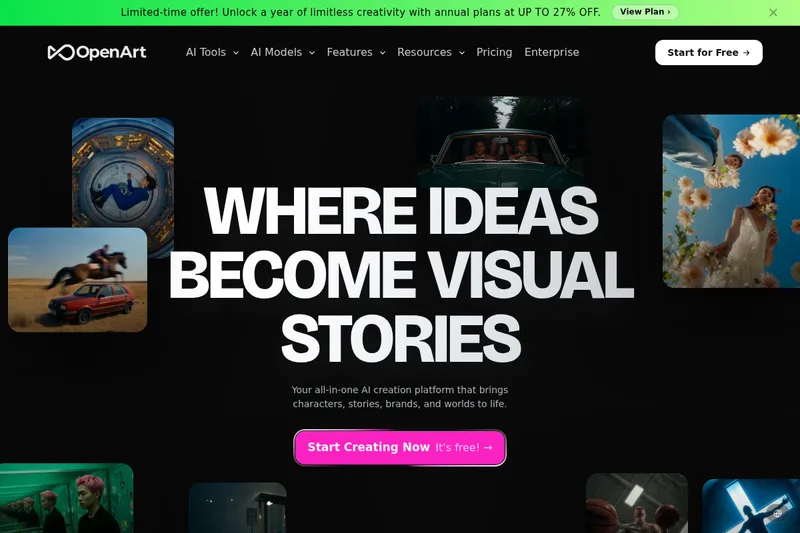
OpenArt lets creators, brand teams, and studios generate and edit images, videos, audio, characters, and 3D worlds in one platform. It supports workflows from social clips and ads to cinematic stories.
One of 204 tools in Video Generation
Who it's for
- Social content creators who need to generate and format videos for TikTok, Reels, Shorts, YouTube, or Instagram.
- Marketing and brand teams creating product spots, UGC-style ads, or branding videos.
- Video creators and studios developing multi-scene stories with recurring characters, generated audio, and AI-directed shots.
How it fits your workflow
Choose an image, video, character, audio, or world-creation workflow. For video, provide a text prompt or reference image; for character creation, use reference images or a text brief.
Select a model or style, generate the content, and refine it with the available editing controls. OpenArt Director also lets users lay out a storyboard and shape shots through chat.
Reuse saved characters across generations, add voice, music, or sound effects where needed, and export the finished content in a suitable format or aspect ratio.
Pricing
Paid plans
Price not published
- · See the provider pricing page for current rates, billing periods, and usage limits.
Prices checked on Sep 7, 2026 from the vendor's site. They can change; confirm before you buy.
Key features
- AI Video Generator
- Create cinematic videos from text or images up to 15 seconds long and up to 4K resolution; choose between multiple video models (Veo, Seedance, Kling, Sora, etc.) and refine each generation.
- AI Image Generation & Editing
- Generate and edit images with models such as GPT Image 2, Nano Banana Pro, and Seedream 5.0; edit in-canvas (erase, expand, swap backgrounds, restyle) and upscale to 4K.
- Director (Vibe Direct)
- Chat-driven directing workflow to layout storyboards, shape shots via natural language, and refine sequences with granular control.
- Character Builder
- Create consistent AI characters from reference images or text briefs, save them to a library, and reuse them across images and videos for consistent faces and looks.
- 3D World Generator
- Generate navigable, persistent spatial environments in full 3D from a single prompt or references; place characters, add props, take stills, or export environments to specialized 3D tools.
- AI Music & Audio
- Generate AI voiceovers in 30+ languages with lip-sync, create original music scores, and layer sound effects; audio exports as WAV or MP3 timed to video.
Works with
- Third-party AI models
- 3D export
- Partner logos
Limitations to know
- The stated AI video generator produces videos up to 15 seconds long; the page says paid plans unlock longer video generation but does not state the longer-duration limit.
- The page does not provide specific prices for paid plans.
Alternatives to consider
-
SeaArt AI
Choose it if you want an AI creation platform that also emphasizes a community, templates, and effects for generating, editing, and sharing visual content.
-
ImagineArt
Choose it if you want a creative suite organized around studio workflows, templates, automation, and collaboration for generating multimedia.
Getting started
- Start with the free trial, which the page says includes daily credits and does not require a credit card.
- Choose a creation tool and provide a prompt, image, audio track, or character reference as appropriate to that workflow.
- Generate and refine the result using the available model and editing tools.
- Export the finished content or reuse saved characters and assets in another project.
Frequently asked questions
What is OpenArt AI?
OpenArt is an all-in-one platform for creating AI images and videos, including product ads, reels, short films, and virtual characters without specialized editing software or technical skills.
Can I use what I create on OpenArt for my business or brand?
Yes. You fully own what you create and can use it however you like, in ads, on social media, in client work, on merchandise, or anywhere else. No royalties, no attribution required.
Can I create the same character across different scenes and videos?
Yes. Create a character once and reuse it across outfits, scenes, and videos to maintain the same face and look every time.
Will my videos fit TikTok, Reels, and YouTube?
Yes. OpenArt exports in every format and aspect ratio you need: vertical for TikTok, Reels, and Shorts; widescreen for YouTube and ads; square for Instagram feeds; and cinematic ratios for film.
Do I need to know how to use AI or edit videos to get good results?
No. OpenArt is built for everyday creators—describe what you want in plain words, pick a style, and the platform handles the rest; advanced tools are available for more control.
Which AI models does OpenArt use?
OpenArt brings together models including Seedream 5.0, Seedance 2.0, Google Veo 3, GPT Image 2, Nano Banana Pro, Sora 2, Kling 3.0, Grok Imagine, MiniMax Hailuo, and HappyHorse.
Can OpenArt make videos with talking, music, and sound?
Yes. You can make videos with synced lip movement, original AI-generated music, and layered sound effects; audio exports as WAV or MP3 timed to your video.
How is OpenArt different from tools like Midjourney, Runway, or Sora?
OpenArt combines image, video, character, music, and editing in one platform with multiple leading AI models built in, so you don't need separate subscriptions or to move files between apps.
Is my work private and safe on OpenArt?
Yes. The site states creations stay private, payments are handled securely, and safeguards are in place to keep the platform safe and responsible.